How to use acult — Help · AstroAnsh
Help centreसहायता केंद्र

How to use acultacult का उपयोग कैसे करें

Clear, step-by-step help for everything in acult — from joining the PMP and signing up, to every part of your kundli.acult की हर चीज़ के लिए स्पष्ट, क़दम-दर-क़दम सहायता — PMP में प्रवेश और साइन अप से लेकर आपकी कुण्डली के हर भाग तक।

55topicsविषय
16chaptersअध्याय
EN · हिंboth languagesदोनों भाषाएँ

Browse by topicविषय के अनुसार देखें

PMP student? Start with “Joining the PMP”.PMP विद्यार्थी हैं? “PMP में प्रवेश” से शुरू करें।

Joining the PMP and getting into acultPMP में प्रवेश और acult में आना4 topics4 विषय→Getting startedशुरुआत2 topics2 विषय→Sign up, log in and your passwordसाइन अप, लॉग इन और पासवर्ड4 topics4 विषय→Plans and paymentप्लान और भुगतान1 topics1 विषय→The home screenहोम स्क्रीन3 topics3 विषय→Making a kundliकुण्डली बनाना3 topics3 विषय→Saving and organising kundlisकुण्डलियाँ सहेजना और व्यवस्थित करना2 topics2 विषय→The 17 parts of a kundliकुण्डली के 17 भाग17 topics17 विषय→The other sectionsअन्य विभाग9 topics9 विषय→Your account settingsआपकी खाता सेटिंग1 topics1 विषय→Learn — the Jyotish libraryसीखें — ज्योतिष पुस्तकालय1 topics1 विषय→Testsपरीक्षा1 topics1 विषय→Booking a consultationपरामर्श बुक करना1 topics1 विषय→Communityसमुदाय1 topics1 विषय→For PMP studentsPMP विद्यार्थियों के लिए3 topics3 विषय→Help and common questionsसहायता और सामान्य प्रश्न2 topics2 विषय→
Chapter 1अध्याय 1

Joining the PMP and getting into acultPMP में प्रवेश और acult में आना

4 topics4 विषय
01

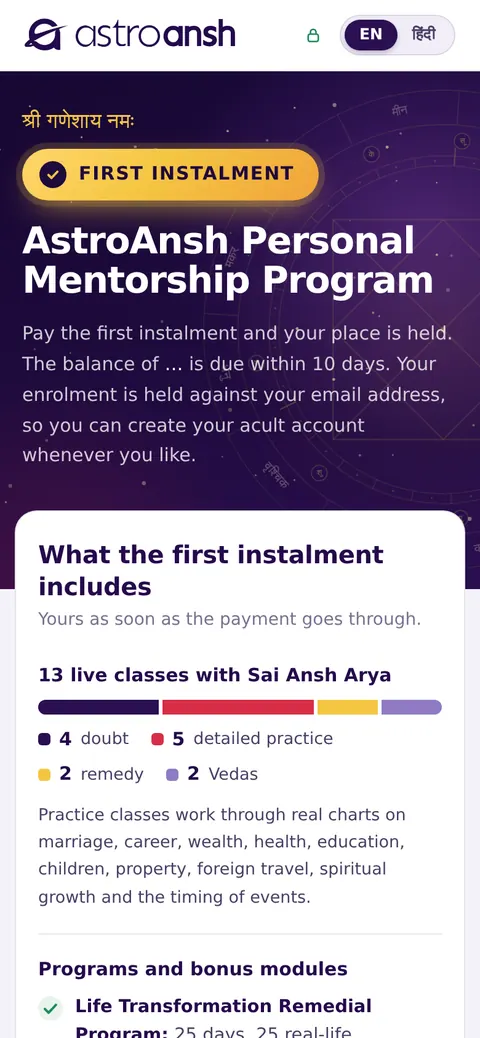
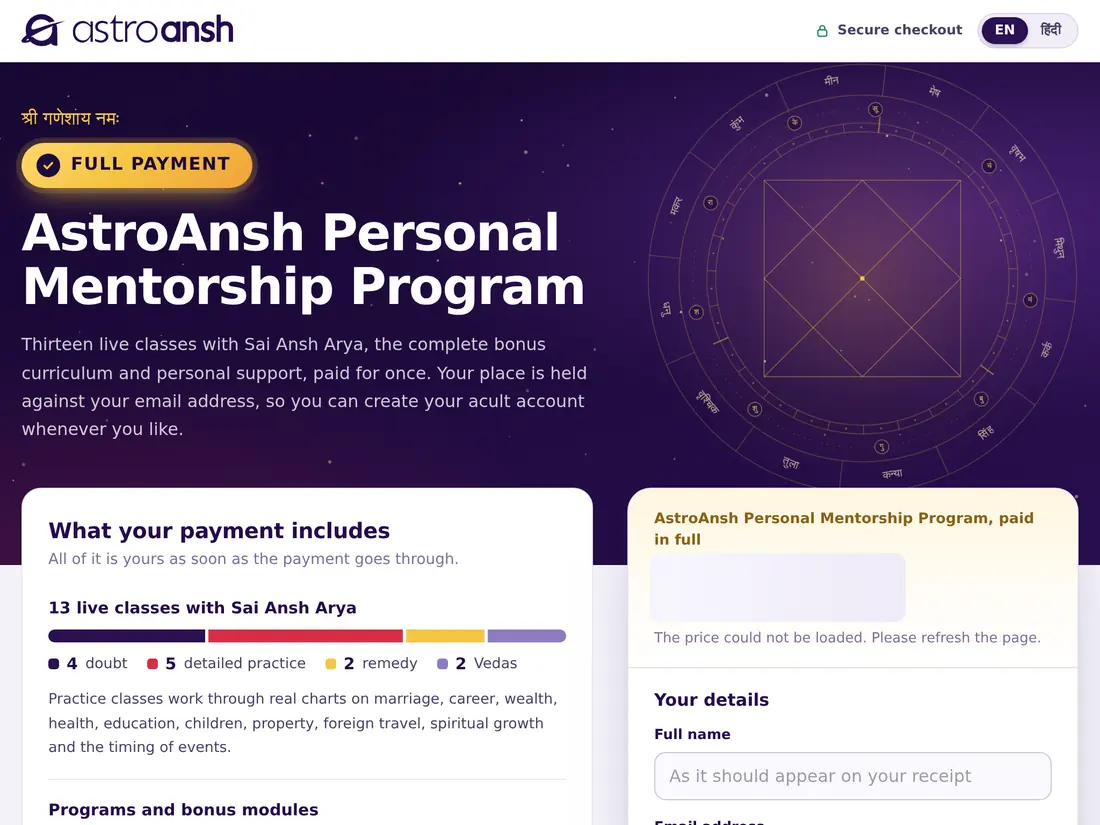
The AstroAnsh Personal Mentorship Program (PMP) includes live classes with Sai Ansh Arya and access to acult. You can pay in full or in two instalments. Either way, your place is held against your email address — and that same email is how acult recognises you as a PMP student.AstroAnsh पर्सनल मेंटरशिप प्रोग्राम (PMP) में साईं अंश आर्य के साथ लाइव कक्षाएँ और acult का एक्सेस शामिल है। आप पूरा भुगतान या दो किस्तों में भुगतान कर सकते हैं। दोनों में आपकी सीट आपके ईमेल पते पर सुरक्षित होती है — और इसी ईमेल से acult आपको PMP विद्यार्थी के रूप में पहचानता है।

Full payment or two instalmentsपूरा भुगतान या दो किस्तें

  • Full payment — pay once. Everything is yours straight away: all the live classes, the bonus modules, the family consultation, a personal mentor, Margdarshika, lifetime access to recordings and premium notes, and 60 days of acult.
  • Two instalments — pay the first instalment now and your place is held, with the live classes, the bonus modules, 3 months of recordings and 10 days of acult. Pay the balance within 10 days to unlock the rest — the family consultation, personal mentor, Margdarshika, premium notes, lifetime recordings — and acult for 60 days in all.
  • If the balance is not paid within 10 days, you keep the live classes and 3 months of recordings.
  • At the time of writing: full payment ₹20,999; instalments ₹10,999 now and ₹10,000 within 10 days (prices include GST and are always shown on the payment page).
  • पूरा भुगतान — एक बार भुगतान करें। सब कुछ तुरंत आपका: सभी लाइव कक्षाएँ, बोनस मॉड्यूल, पारिवारिक परामर्श, निजी मेंटर, मार्गदर्शिका, रिकॉर्डिंग और प्रीमियम नोट्स का आजीवन एक्सेस, और 60 दिन acult।
  • दो किस्तें — अभी पहली किस्त दें और आपकी सीट सुरक्षित, साथ में लाइव कक्षाएँ, बोनस मॉड्यूल, 3 महीने की रिकॉर्डिंग और 10 दिन acult। बाक़ी सब खोलने के लिए 10 दिन के भीतर शेष राशि दें — पारिवारिक परामर्श, निजी मेंटर, मार्गदर्शिका, प्रीमियम नोट्स, आजीवन रिकॉर्डिंग — और कुल 60 दिन acult।
  • यदि 10 दिन में शेष राशि नहीं दी गई, तो लाइव कक्षाएँ और 3 महीने की रिकॉर्डिंग आपके पास रहती हैं।
  • इस पुस्तिका के समय: पूरा भुगतान ₹20,999; किस्तें अभी ₹10,999 और 10 दिन में ₹10,000 (मूल्य GST सहित हैं और भुगतान पेज पर हमेशा दिखाए जाते हैं)।

Enrol and payनामांकन और भुगतान

  1. Open acult.in/enrol-full for full payment. For two instalments, use the instalment link the AstroAnsh team sends you.
  2. Choose Which batch you are joining.
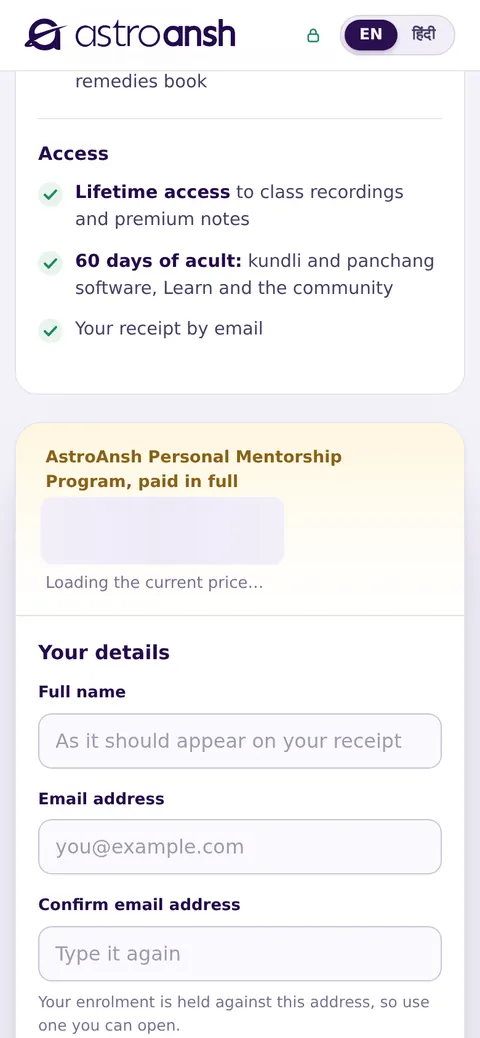
  3. Under Your details, enter your Full name, Email address (twice, to be sure), Phone number and your state.
  4. Tick that you agree to the Terms & Conditions and the Refund Policy.
  5. Tap the pay button and pay securely (UPI, card or net banking). Keep the page open while it says Confirming your payment…
  6. The page shows the email your enrolment is held for. Your receipt and your enrolment letter (class schedule, recordings, notes and the WhatsApp group) arrive by email within a few minutes.
  1. पूरे भुगतान के लिए acult.in/enrol-full खोलें। दो किस्तों के लिए AstroAnsh टीम द्वारा भेजा गया किस्त वाला लिंक इस्तेमाल करें।
  2. Which batch में वह बैच चुनें जिसमें आप जुड़ रहे हैं।
  3. Your details में अपना पूरा नाम, ईमेल पता (पुष्टि के लिए दो बार), फ़ोन नंबर और अपना राज्य भरें।
  4. नियम व शर्तों और रिफ़ंड नीति से सहमति पर टिक करें।
  5. भुगतान बटन पर टैप करें और सुरक्षित भुगतान करें (UPI, कार्ड या नेट बैंकिंग)। जब तक Confirming your payment… दिखे, पेज खुला रखें।
  6. पेज पर वह ईमेल दिखता है जिस पर आपका नामांकन सुरक्षित है। आपकी रसीद और नामांकन पत्र (कक्षा कार्यक्रम, रिकॉर्डिंग, नोट्स और WhatsApp समूह) कुछ मिनटों में ईमेल पर आ जाते हैं।
Tipसुझाव

Use an email address you can open — your place, your acult access, class codes and your certificate all go to it.ऐसा ईमेल पता दें जिसे आप खोल सकें — आपकी सीट, acult एक्सेस, कक्षा कोड और प्रमाणपत्र सब उसी पर जाते हैं।
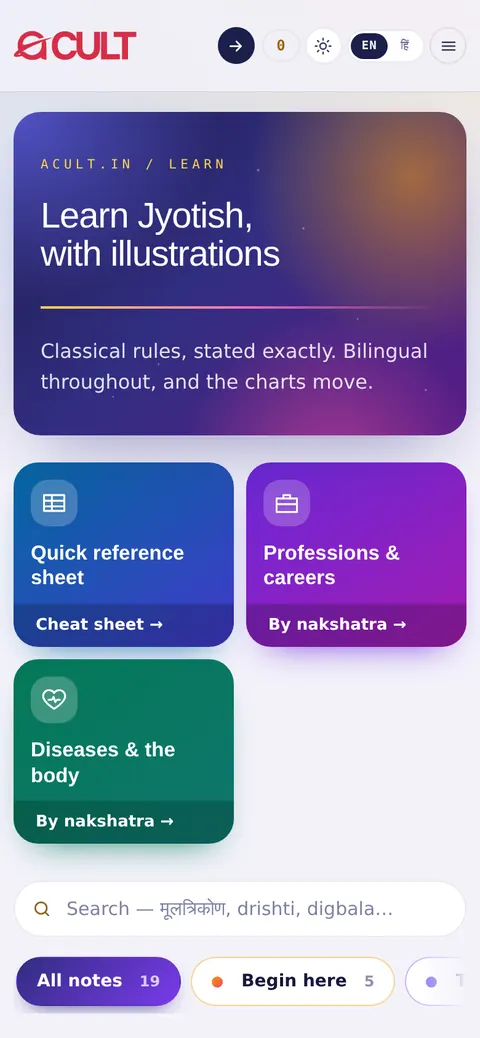
acult on a tablet
acult on a phone
The enrolment formनामांकन फ़ॉर्म

Get into acult with the same emailउसी ईमेल से acult में आएँ

  1. After paying, tap Create your acult account on the confirmation page — or go to acult.in and tap Open the engine.
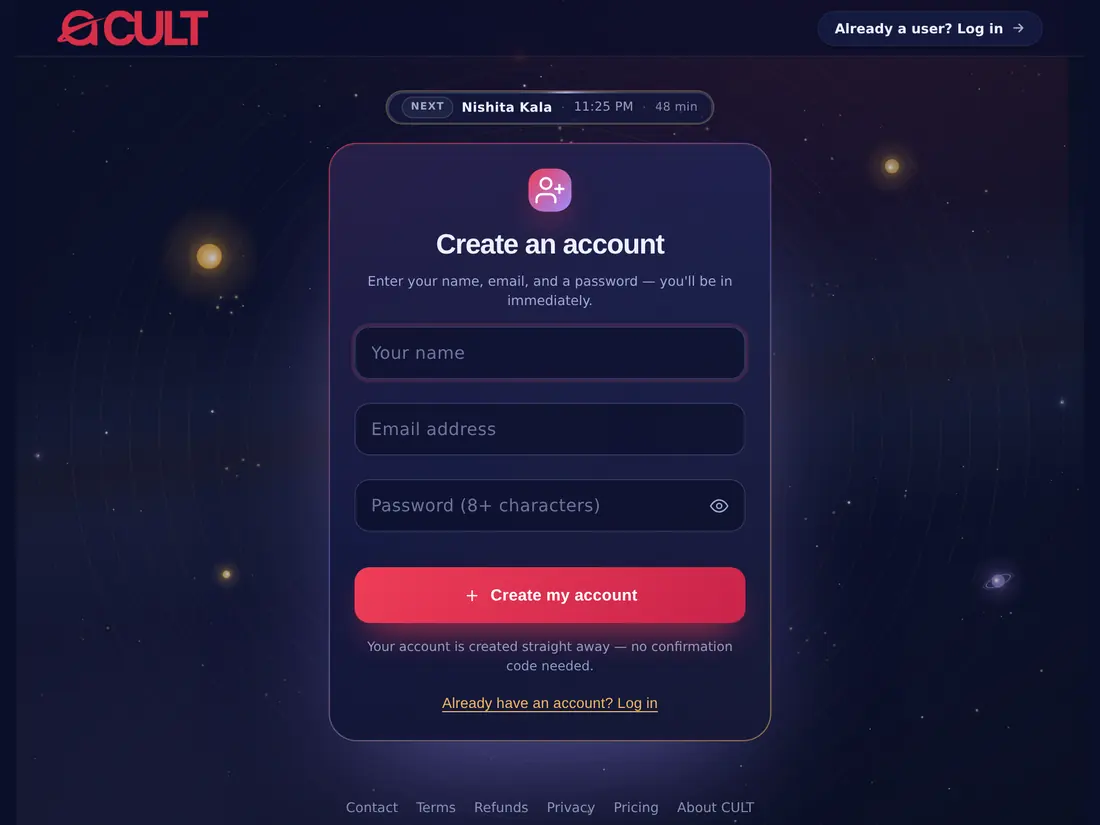
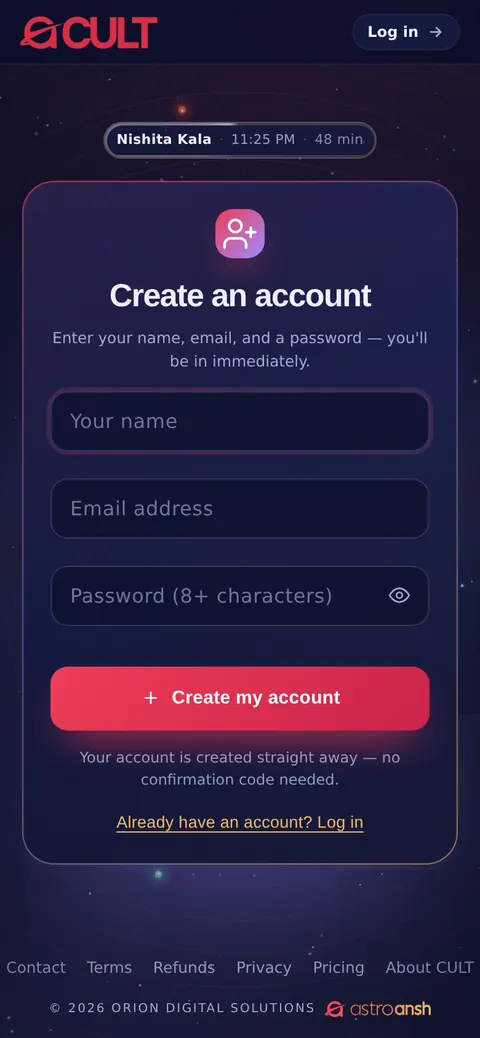
  2. New to acult? Tap Create an account and sign up with exactly the same email you enrolled with. The programme is added to your account automatically.
  3. Already have an acult account with that email? Just log in — the programme is already on it.
  4. Open Account → Subscription: it shows your PMP access and its end date. Your batch page is at acult.in/pmp-batch (see For PMP students).
  1. भुगतान के बाद पुष्टि पेज पर Create your acult account पर टैप करें — या acult.in पर जाकर Open the engine पर टैप करें।
  2. acult में नए हैं? Create an account पर टैप करें और ठीक उसी ईमेल से साइन अप करें जिससे नामांकन किया था। प्रोग्राम आपके खाते में अपने-आप जुड़ जाता है।
  3. उस ईमेल से पहले से acult खाता है? बस लॉग इन करें — प्रोग्राम उस पर पहले से है।
  4. खाता → Subscription खोलें: वहाँ आपका PMP एक्सेस और उसकी समाप्ति तिथि दिखती है। आपका बैच पेज acult.in/pmp-batch है (देखें PMP विद्यार्थियों के लिए)।
Tipसुझाव

Signed up with a different email by mistake? Log out, and sign up again with the email you enrolled with — or contact us and we will move the programme across.गलती से किसी और ईमेल से साइन अप कर लिया? लॉग आउट करें और नामांकन वाले ईमेल से दोबारा साइन अप करें — या हमसे संपर्क करें, हम प्रोग्राम को सही खाते में डाल देंगे।
acult on a tablet
acult on a phone
Sign up with the email you enrolled withनामांकन वाले ईमेल से साइन अप करें

Paying the balance (instalments)शेष राशि का भुगतान (किस्तें)

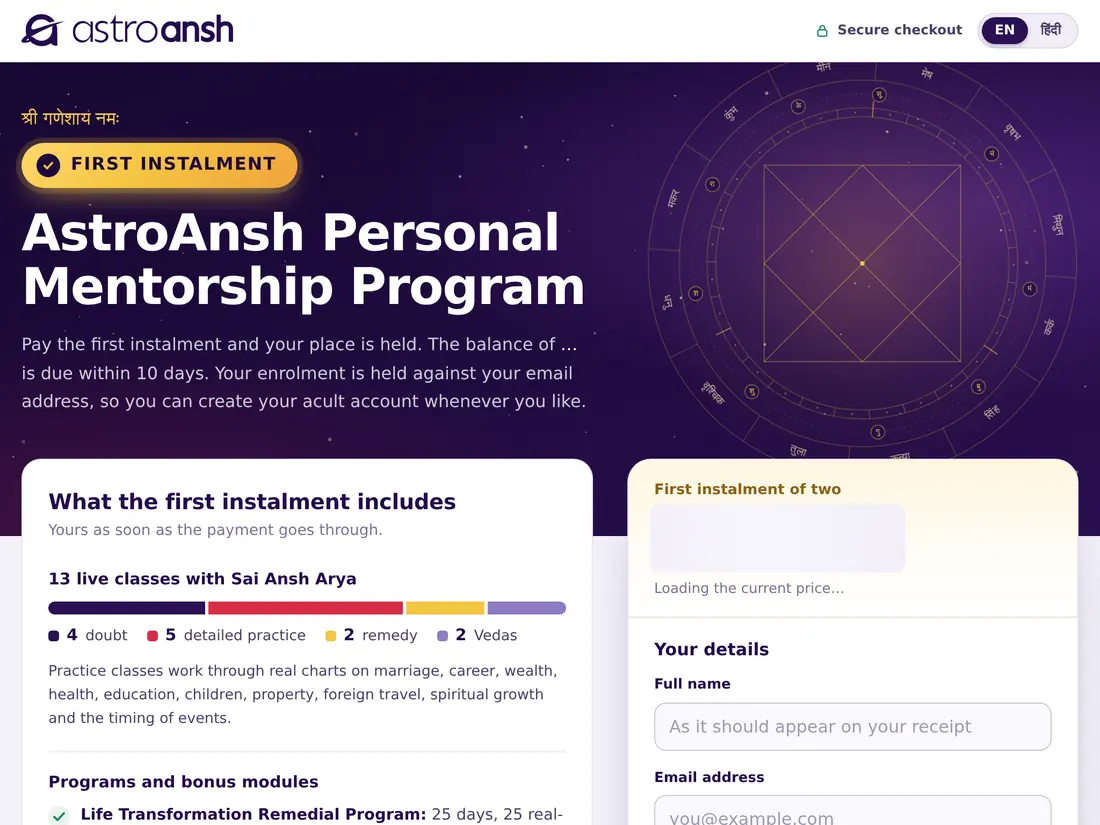
  1. While a balance is due, a bar at the top of acult shows “₹… balance due by [date]” and the time left. Tap Pay on it.
  2. Or use the balance link in the reminder emails we send.
  3. Pay before the 10 days are up. The rest of the programme unlocks straight away, and your acult access extends to 60 days in all.
  1. जब तक शेष राशि बाक़ी है, acult के ऊपर एक पट्टी “₹… balance due by [तिथि]” और बचा समय दिखाती है। उस पर Pay पर टैप करें।
  2. या हमारे रिमाइंडर ईमेल में आए शेष राशि वाले लिंक का उपयोग करें।
  3. 10 दिन पूरे होने से पहले भुगतान करें। बाक़ी प्रोग्राम तुरंत खुल जाता है, और आपका acult एक्सेस कुल 60 दिन तक बढ़ जाता है।
acult on a tablet
acult on a phone
The instalment pageकिस्त पेज
Chapter 2अध्याय 2

Getting startedशुरुआत

2 topics2 विषय
02

acult is a Vedic astrology engine made by AstroAnsh. It casts a kundli in seconds and explains every part of it in plain words. It works in any browser — on phone, tablet or computer — in English and Hindi.acult, AstroAnsh द्वारा बनाया गया एक वैदिक ज्योतिष इंजन है। यह कुछ ही सेकंड में कुण्डली बनाता है और उसके हर भाग को सरल भाषा में समझाता है। यह किसी भी ब्राउज़र में — फ़ोन, टैबलेट या कंप्यूटर पर — अंग्रेज़ी और हिंदी दोनों में चलता है।

Opening acultacult खोलना

  1. Open any browser (Chrome, Safari, Edge or Firefox).
  2. Type acult.in in the address bar and press Enter.
  3. Tap Open the engine at the top of the page. If you are not signed in yet, you will be taken to the sign-in page.
  1. कोई भी ब्राउज़र खोलें (Chrome, Safari, Edge या Firefox)।
  2. एड्रेस बार में acult.in लिखें और Enter दबाएँ।
  3. पेज के ऊपर Open the engine पर टैप करें। यदि आपने अभी साइन इन नहीं किया है, तो आप साइन-इन पेज पर पहुँच जाएँगे।

Install acult as an app (optional)acult को ऐप की तरह इंस्टॉल करें (वैकल्पिक)

  1. Sign in and open the engine.
  2. Tap Install app in the top bar or the side menu.
  3. Confirm Install (on iPhone: tap Share, then Add to Home Screen).
  4. acult now opens from its own icon, like any other app.
  1. साइन इन करके इंजन खोलें।
  2. ऊपर की पट्टी या साइड मेनू में ऐप इंस्टॉल करें (Install app) पर टैप करें।
  3. Install की पुष्टि करें (iPhone पर: Share पर टैप करें, फिर Add to Home Screen)।
  4. अब acult अपने आइकन से किसी भी ऐप की तरह खुलेगा।
Tipसुझाव

Nothing extra is downloaded from an app store — it is the same acult, just one tap away.ऐप स्टोर से कुछ भी अलग से डाउनलोड नहीं होता — यह वही acult है, बस एक टैप की दूरी पर।

Chapter 3अध्याय 3

Sign up, log in and your passwordसाइन अप, लॉग इन और पासवर्ड

4 topics4 विषय
03

Joining through the PMP? Follow Joining the PMP — sign up with the email you enrolled with. Everyone else starts here.PMP से जुड़ रहे हैं? PMP में प्रवेश देखें — नामांकन वाले ईमेल से साइन अप करें। बाक़ी सभी यहीं से शुरू करें।

Create an account (sign up)खाता बनाएँ (साइन अप)

  1. Go to acult.in and tap Open the engine.
  2. Tap New here? Create an account.
  3. Enter your name, email and a password (at least 8 characters).
  4. Tap Create my account. Your account is ready straight away — no confirmation code is needed.
  5. Or tap Google under “or sign up with” to sign up with your Google account in one step.
  1. acult.in पर जाएँ और Open the engine पर टैप करें।
  2. New here? Create an account पर टैप करें।
  3. अपना नाम, ईमेल और एक पासवर्ड (कम से कम 8 अक्षर) लिखें।
  4. Create my account पर टैप करें। आपका खाता तुरंत तैयार हो जाता है — किसी पुष्टि कोड की ज़रूरत नहीं।
  5. या “or sign up with” के नीचे Google पर टैप करके एक ही क़दम में Google खाते से साइन अप करें।
Tipसुझाव

Use an email you check regularly — your receipts, booking confirmations, class codes and certificates are sent there.ऐसा ईमेल इस्तेमाल करें जिसे आप नियमित रूप से देखते हों — रसीदें, बुकिंग की पुष्टि, कक्षा कोड और प्रमाणपत्र वहीं भेजे जाते हैं।

acult on a tablet
acult on a phone
The sign-up screenसाइन-अप स्क्रीन

Log inलॉग इन

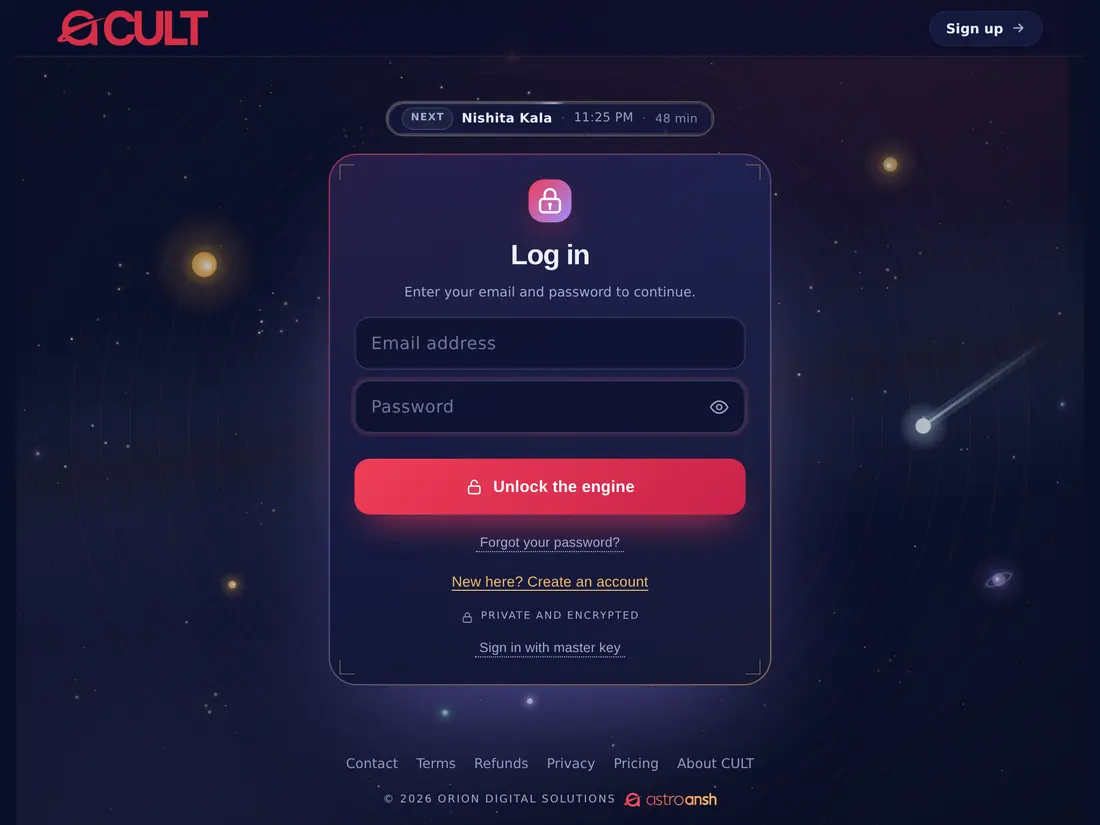
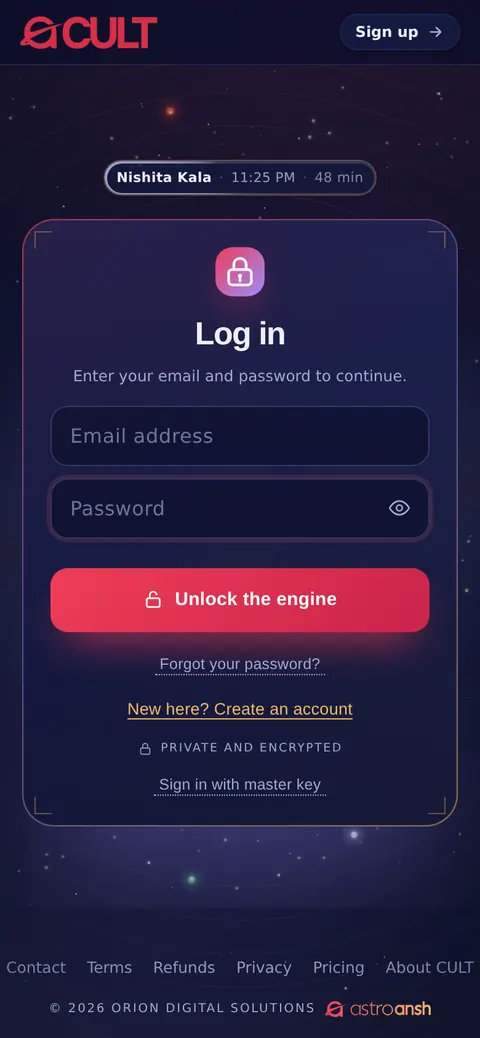
  1. Open acult.in and tap Open the engine.
  2. Enter your email and password.
  3. Tap Unlock the engine. If you signed up with Google, tap Google instead.
  4. You stay signed in on that device until you log out.
  1. acult.in खोलें और Open the engine पर टैप करें।
  2. अपना ईमेल और पासवर्ड लिखें।
  3. Unlock the engine पर टैप करें। यदि आपने Google से साइन अप किया था, तो Google पर टैप करें।
  4. जब तक आप लॉग आउट नहीं करते, उस डिवाइस पर साइन इन बने रहते हैं।
acult on a tablet
acult on a phone
The log-in screenलॉग-इन स्क्रीन

Forgot your passwordपासवर्ड भूल गए

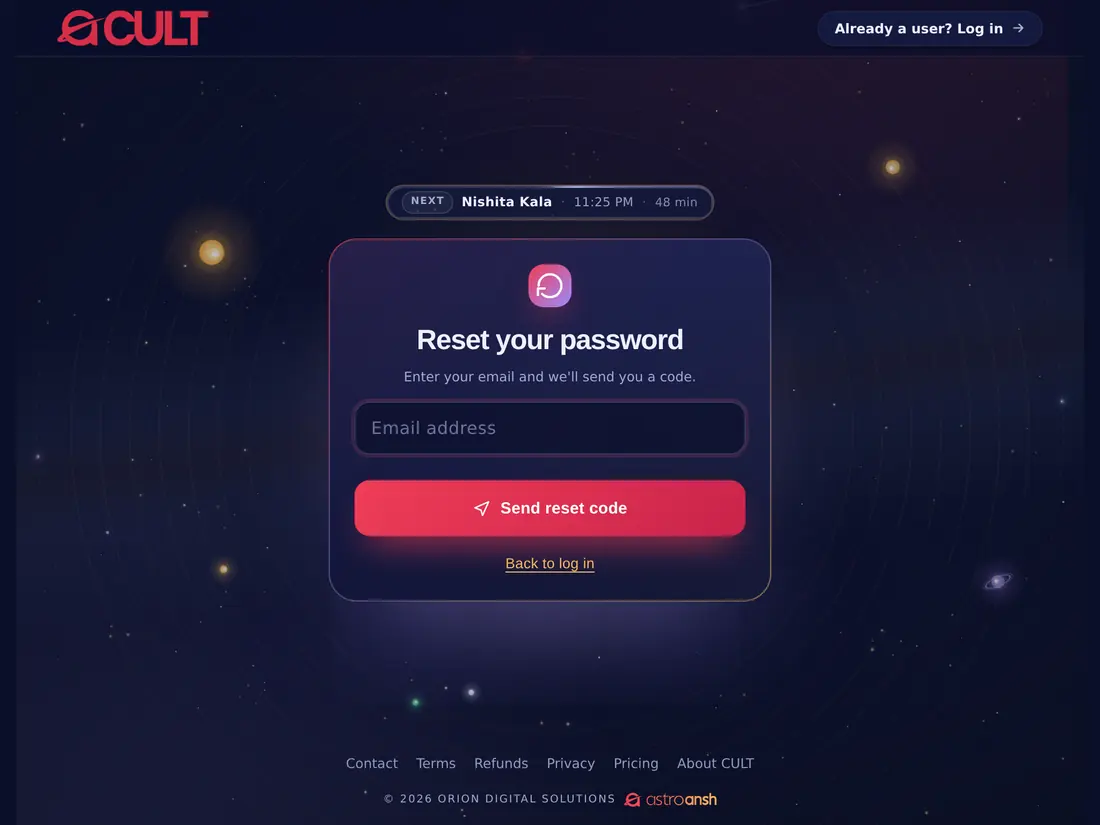
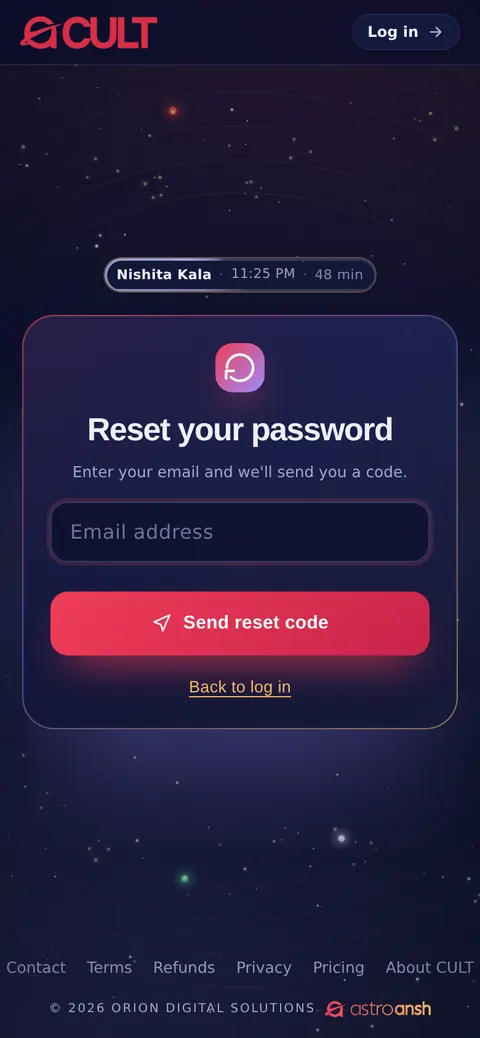
  1. On the log-in screen, tap Forgot your password?
  2. Enter your email and tap Send reset code.
  3. Open your email and copy the 6-digit code (check Spam if it hasn't arrived).
  4. Enter the code, choose a new password, and tap Set new password. The code works for 15 minutes.
  1. लॉग-इन स्क्रीन पर Forgot your password? पर टैप करें।
  2. अपना ईमेल लिखें और Send reset code पर टैप करें।
  3. अपना ईमेल खोलें और 6 अंकों का कोड देखें (न मिले तो Spam फ़ोल्डर देखें)।
  4. कोड लिखें, नया पासवर्ड चुनें और Set new password पर टैप करें। कोड 15 मिनट तक मान्य है।
acult on a tablet
acult on a phone
Resetting a passwordपासवर्ड रीसेट करना

Log outलॉग आउट

  1. In the engine, tap the log-out icon at the top right (an arrow leaving a door).
  2. On a shared or public computer, always log out when you finish.
  1. इंजन में ऊपर दाईं ओर लॉग-आउट आइकन (दरवाज़े से बाहर जाता तीर) पर टैप करें।
  2. साझा या सार्वजनिक कंप्यूटर पर काम ख़त्म होने के बाद हमेशा लॉग आउट करें।
Chapter 4अध्याय 4

Plans and paymentप्लान और भुगतान

1 topics1 विषय
04

Choosing a planप्लान चुनना

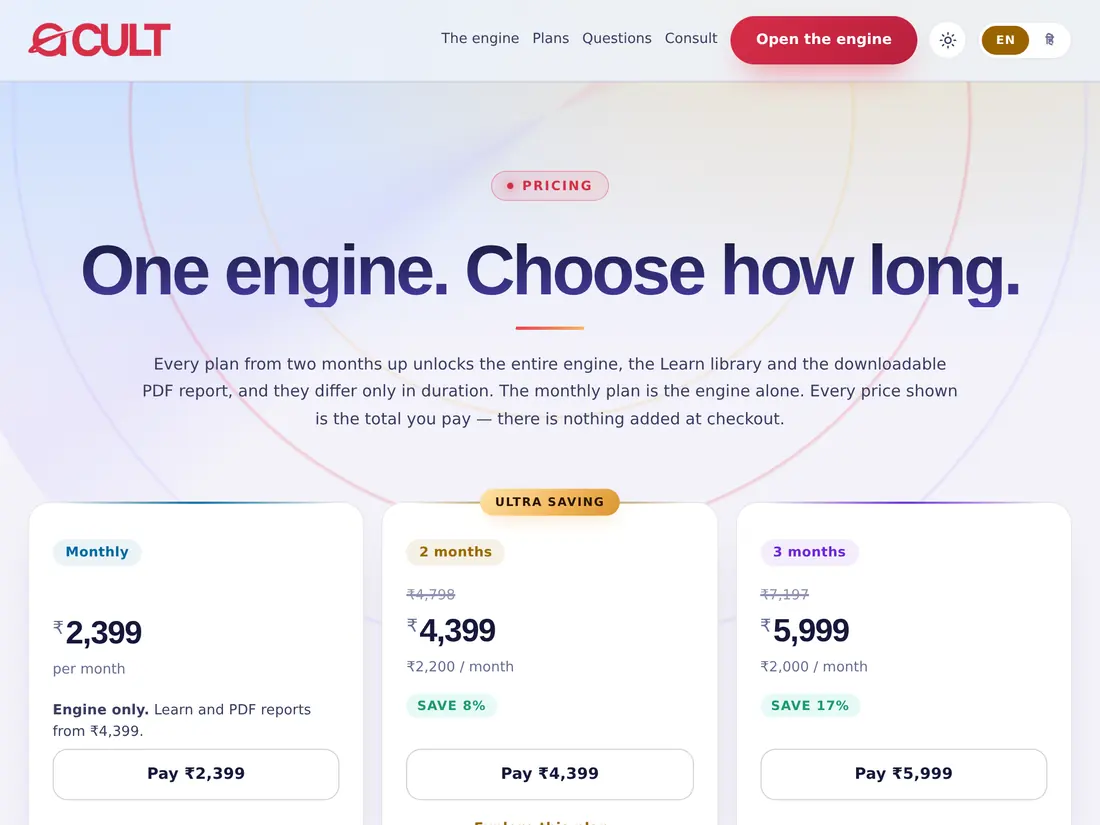
Every plan unlocks the whole engine; plans from two months up also include the Learn library and the downloadable PDF report. Plans differ only in how long they last. Prices are shown in the app and on acult.in/pricing, and include GST.हर प्लान पूरा इंजन खोलता है; दो महीने और उससे लंबे प्लान में Learn लाइब्रेरी और डाउनलोड होने वाली PDF रिपोर्ट भी शामिल हैं। प्लान केवल अवधि में अलग हैं। मूल्य ऐप में और acult.in/pricing पर दिखाए जाते हैं और GST सहित हैं।

  1. Open Account → Subscription in the engine, or go to acult.in/pricing.
  2. Choose a plan (Monthly, 2 months, 3 months, 6 months or Yearly).
  3. Have a coupon? Tap Have a coupon code?, enter it and tap Apply.
  4. Pay securely (UPI, card or net banking). Access starts as soon as the payment clears.
  5. Your receipts are listed under Account → Subscription → Receipts.
  1. इंजन में खाता (Account) → Subscription खोलें, या acult.in/pricing पर जाएँ।
  2. एक प्लान चुनें (मासिक, 2 महीने, 3 महीने, 6 महीने या वार्षिक)।
  3. कूपन है? Have a coupon code? पर टैप करें, कोड लिखें और Apply दबाएँ।
  4. सुरक्षित भुगतान करें (UPI, कार्ड या नेट बैंकिंग)। भुगतान होते ही एक्सेस शुरू हो जाता है।
  5. आपकी रसीदें खाता → Subscription → Receipts में दिखती हैं।
acult on a tablet
acult on a phone
The plans pageप्लान पेज
Chapter 5अध्याय 5

The home screenहोम स्क्रीन

3 topics3 विषय
05

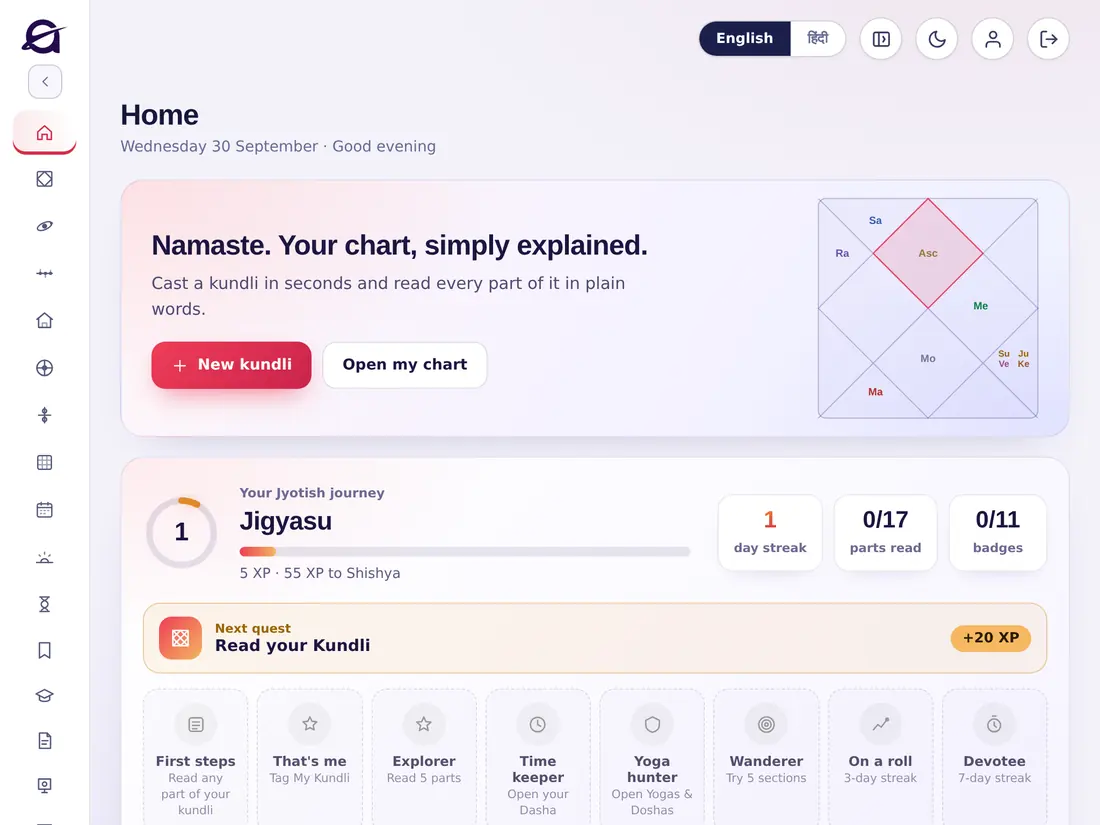
What you see on Homeहोम पर क्या दिखता है

  • New kundli — start a new chart. Open my chart — go straight to your own kundli.
  • Your Jyotish journey — you earn XP for reading and exploring; your level rises from Jigyasu upwards. Keep a daily streak, complete the Next quest, and collect badges (First steps, Explorer, Time keeper, Yoga hunter, Sky watcher and more).
  • My Kundli — once you tag your own chart as My Kundli, its details, chart and current dasha always appear here.
  • Today — tithi, nakshatra, Rahu Kaal and the good times of the day. Tap Open Panchang for the full day.
  • Everything in your kundli — shortcuts to all 17 parts, and More tools to the other sections.
  • New kundli — नई कुण्डली बनाएँ। Open my chart — सीधे अपनी कुण्डली पर जाएँ।
  • आपकी ज्योतिष यात्रा — पढ़ने और खोजने पर XP मिलते हैं; आपका स्तर जिज्ञासु से आगे बढ़ता है। रोज़ की स्ट्रीक बनाए रखें, अगला क्वेस्ट पूरा करें और बैज जुटाएँ।
  • मेरी कुण्डली — अपनी कुण्डली को My Kundli टैग करने के बाद उसका विवरण, चार्ट और वर्तमान दशा यहाँ हमेशा दिखती है।
  • आज — तिथि, नक्षत्र, राहुकाल और दिन के शुभ समय। पूरे दिन के लिए Open Panchang पर टैप करें।
  • आपकी कुण्डली में सब कुछ — सभी 17 भागों के शॉर्टकट, और बाक़ी विभागों के लिए More tools।
acult on a tablet
acult on a phone
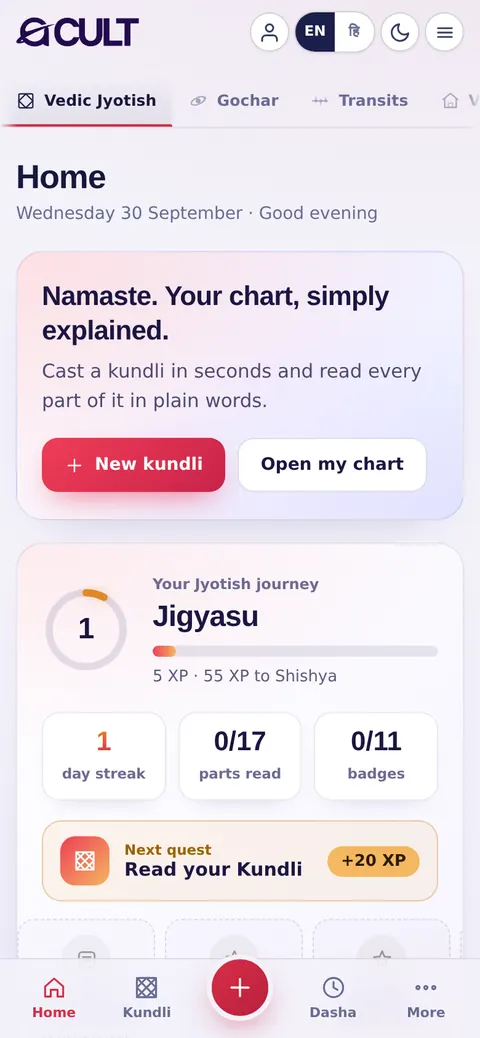
Homeहोम

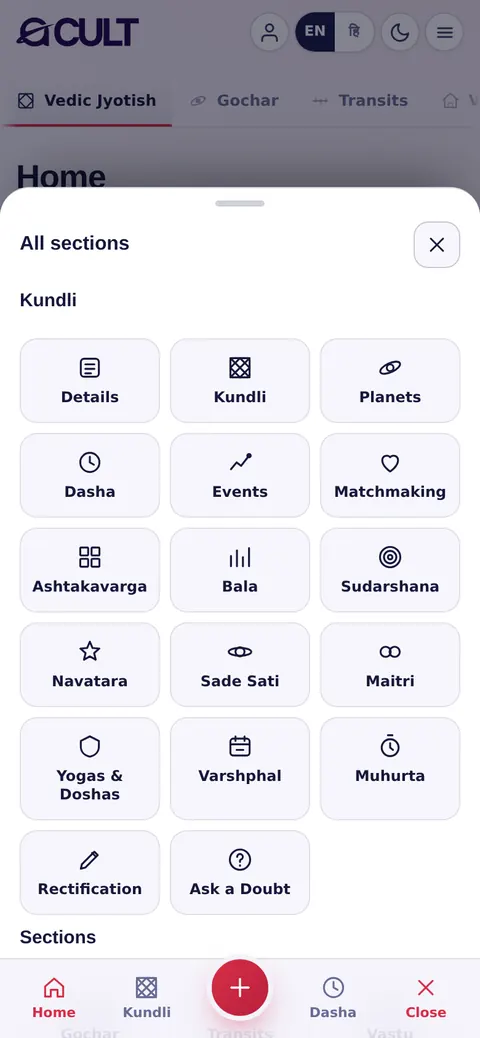
Finding your way on a phoneफ़ोन पर रास्ता ढूँढना

  • Bottom bar — Home, Kundli, the red + (a new kundli), Dasha and More.
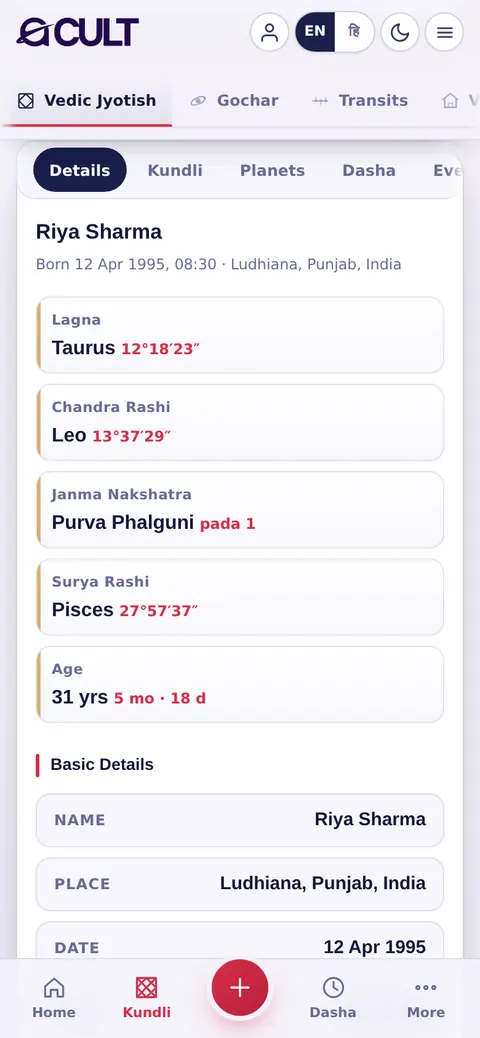
  • Top tabs — swipe across Vedic Jyotish, Gochar, Transits… to jump between sections.
  • ☰ (top right) — opens All sections: every part of the kundli and every section, as tiles.
  • Person icon — your Account. EN / हि — the language. Moon — light or dark theme.
  • नीचे की पट्टी — Home, Kundli, लाल + (नई कुण्डली), Dasha और More।
  • ऊपर के टैब — विभागों के बीच जाने के लिए वैदिक ज्योतिष, गोचर, गोचर सूची… पर स्वाइप करें।
  • ☰ (ऊपर दाएँ) — सभी विभाग खोलता है: कुण्डली का हर भाग और हर विभाग, टाइल के रूप में।
  • व्यक्ति आइकन — आपका खाता। EN / हि — भाषा। चाँद — लाइट या डार्क थीम।
acult on a phone
☰ → All sections☰ → सभी विभाग

Language, theme and menu (computer)भाषा, थीम और मेनू (कंप्यूटर)

  1. Tap English or हिंदी in the top bar to switch the whole app's language.
  2. Tap the sun/moon icon to switch between light and dark themes.
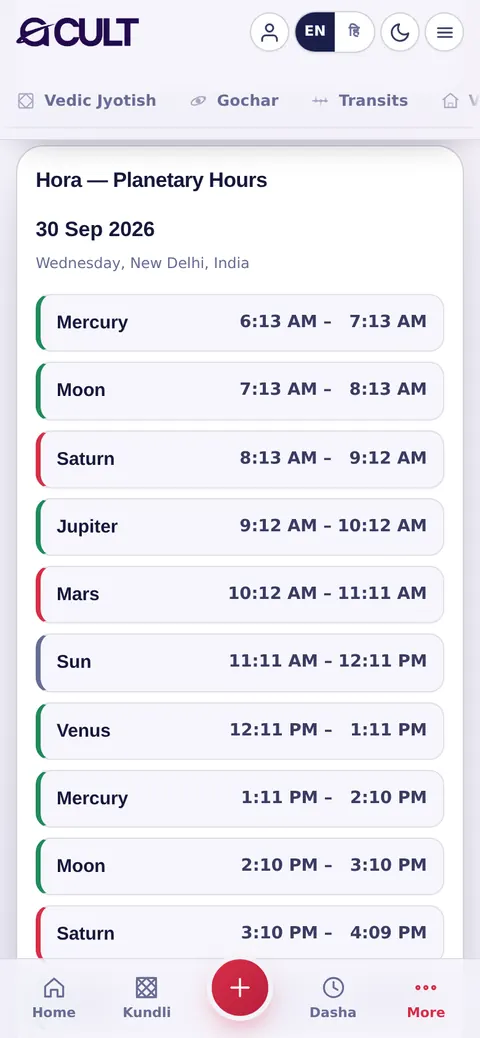
  3. The side menu has three groups: Kundli (the 17 parts), Sections (Gochar, Transits, Vastu, KP, Bhrigu Nandi Nadi, Numerology, Panchang, Chogadiya, Hora) and More (Saved kundlis, Learn, Tests, Consult, Community, Install app, Account). Tap ‹ to collapse it.
  1. पूरे ऐप की भाषा बदलने के लिए ऊपर की पट्टी में English या हिंदी पर टैप करें।
  2. लाइट और डार्क थीम के बीच बदलने के लिए सूरज/चाँद आइकन पर टैप करें।
  3. साइड मेनू में तीन समूह हैं: कुण्डली (17 भाग), विभाग (गोचर, गोचर सूची, वास्तु, के॰पी॰, भृगु नंदी नाड़ी, अंक ज्योतिष, पंचांग, चौघड़िया, होरा) और More (सहेजी कुण्डलियाँ, सीखें, परीक्षा, परामर्श, समुदाय, ऐप इंस्टॉल करें, खाता)। इसे छोटा करने के लिए ‹ पर टैप करें।
Chapter 6अध्याय 6

Making a kundliकुण्डली बनाना

3 topics3 विषय
06

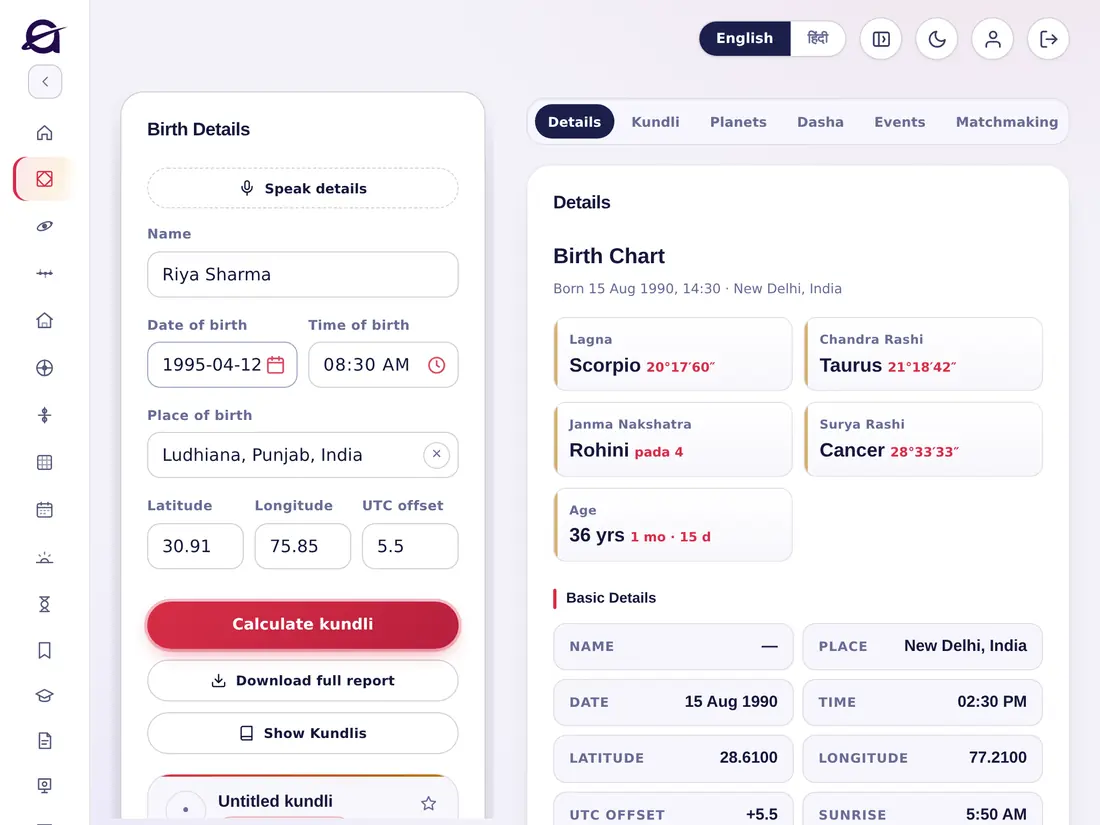
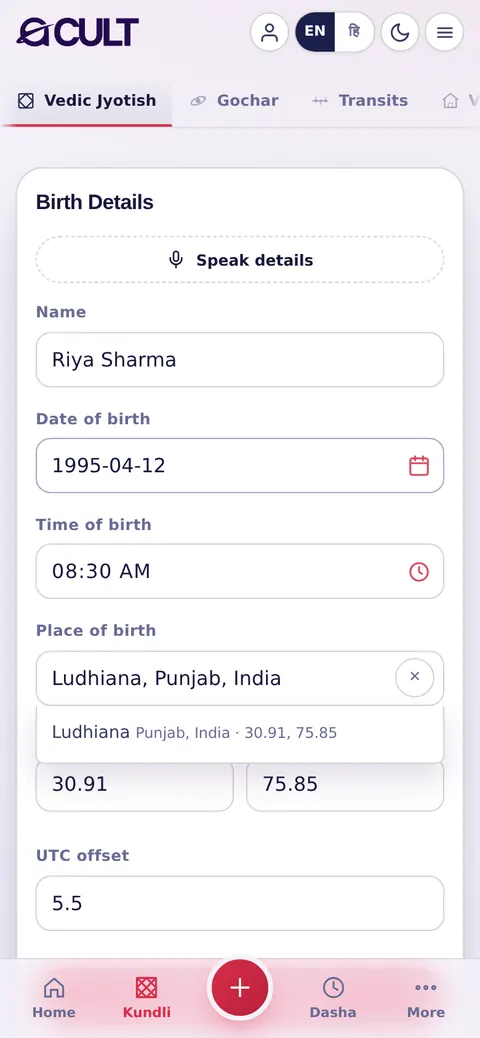
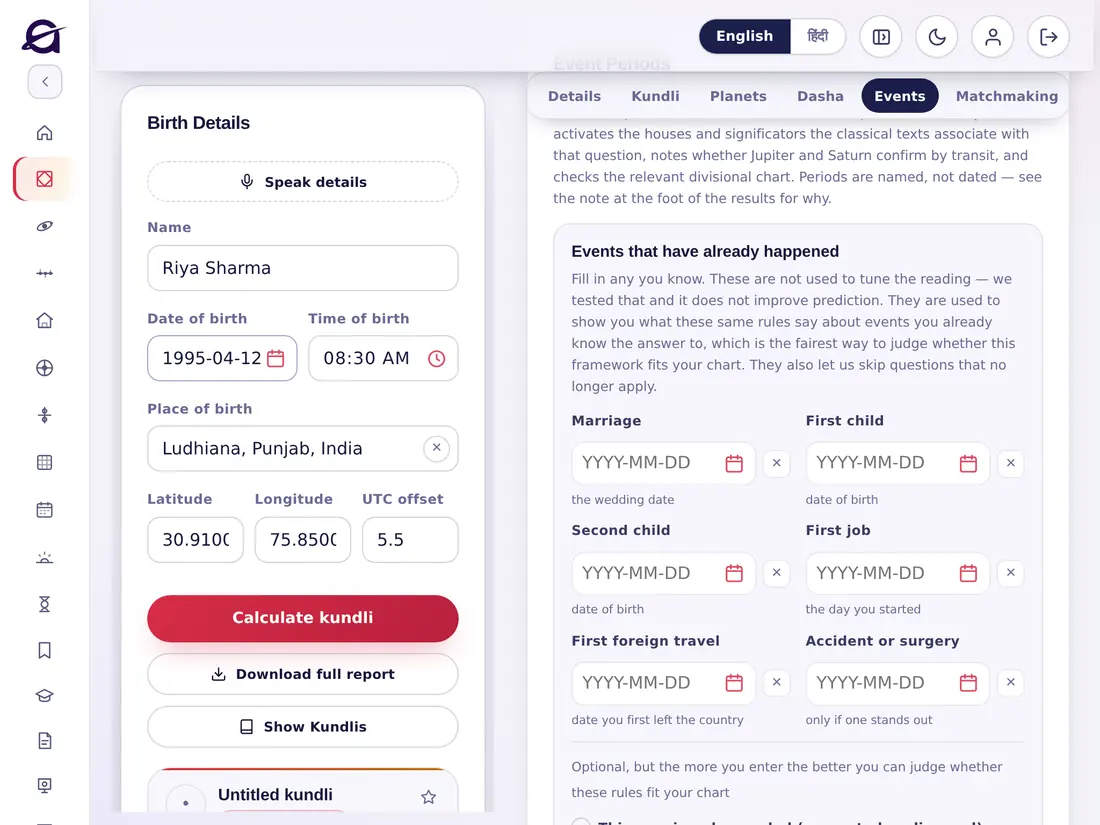
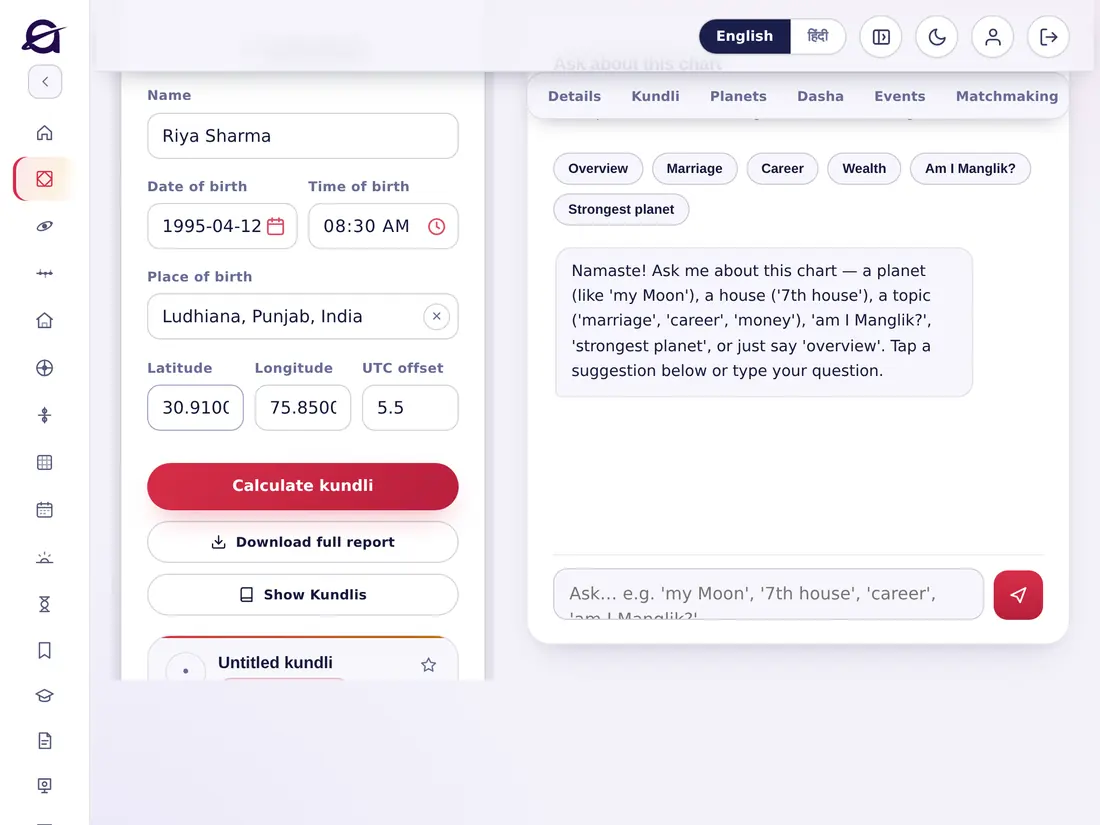
Enter the birth detailsजन्म विवरण भरें

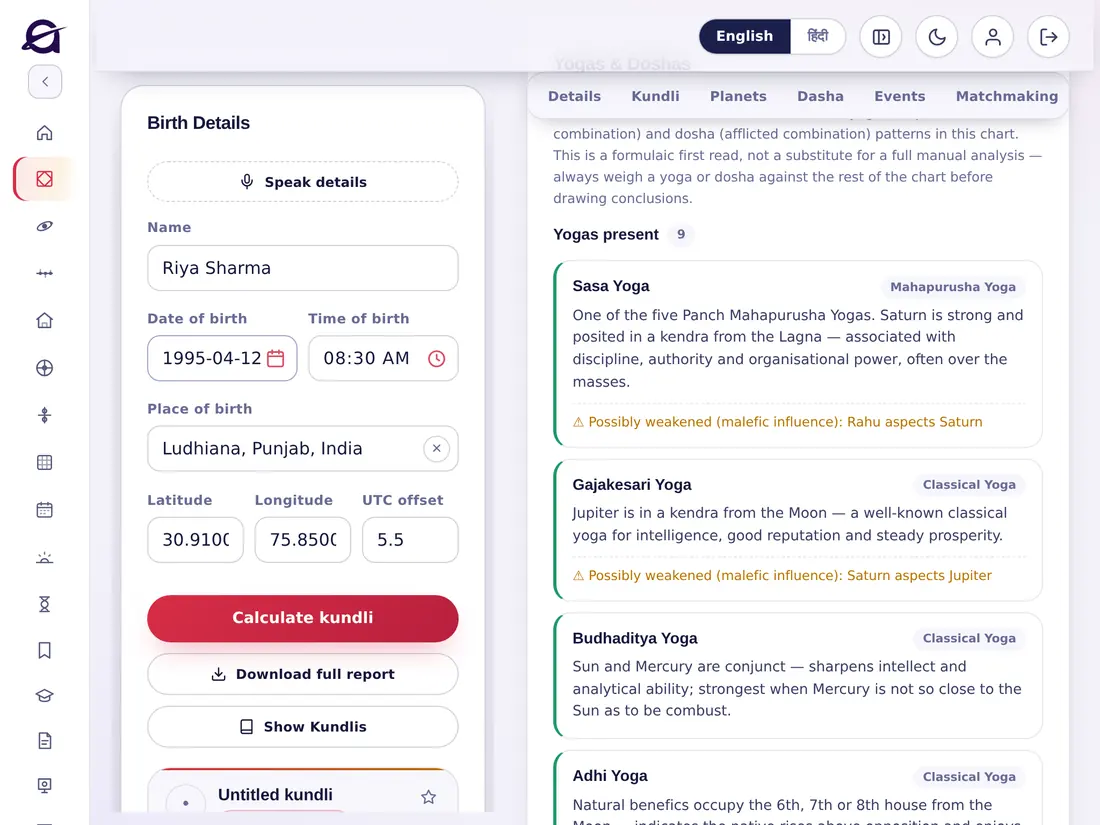
  1. On Home, tap New kundli (or open any part from the menu).
  2. Enter the Name.
  3. Enter the Date of birth and Time of birth — tap the small calendar and clock icons to pick them.
  4. Start typing the Place of birth and choose the right town from the list. Latitude, Longitude and UTC offset fill in by themselves.
  5. Tap Calculate kundli.
  1. होम पर New kundli पर टैप करें (या मेनू से कोई भी भाग खोलें)।
  2. नाम लिखें।
  3. जन्म तिथि और जन्म समय भरें — चुनने के लिए छोटे कैलेंडर और घड़ी आइकन पर टैप करें।
  4. जन्म स्थान लिखना शुरू करें और सूची से सही शहर चुनें। अक्षांश, देशांतर और UTC ऑफ़सेट अपने-आप भर जाते हैं।
  5. Calculate kundli पर टैप करें।
Tipसुझाव

Always choose the place from the list — the chart is cast from its coordinates, not the name. A birth time wrong by a few minutes can change the finer divisional charts; see Rectification.स्थान हमेशा सूची से चुनें — कुण्डली उसके निर्देशांकों से बनती है, नाम से नहीं। जन्म समय में कुछ मिनट की गलती से सूक्ष्म वर्ग-कुण्डलियाँ बदल सकती हैं; Rectification देखें।

acult on a tablet
acult on a phone
Birth Detailsजन्म विवरण

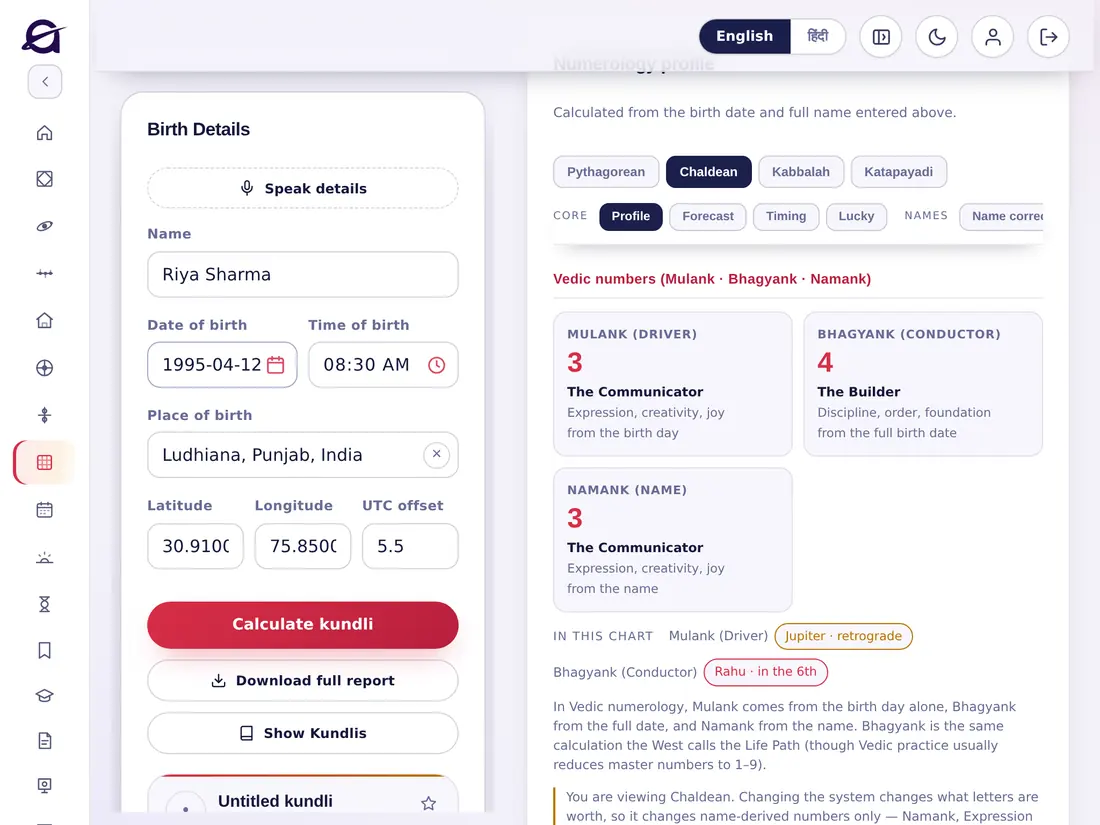
Speak the details instead of typingटाइप करने के बजाय बोलकर भरें

  1. Tap Speak details at the top of Birth Details.
  2. Allow the microphone when asked.
  3. Say, for example: “Riya Sharma, 12 April 1995, 8:30 in the morning, Ludhiana”.
  4. Check the fields it fills, then tap Calculate kundli.
  1. जन्म विवरण के ऊपर Speak details पर टैप करें।
  2. पूछे जाने पर माइक्रोफ़ोन की अनुमति दें।
  3. उदाहरण के लिए बोलें: “रिया शर्मा, 12 अप्रैल 1995, सुबह 8:30, लुधियाना”।
  4. भरे गए विवरण जाँचें, फिर Calculate kundli पर टैप करें।

The full report and Show Kundlisपूरी रिपोर्ट और Show Kundlis

  • Download full report — a complete PDF report of the kundli to save, print or share (included in plans of two months and more).
  • Show Kundlis — opens your saved kundlis (the My kundlis list), so you can quickly switch to another chart. See Saving kundlis.
  • Download full report — कुण्डली की पूरी PDF रिपोर्ट, सहेजने, प्रिंट करने या साझा करने के लिए (दो महीने और उससे लंबे प्लान में शामिल)।
  • Show Kundlis — आपकी सहेजी कुण्डलियाँ (My kundlis सूची) खोलता है, ताकि आप जल्दी से दूसरी कुण्डली पर जा सकें। देखें कुण्डलियाँ सहेजना।
Chapter 7अध्याय 7

Saving and organising kundlisकुण्डलियाँ सहेजना और व्यवस्थित करना

2 topics2 विषय
07

Save a kundliकुण्डली सहेजें

  1. After calculating, look at the card under Show Kundlis — it says Untitled kundli · Not saved yet.
  2. Tap Save. Tap the ☆ star to mark a favourite.
  3. Add tags (for example family, client) in the add tag + box.
  4. Tap Notes to keep your own notes with the chart.
  5. Tap That's me / tag it as My Kundli to pin your own chart to Home.
  1. कुण्डली बनाने के बाद Show Kundlis के नीचे वाला कार्ड देखें — उस पर Untitled kundli · Not saved yet लिखा होता है।
  2. Save पर टैप करें। पसंदीदा बनाने के लिए ☆ स्टार पर टैप करें।
  3. add tag + बॉक्स में टैग जोड़ें (जैसे परिवार, क्लाइंट)।
  4. कुण्डली के साथ अपने नोट्स रखने के लिए Notes पर टैप करें।
  5. अपनी कुण्डली को होम पर रखने के लिए उसे My Kundli टैग करें।

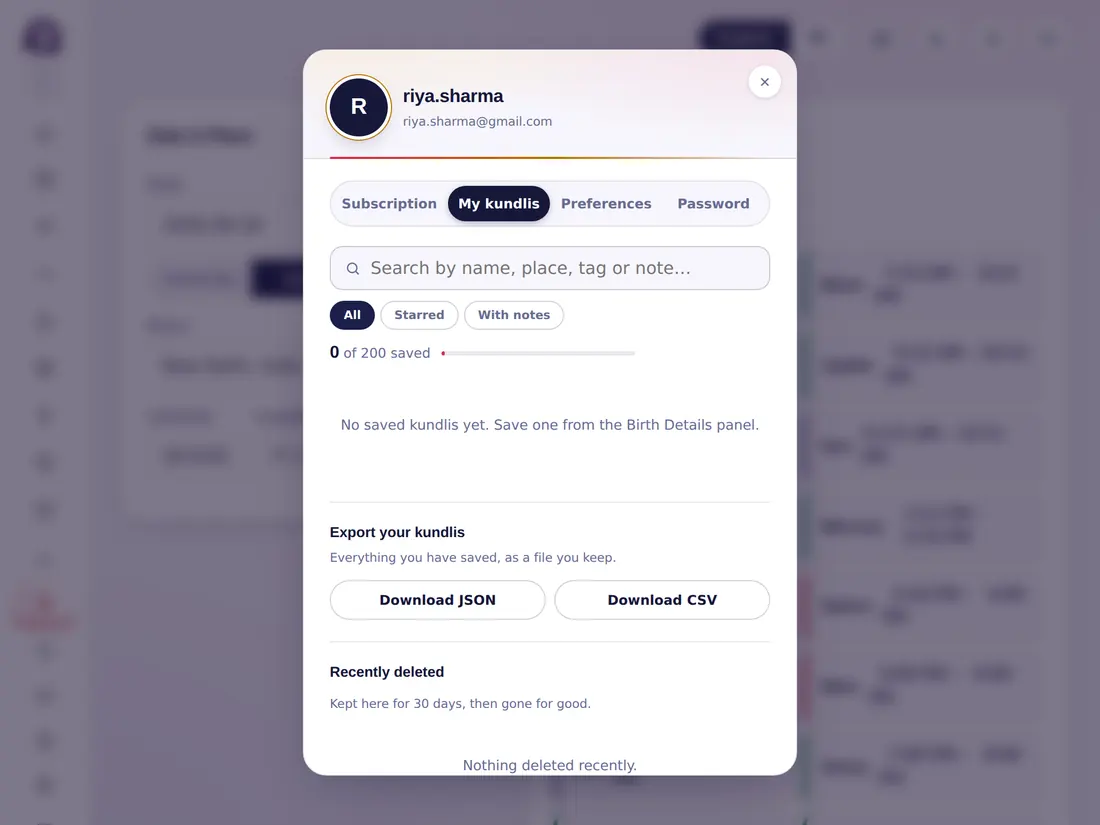
Find a saved kundliसहेजी कुण्डली खोजें

  1. Tap Saved kundlis in the side menu (or Open on the save card).
  2. Search by name, place, tag or note, or filter All / Starred / With notes.
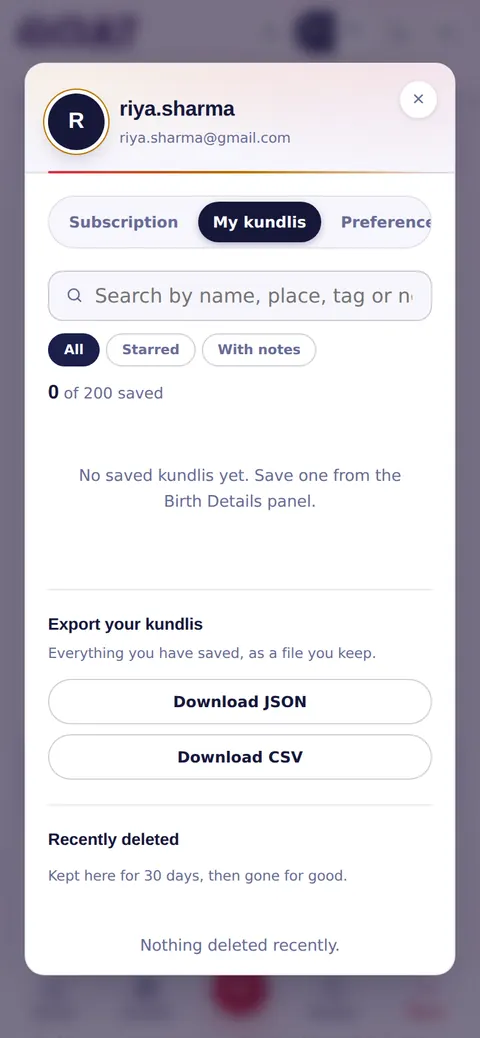
  3. Tap a kundli to open it. You can keep up to 200 saved kundlis.
  4. Export your kundlis: Download JSON or Download CSV for a backup.
  5. Deleted by mistake? Recently deleted keeps them for 30 days.
  1. साइड मेनू में सहेजी कुण्डलियाँ पर टैप करें (या सेव कार्ड पर Open)।
  2. नाम, स्थान, टैग या नोट से खोजें, या All / Starred / With notes से छाँटें।
  3. खोलने के लिए किसी कुण्डली पर टैप करें। आप 200 तक कुण्डलियाँ सहेज सकते हैं।
  4. अपनी कुण्डलियाँ निर्यात करें: बैकअप के लिए Download JSON या Download CSV।
  5. गलती से हटा दी? Recently deleted में वे 30 दिन तक रहती हैं।
acult on a tablet
acult on a phone
Saved kundlisसहेजी कुण्डलियाँ
Chapter 8अध्याय 8

The 17 parts of a kundliकुण्डली के 17 भाग

17 topics17 विषय
08

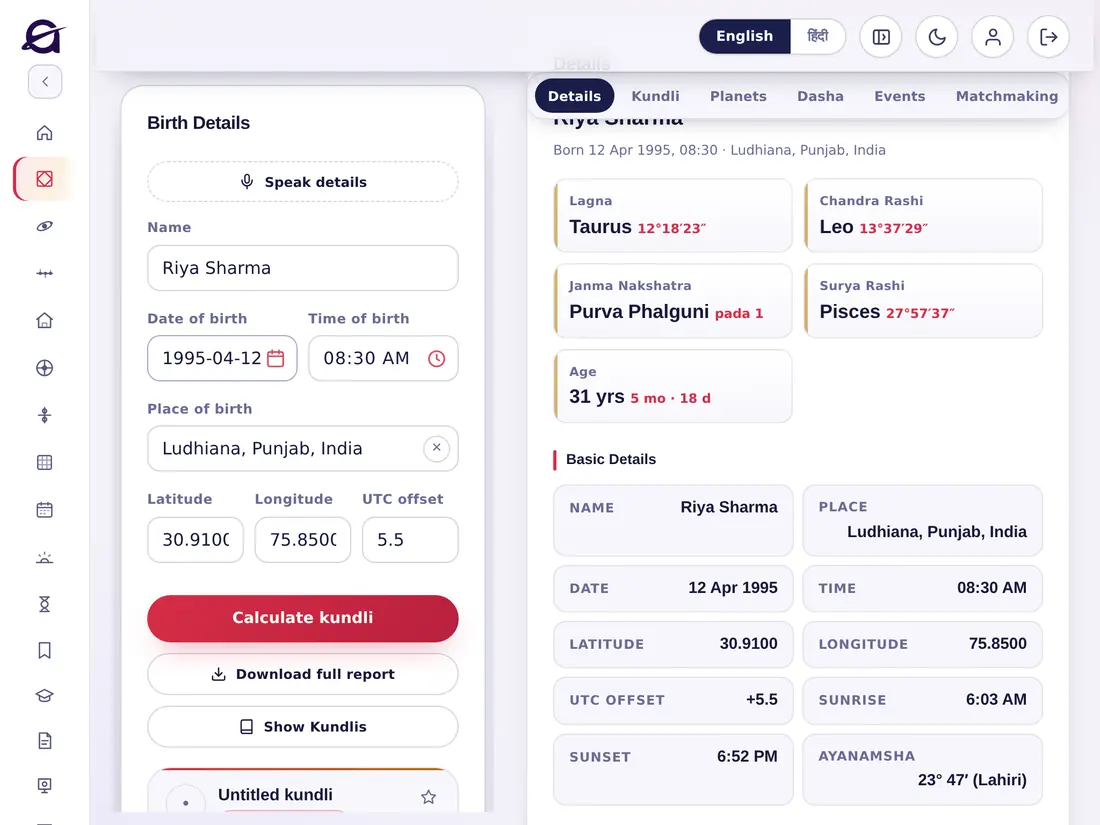
After you calculate a kundli, choose any part under Vedic Jyotish in the side menu. The birth details stay on the left; the part opens on the right. Tap i or a column heading wherever you see one to learn what it means.कुण्डली बनाने के बाद साइड मेनू में वैदिक ज्योतिष के नीचे कोई भी भाग चुनें। जन्म विवरण बाईं ओर रहता है और भाग दाईं ओर खुलता है। जहाँ भी i या कॉलम शीर्षक दिखे, उस पर टैप करके उसका अर्थ जानें।

1 · Details1 · विवरण

The summary of the birth: Lagna, Moon sign (Chandra Rashi), birth nakshatra and pada, Sun sign and age; the basic details (place, date, time, coordinates, sunrise, sunset, ayanamsha) and the Panchang at birth (masa, paksha, tithi, day, nakshatra, yoga, karana). Scroll down for the Astro Details (Avakhada): ascendant and its lord, rashi and its lord, nakshatra, pada, varna, vashya, yoni, gan, nadi, tatva, name letter and paya.जन्म का सार: लग्न, चन्द्र राशि, जन्म नक्षत्र व चरण, सूर्य राशि और आयु; मूल विवरण (स्थान, तिथि, समय, निर्देशांक, सूर्योदय, सूर्यास्त, अयनांश) और जन्म का पंचांग (मास, पक्ष, तिथि, वार, नक्षत्र, योग, करण)। नीचे स्क्रॉल करने पर अवकहड़ा विवरण मिलता है: लग्न व लग्नेश, राशि व राशीश, नक्षत्र, चरण, वर्ण, वश्य, योनि, गण, नाड़ी, तत्व, नामाक्षर और पाया।

acult on a tablet
acult on a phone

2 · Kundli2 · कुण्डली

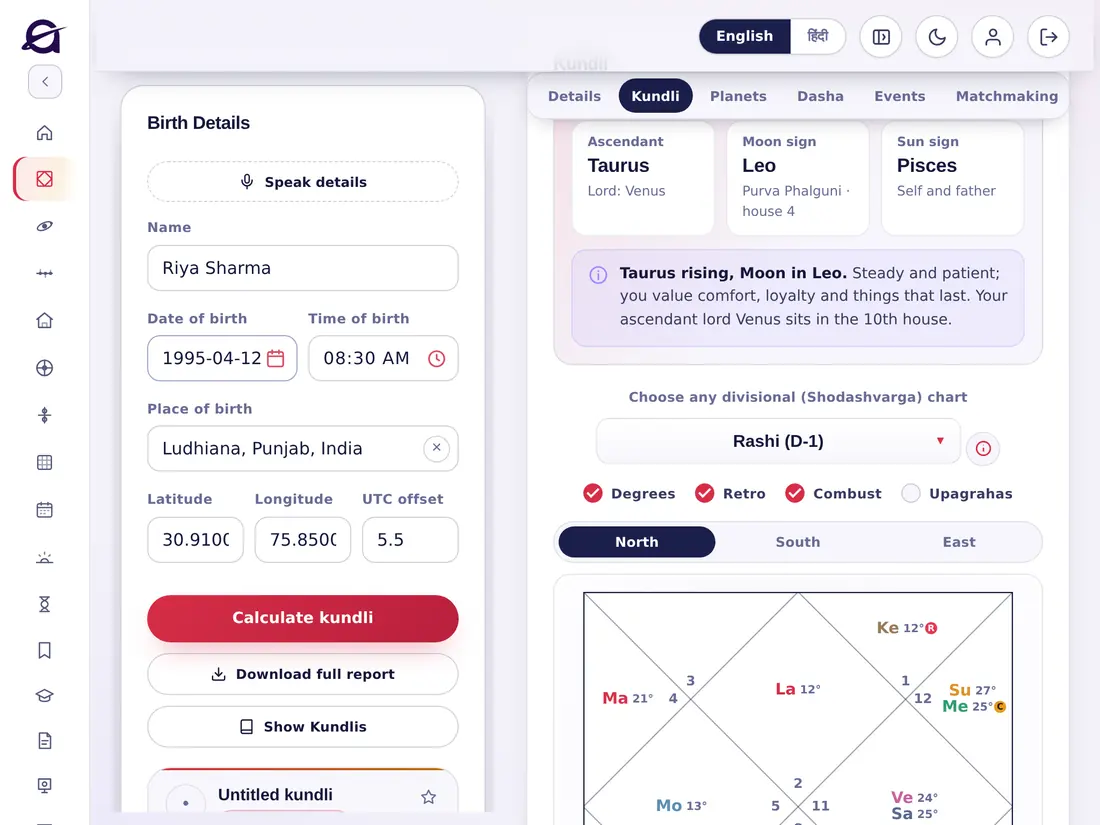
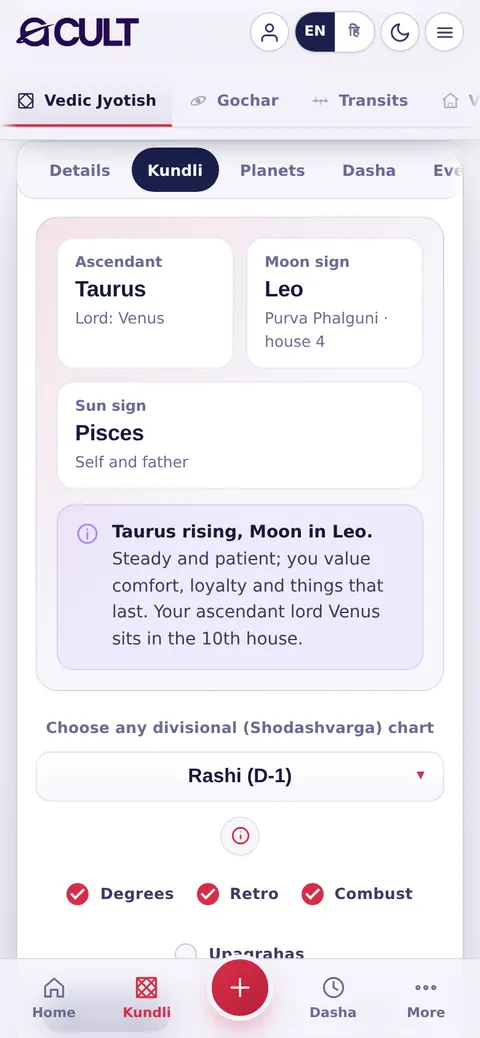
The chart itself, with a short plain-words reading of the ascendant, Moon sign and Sun sign. Choose any divisional (Shodashvarga) chart — Rashi (D-1), Navamsha (D-9), Bhava Chalit, charts from the Sun or Moon, and D-2 to D-60. Switch between North, South and East styles, and show or hide degrees, retrograde, combust and upagrahas.स्वयं कुण्डली, लग्न, चन्द्र राशि और सूर्य राशि के सरल विवरण के साथ। कोई भी वर्ग (षोडशवर्ग) कुण्डली चुनें — राशि (D-1), नवांश (D-9), भाव चलित, सूर्य या चन्द्र से कुण्डली, और D-2 से D-60 तक। उत्तर, दक्षिण और पूर्व शैली के बीच बदलें, और अंश, वक्री, अस्त व उपग्रह दिखाएँ या छिपाएँ।

acult on a tablet
acult on a phone

3 · Planets3 · ग्रह

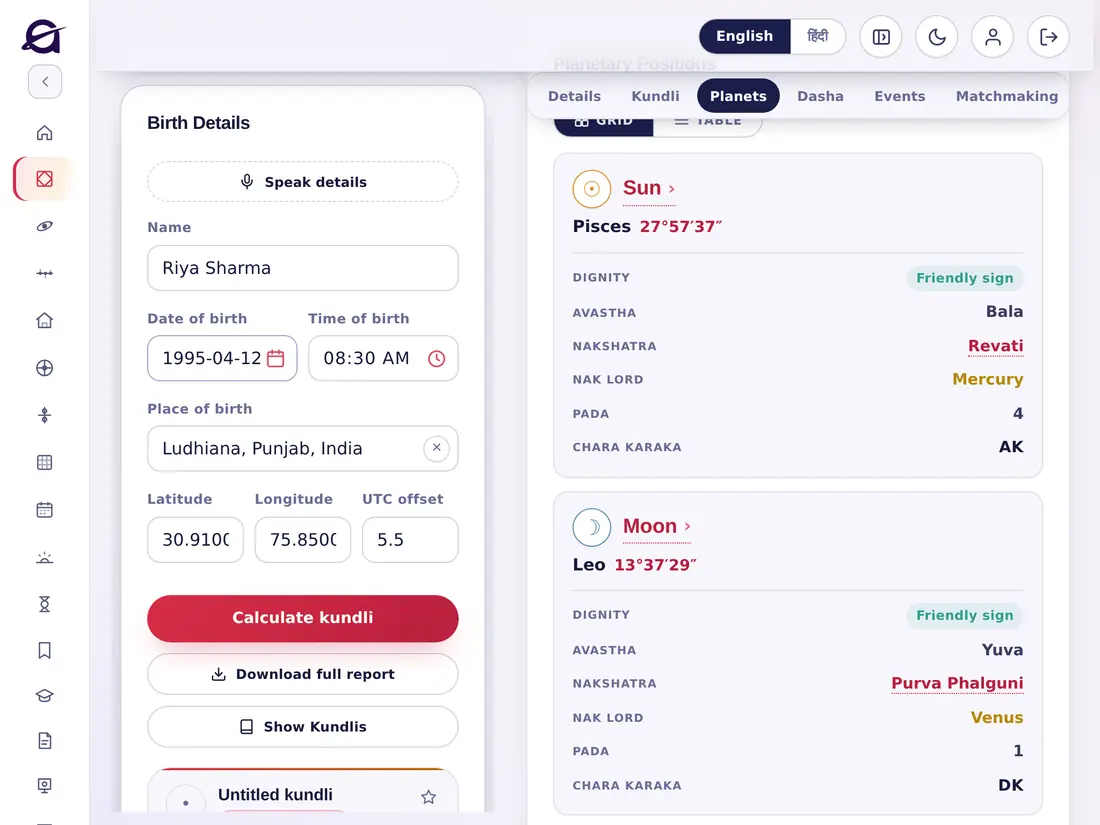
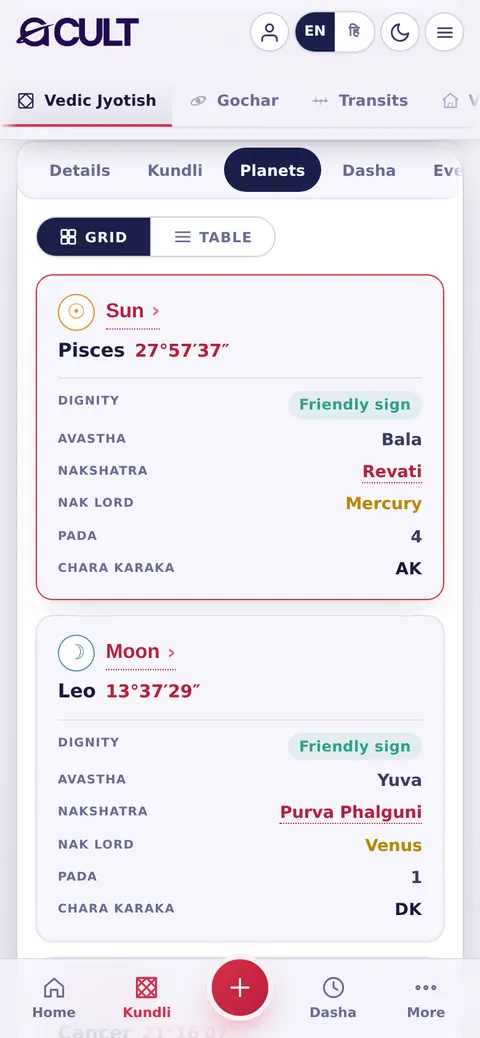
Every graha with its sign and exact degree, dignity (exalted, own, friendly, debilitated…), avastha, nakshatra, nakshatra lord, pada and chara karaka. View as Grid cards or as a Table. R marks a retrograde planet, C a combust one.हर ग्रह अपनी राशि और सटीक अंश के साथ, उसकी गरिमा (उच्च, स्वराशि, मित्र, नीच…), अवस्था, नक्षत्र, नक्षत्र स्वामी, चरण और चर कारक। Grid कार्ड या Table के रूप में देखें। R वक्री ग्रह और C अस्त ग्रह दर्शाता है।

acult on a tablet
acult on a phone

4 · Dasha4 · दशा

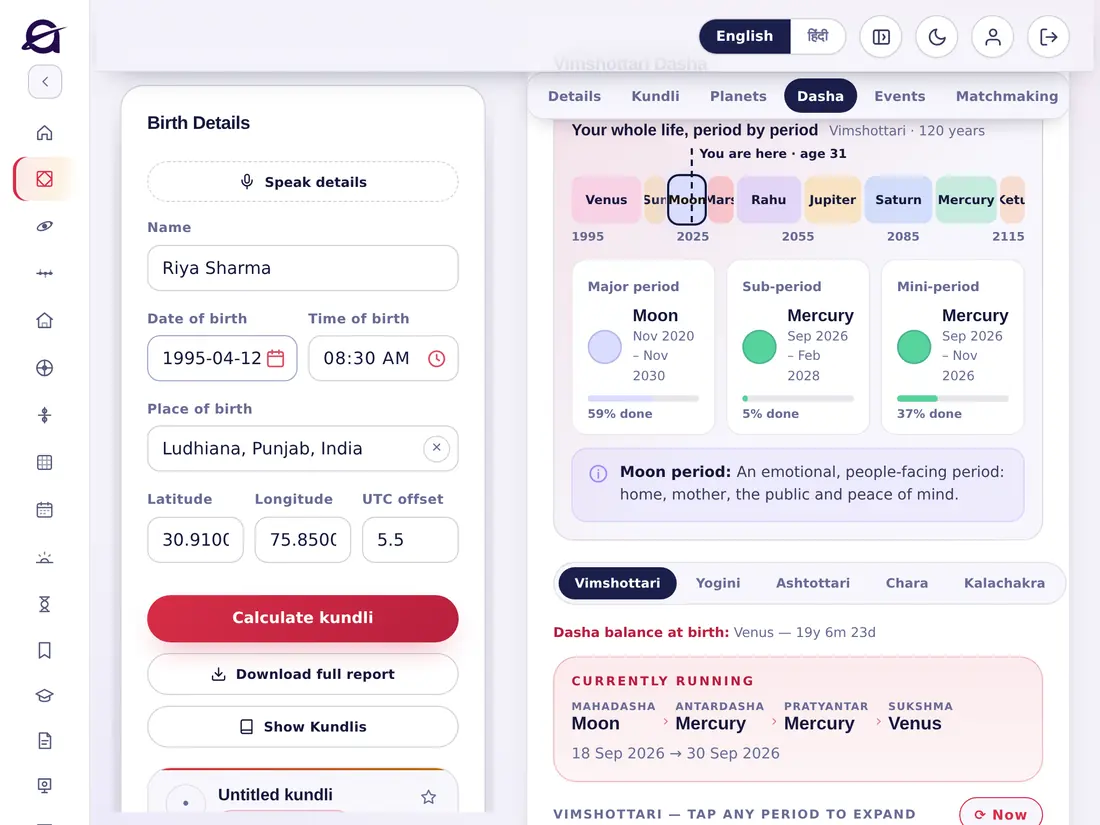
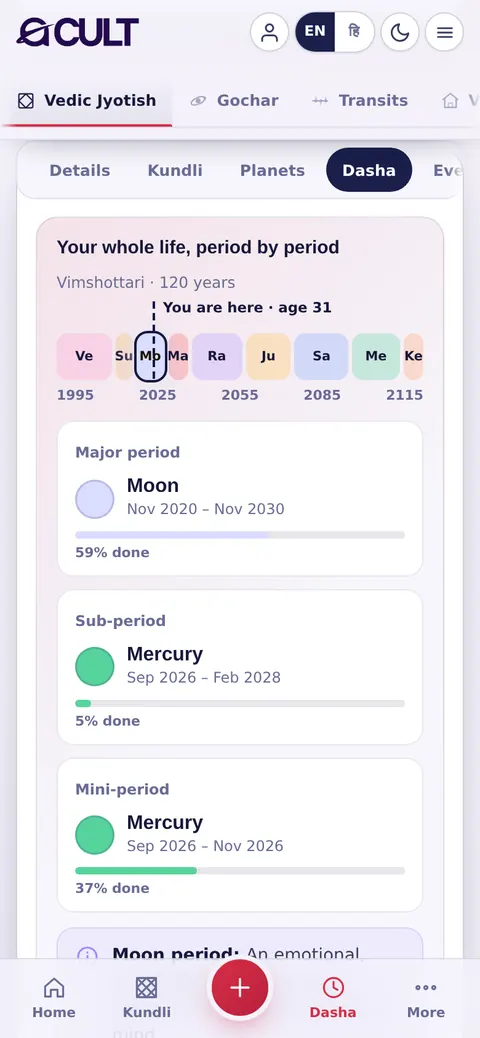
Your whole life period by period. The coloured bar shows the Vimshottari mahadashas with You are here; below it, the running Major period, Sub-period and Mini-period with dates and how much is done, and a line on what the period is about. Switch to Yogini, Ashtottari, Chara or Kalachakra dasha, and open any period to drill down.आपका पूरा जीवन, काल-दर-काल। रंगीन पट्टी विंशोत्तरी महादशाएँ दिखाती है और आप यहाँ हैं बताती है; नीचे चल रही महादशा, अंतर्दशा और प्रत्यंतर दशा तारीख़ों और पूर्ण प्रतिशत के साथ, और उस काल का सार। योगिनी, अष्टोत्तरी, चर या कालचक्र दशा पर बदलें, और किसी भी काल को खोलकर गहराई में देखें।

acult on a tablet
acult on a phone

5 · Events5 · घटनाएँ

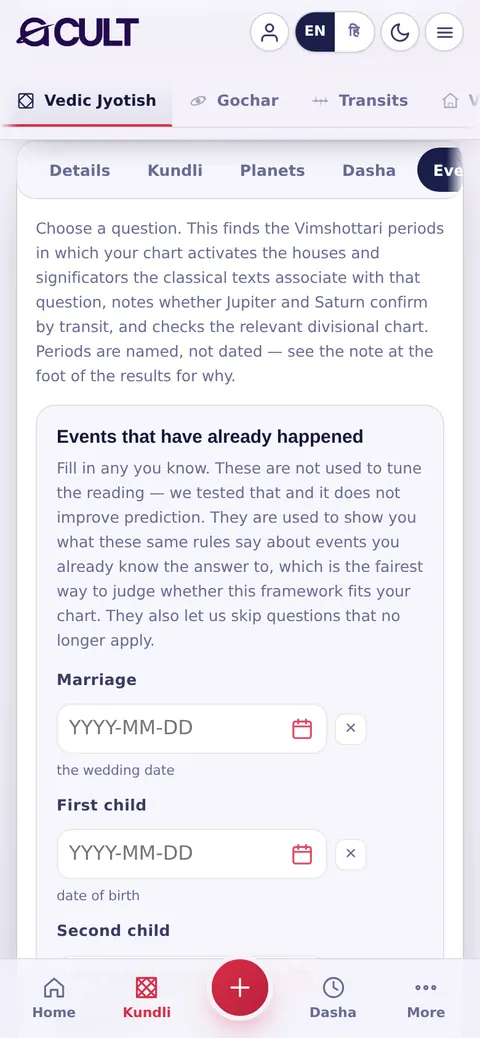
Choose a life question (marriage, children, job, travel, property and many more). The app finds the Vimshottari periods in which your chart activates the houses and significators the classical texts link to that question, checks whether Jupiter and Saturn confirm by transit, and names the periods with their dates. Optionally enter events that have already happened to see how the same rules treat your real past.जीवन का कोई प्रश्न चुनें (विवाह, संतान, नौकरी, यात्रा, संपत्ति और बहुत कुछ)। ऐप वे विंशोत्तरी काल खोजता है जिनमें आपकी कुण्डली उस प्रश्न से जुड़े भावों और कारकों को सक्रिय करती है, देखता है कि गुरु और शनि गोचर से पुष्टि करते हैं या नहीं, और कालों को तारीख़ों सहित बताता है। चाहें तो जो घटनाएँ हो चुकी हैं उन्हें भरें और देखें कि यही नियम आपके वास्तविक अतीत को कैसे पढ़ते हैं।

acult on a tablet
acult on a phone

6 · Matchmaking6 · कुण्डली मिलान

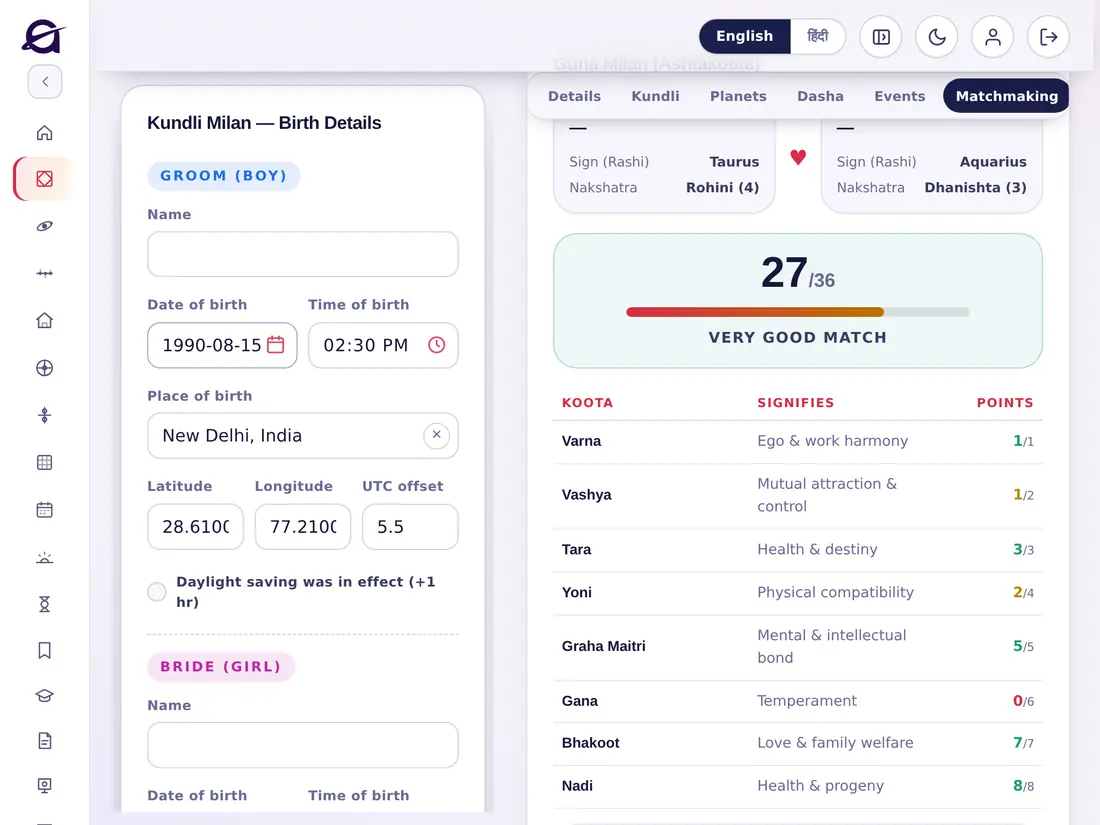
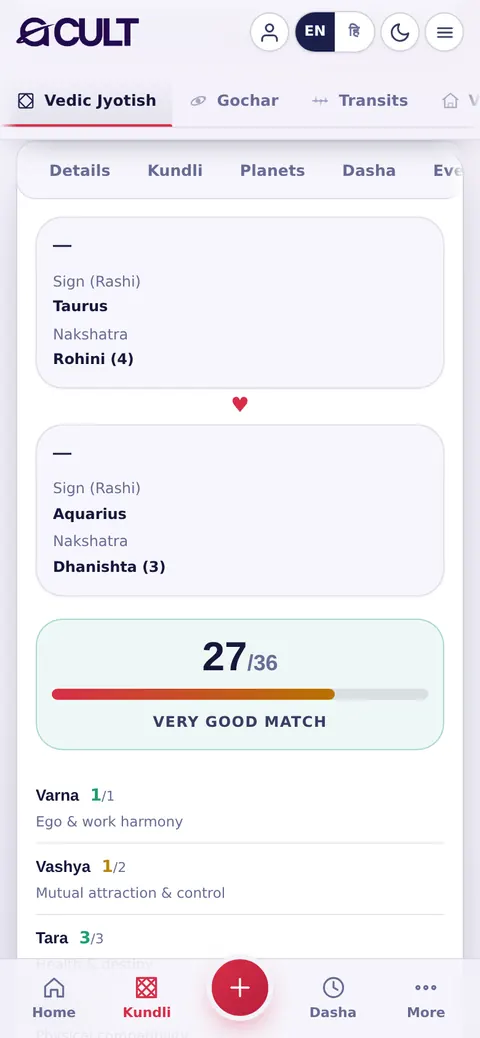
Ashtakoota Guna Milan for two people: enter the second person's details and see all eight kootas (Varna, Vashya, Tara, Yoni, Graha Maitri, Gana, Bhakoot, Nadi) with points out of 36, the overall verdict, and Mangal (Manglik) dosha for both, with cancellation rules.दो लोगों का अष्टकूट गुण मिलान: दूसरे व्यक्ति का विवरण भरें और आठों कूट (वर्ण, वश्य, तारा, योनि, ग्रह मैत्री, गण, भकूट, नाड़ी) 36 में से अंकों सहित, कुल परिणाम, और दोनों का मंगल (मांगलिक) दोष निरस्तीकरण नियमों के साथ देखें।

acult on a tablet
acult on a phone

7 · Ashtakavarga7 · अष्टकवर्ग

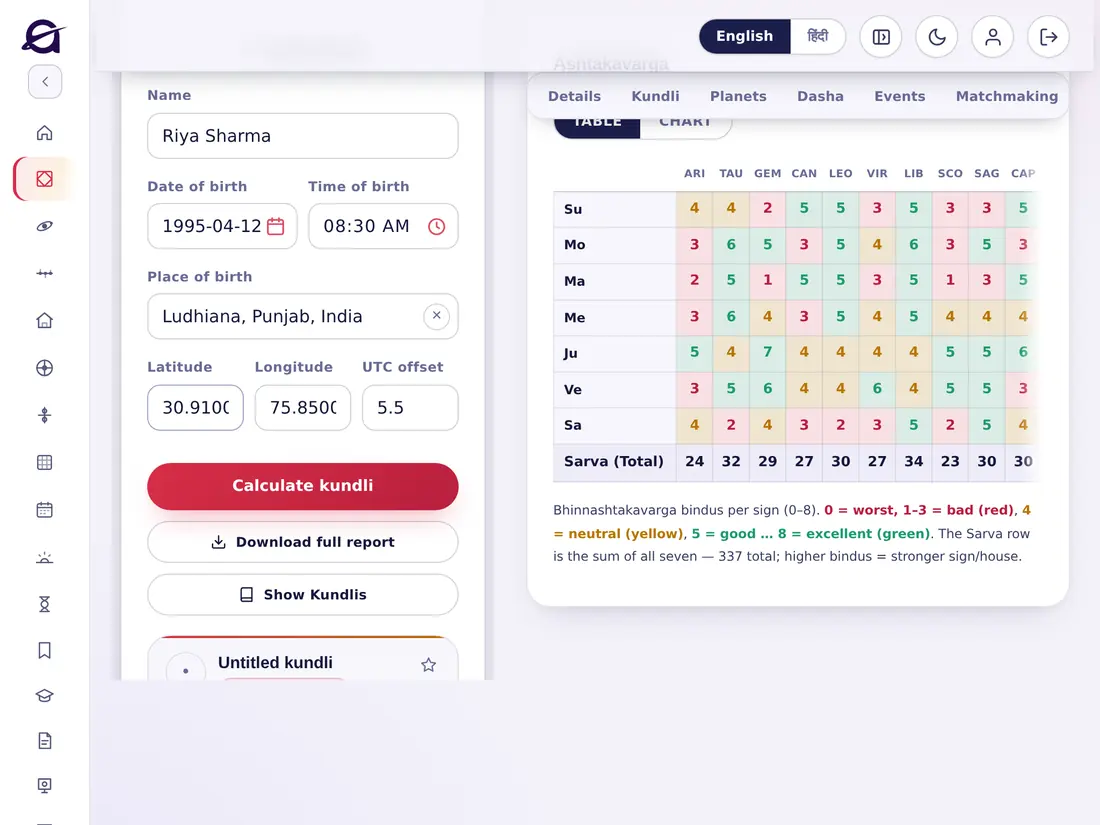
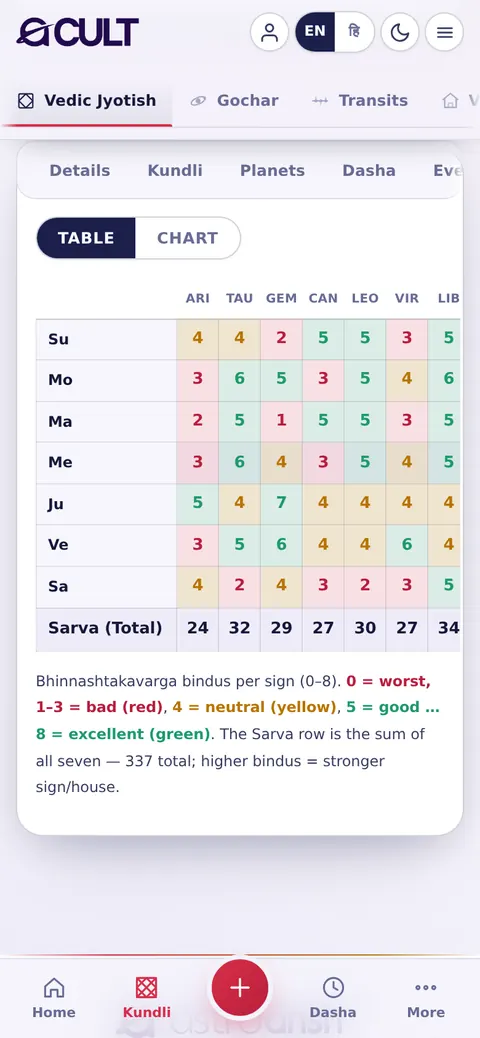
The bindu table for each planet in each sign (0–8) and the Sarva total (337). Green is good, yellow neutral, red weak. Switch between Table and Chart.हर ग्रह का हर राशि में बिंदु तालिका (0–8) और सर्वाष्टकवर्ग योग (337)। हरा अच्छा, पीला सामान्य, लाल कमज़ोर। Table और Chart के बीच बदलें।

acult on a tablet
acult on a phone

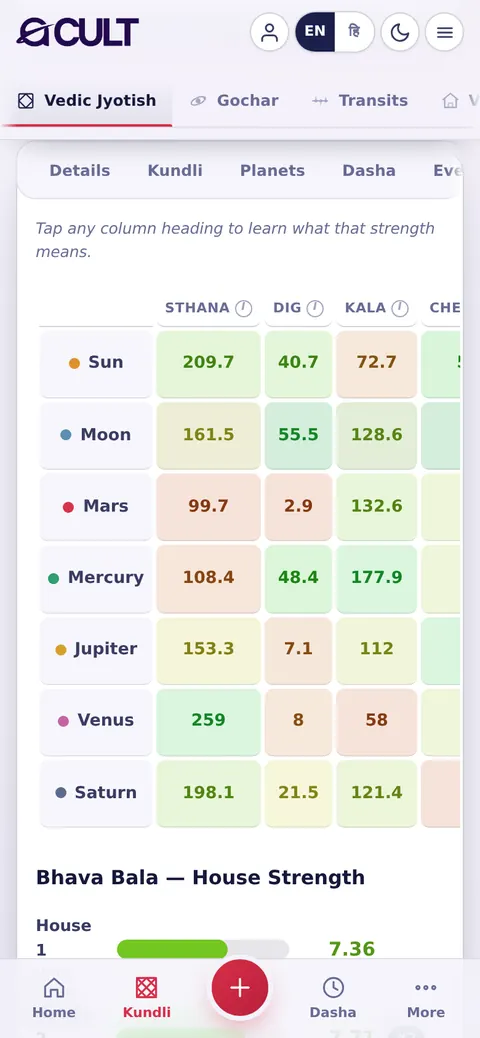
8 · Bala8 · बल

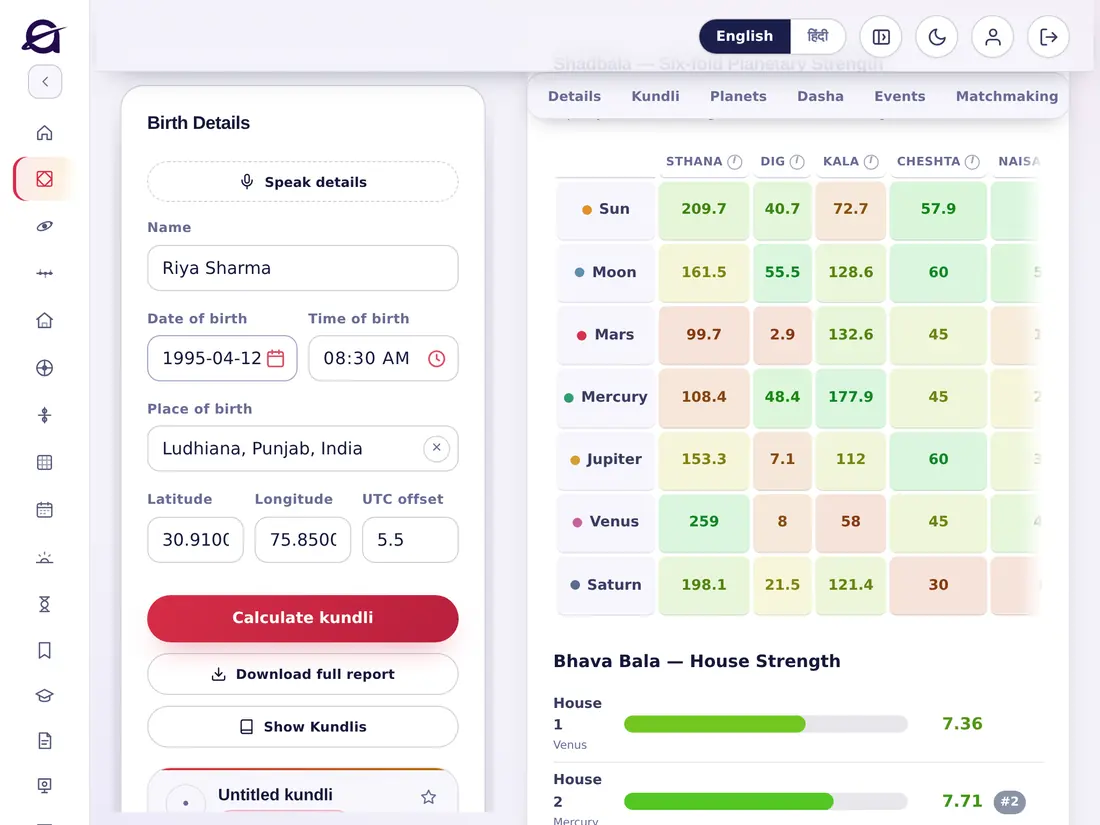
Shadbala — the six-fold strength of each planet (Sthana, Dig, Kala, Cheshta, Naisargika, Drik), the total in Rupas, the ratio against the classical requirement and each planet's rank. Tap a column heading to learn what that strength means.षड्बल — हर ग्रह का छह प्रकार का बल (स्थान, दिग्, काल, चेष्टा, नैसर्गिक, दृक्), रूपों में कुल, शास्त्रीय आवश्यकता से अनुपात और हर ग्रह का क्रम। किसी बल का अर्थ जानने के लिए कॉलम शीर्षक पर टैप करें।

acult on a tablet
acult on a phone

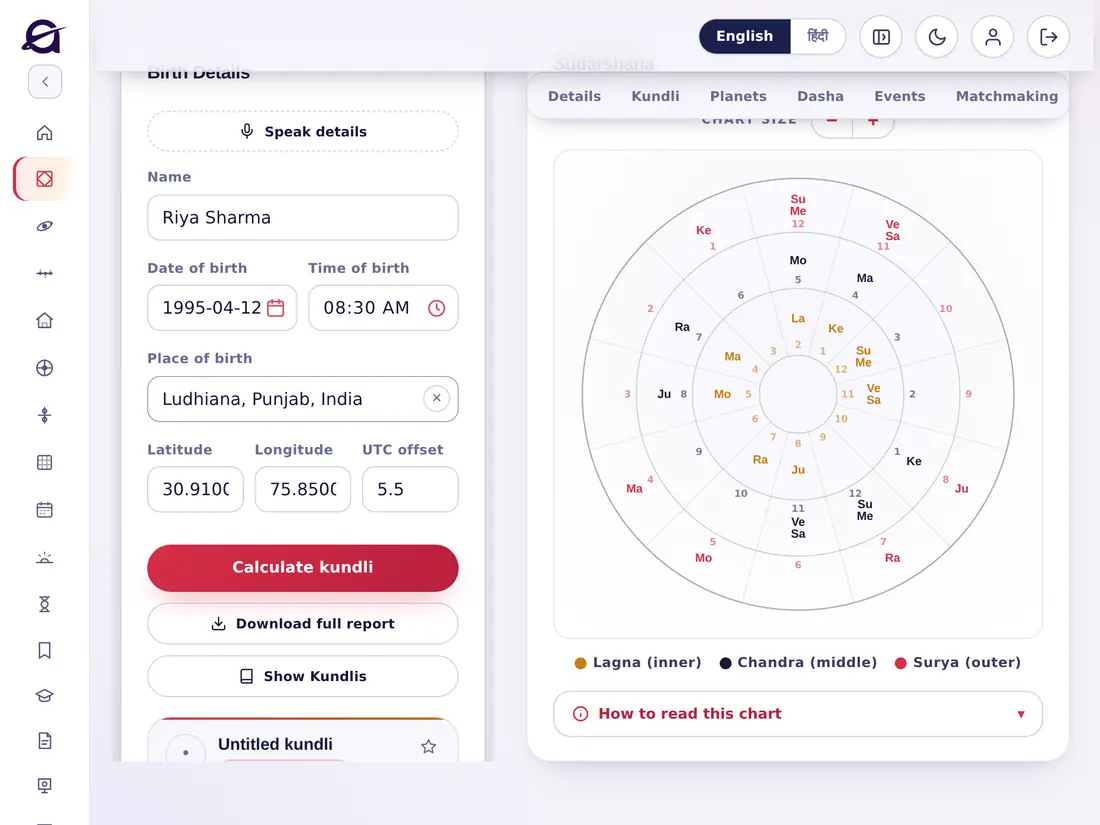
9 · Sudarshana9 · सुदर्शन

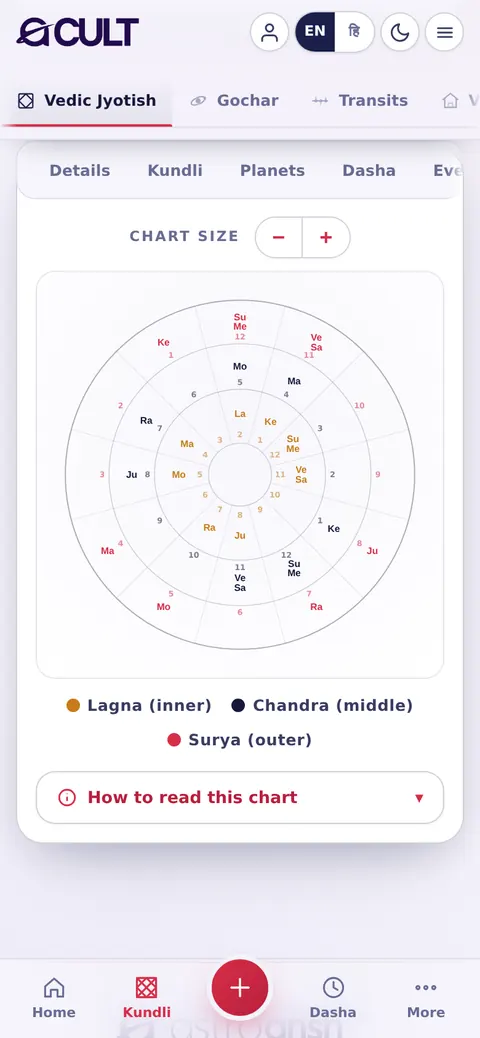
The Sudarshana Chakra: the chart read at once from the Lagna (inner ring), the Moon (middle) and the Sun (outer). Use − / + to resize; open How to read this chart for guidance.सुदर्शन चक्र: कुण्डली को एक साथ लग्न (भीतरी चक्र), चन्द्र (मध्य) और सूर्य (बाहरी) से पढ़ना। आकार बदलने के लिए − / +; मार्गदर्शन के लिए How to read this chart खोलें।

acult on a tablet
acult on a phone

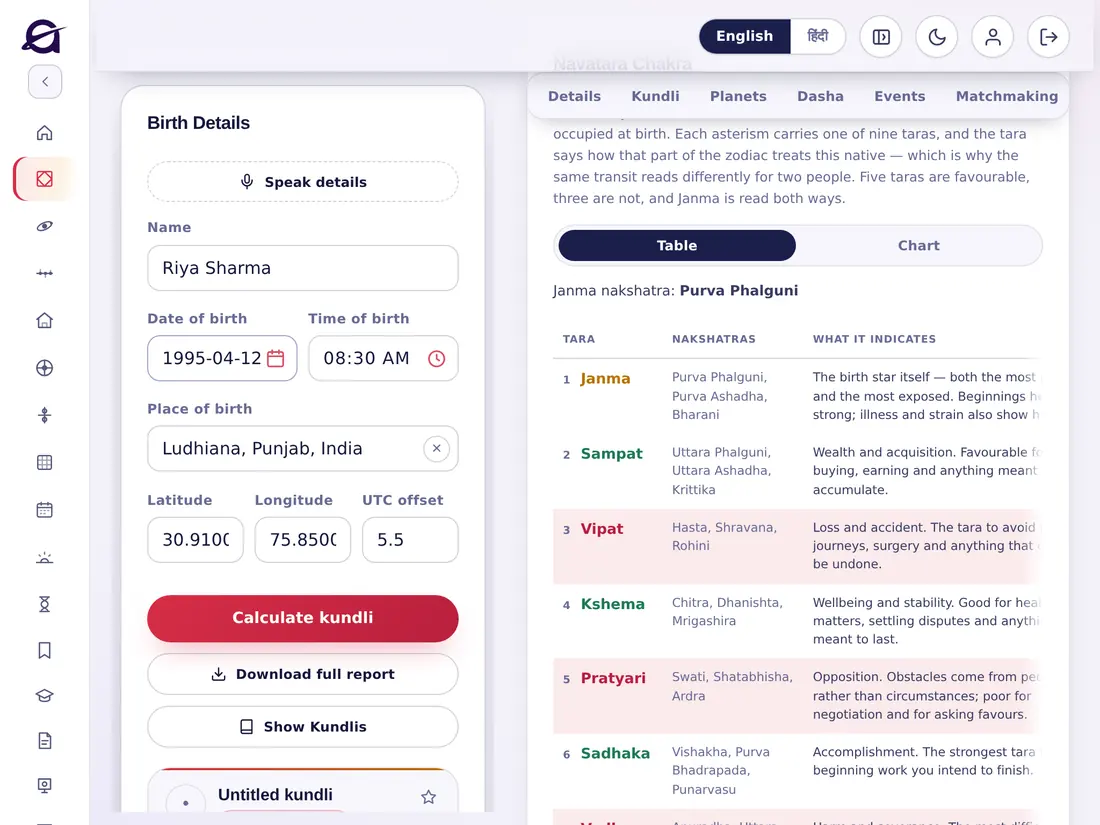
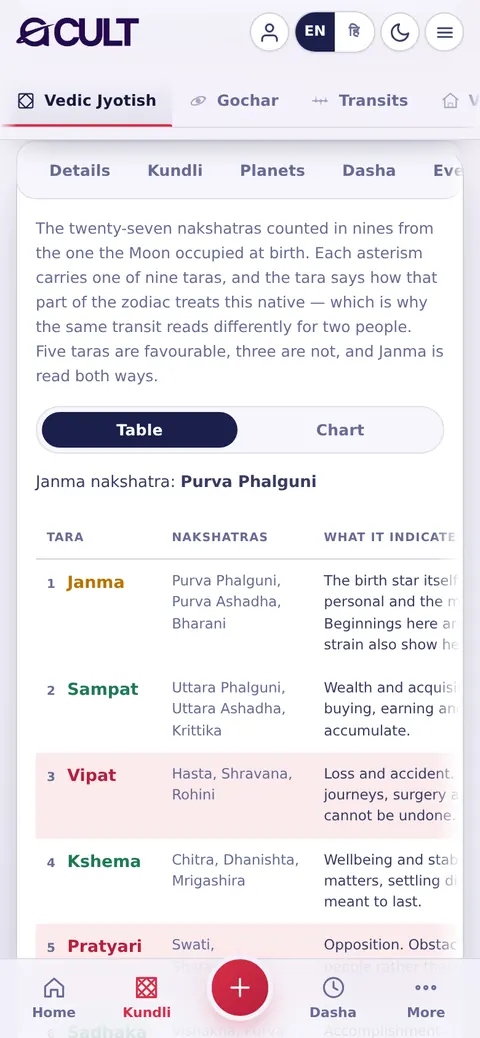
10 · Navatara10 · नवतारा

The 27 nakshatras counted in nines from your birth star, each with its tara (Janma, Sampat, Vipat, Kshema…), what it indicates and which grahas sit there. Shown as a table or a chart.आपके जन्म नक्षत्र से नौ-नौ में गिने गए 27 नक्षत्र, हर एक अपनी तारा (जन्म, संपत्, विपत्, क्षेम…), उसके अर्थ और वहाँ स्थित ग्रहों के साथ। तालिका या चार्ट के रूप में।

acult on a tablet
acult on a phone

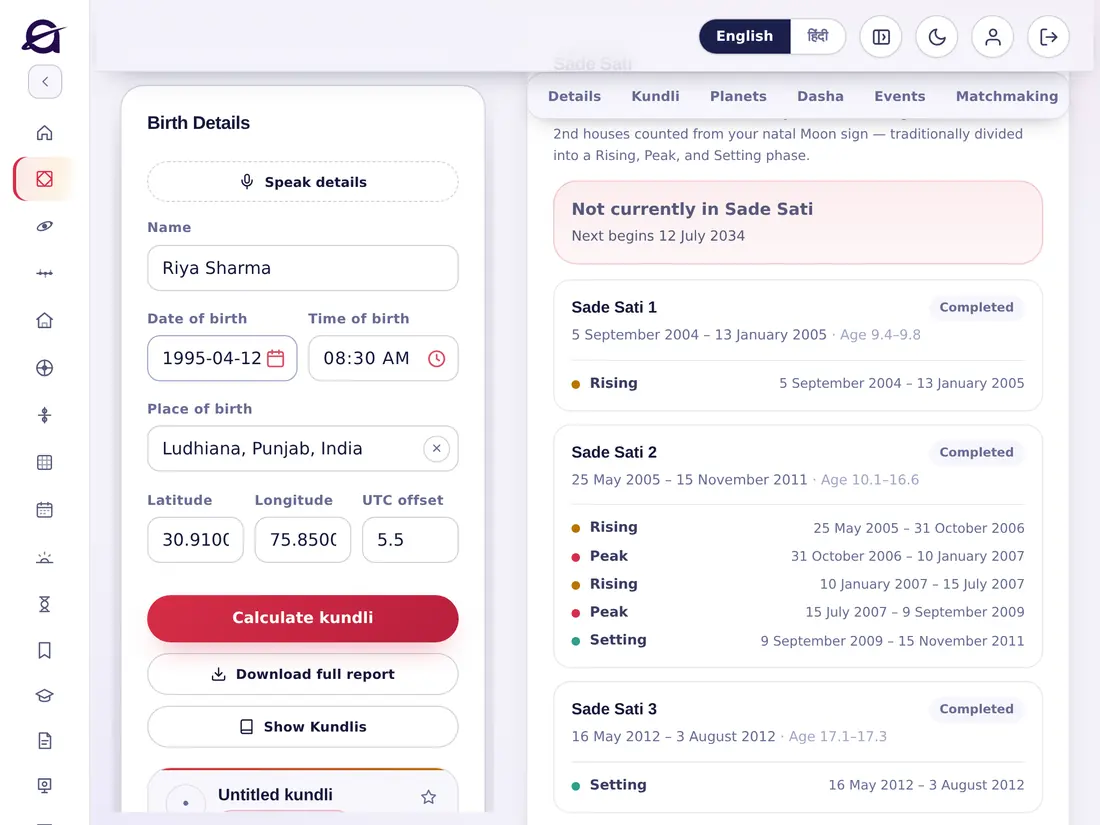
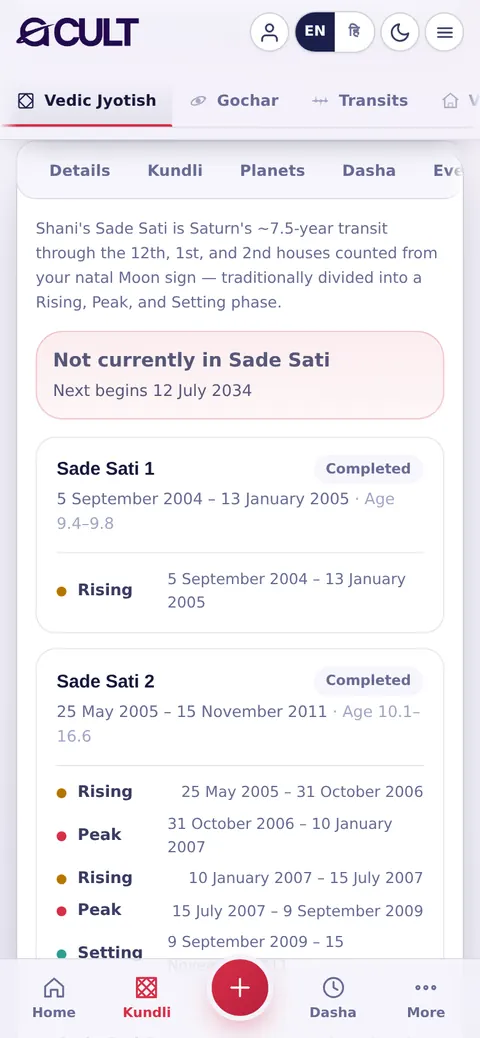
11 · Sade Sati11 · साढ़ेसाती

Whether Saturn's Sade Sati is running now, when the next one begins, and every Sade Sati of your life with its Rising, Peak and Setting phases, dates and your age.क्या शनि की साढ़ेसाती अभी चल रही है, अगली कब शुरू होगी, और आपके जीवन की हर साढ़ेसाती उसके आरोही, शिखर और अवरोही चरणों, तारीख़ों और आपकी आयु के साथ।

acult on a tablet
acult on a phone

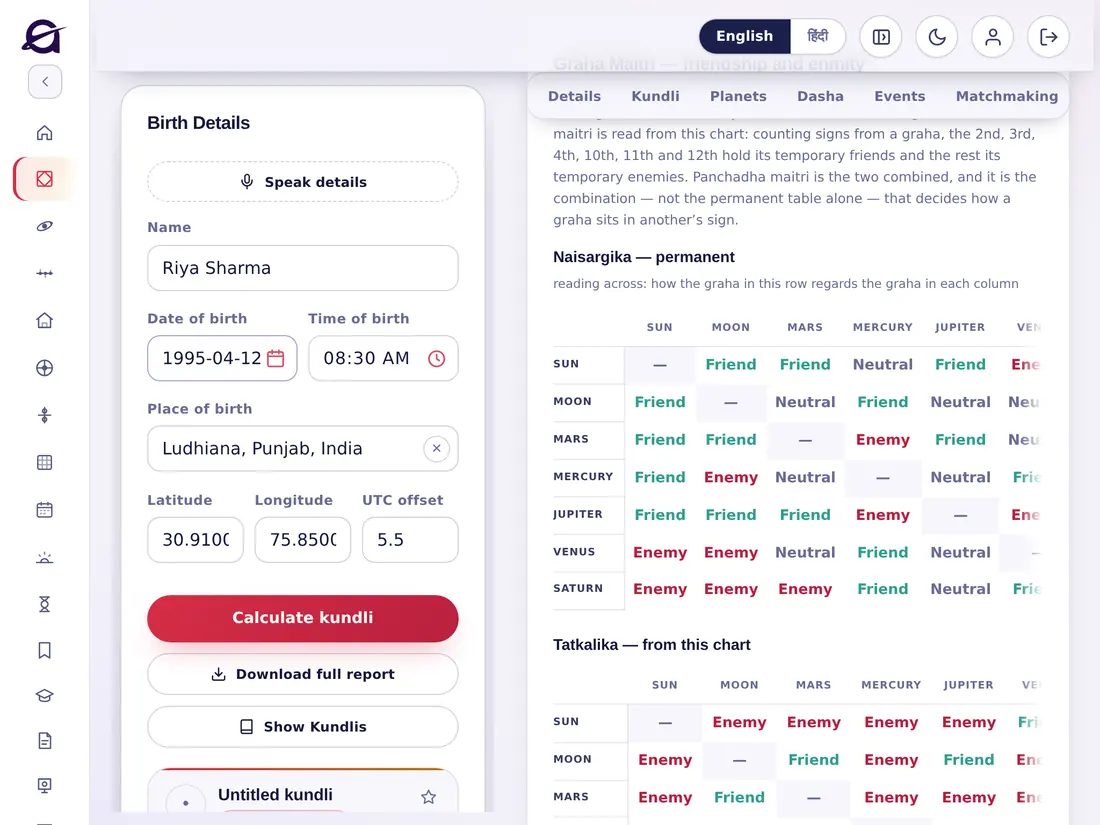
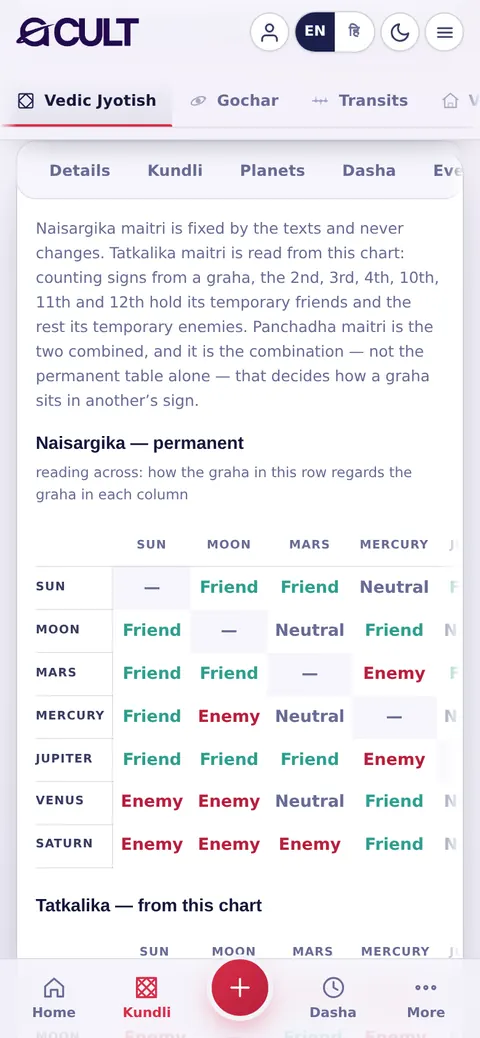
12 · Maitri12 · मैत्री

Graha Maitri — planetary friendship: the permanent (Naisargika), temporary (Tatkalika, from this chart) and combined (Panchadha) relationships between every pair of planets.ग्रह मैत्री — ग्रहों की मित्रता: हर दो ग्रहों के बीच स्थायी (नैसर्गिक), तात्कालिक (इसी कुण्डली से) और संयुक्त (पंचधा) संबंध।

acult on a tablet
acult on a phone

13 · Yogas & Doshas13 · योग और दोष

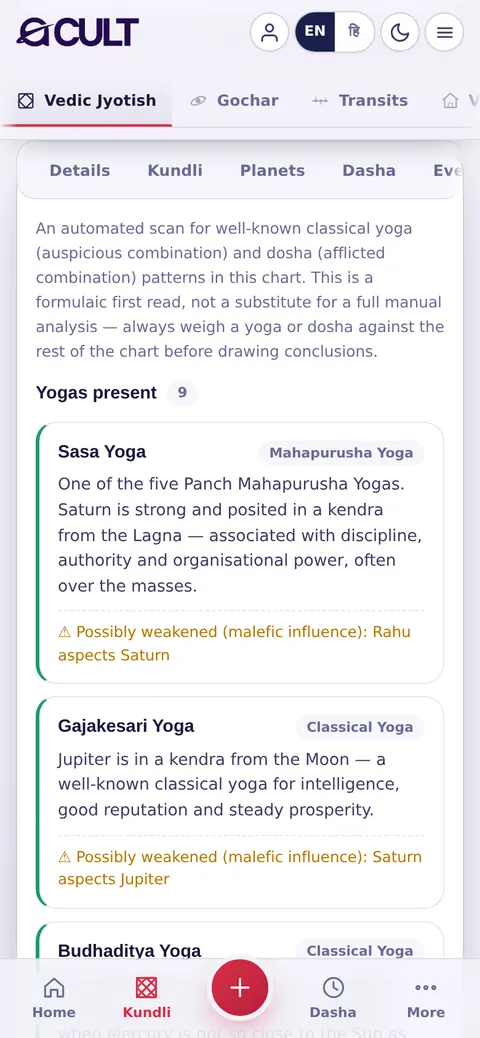
An automatic scan for classical yogas (such as the Panch Mahapurusha yogas) and doshas in the chart, each explained. Treat it as a first read and weigh every yoga against the rest of the chart.कुण्डली में शास्त्रीय योगों (जैसे पंच महापुरुष योग) और दोषों की स्वचालित खोज, हर एक की व्याख्या के साथ। इसे पहली जानकारी मानें और हर योग को पूरी कुण्डली के साथ तौलें।

acult on a tablet
acult on a phone

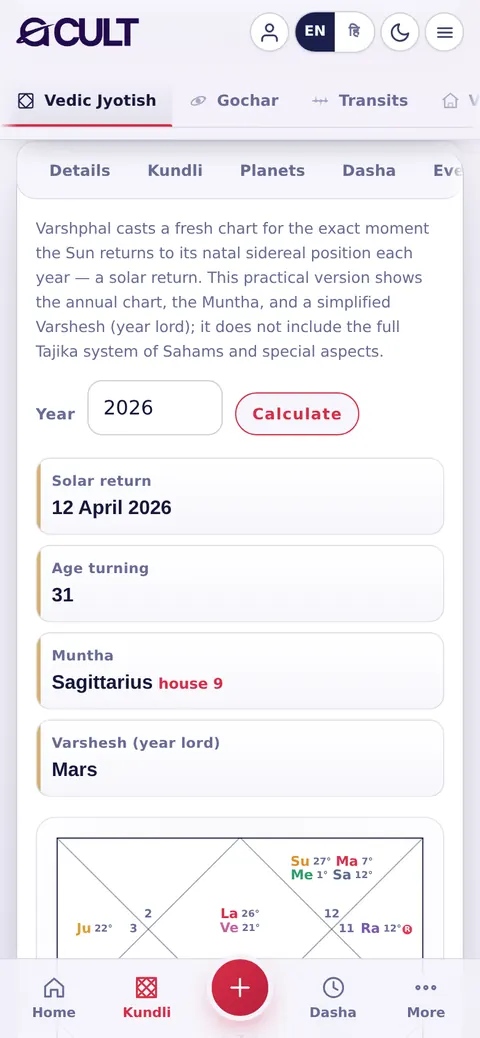
14 · Varshphal14 · वर्षफल

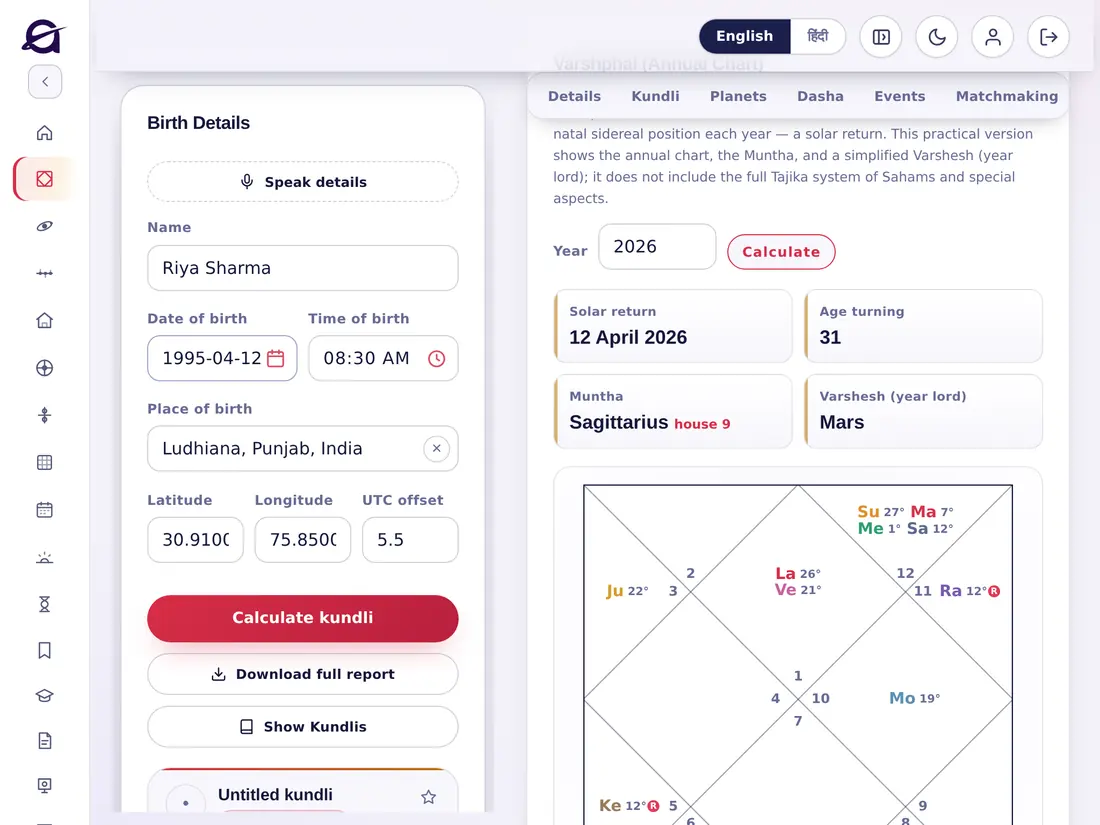
The annual chart (solar return) for any year: choose the year and tap Calculate to see the date of the solar return, the Muntha, the year lord (Varshesh) and the annual chart.किसी भी वर्ष की वार्षिक कुण्डली (सौर प्रत्यावर्तन): वर्ष चुनें और Calculate पर टैप करें — सौर प्रत्यावर्तन की तिथि, मुंथा, वर्षेश और वार्षिक कुण्डली देखें।

acult on a tablet
acult on a phone

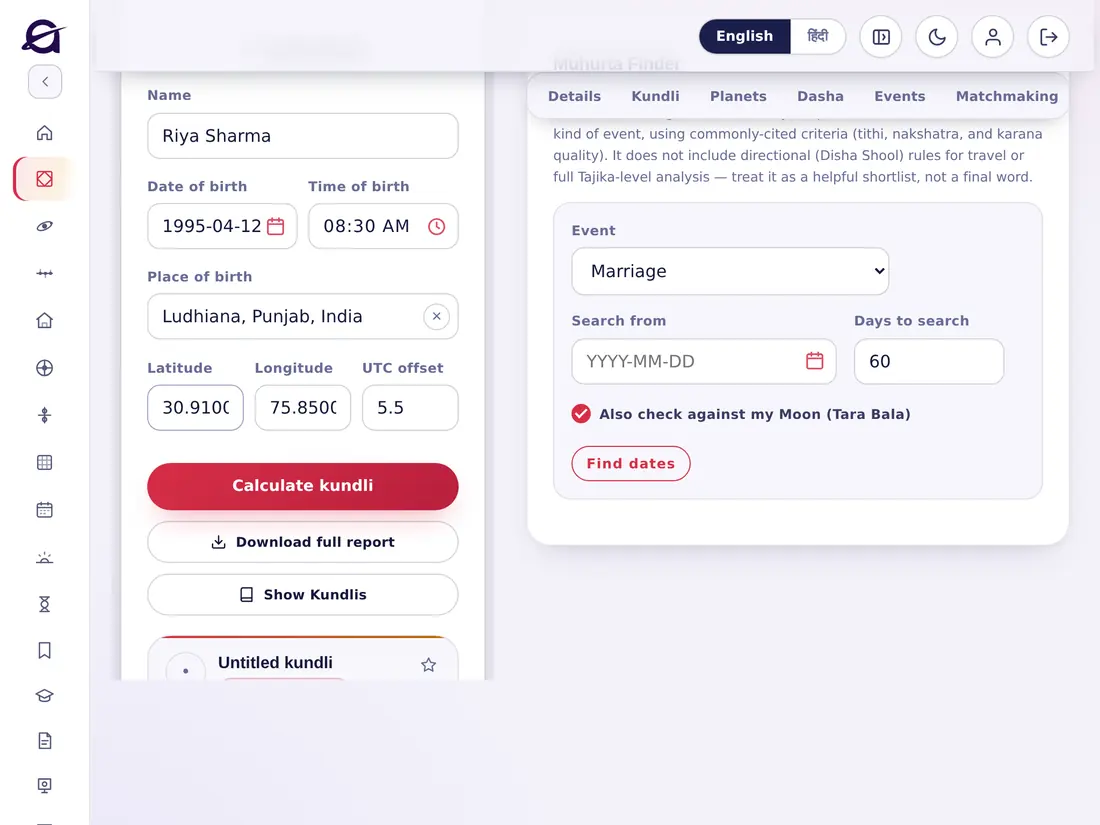
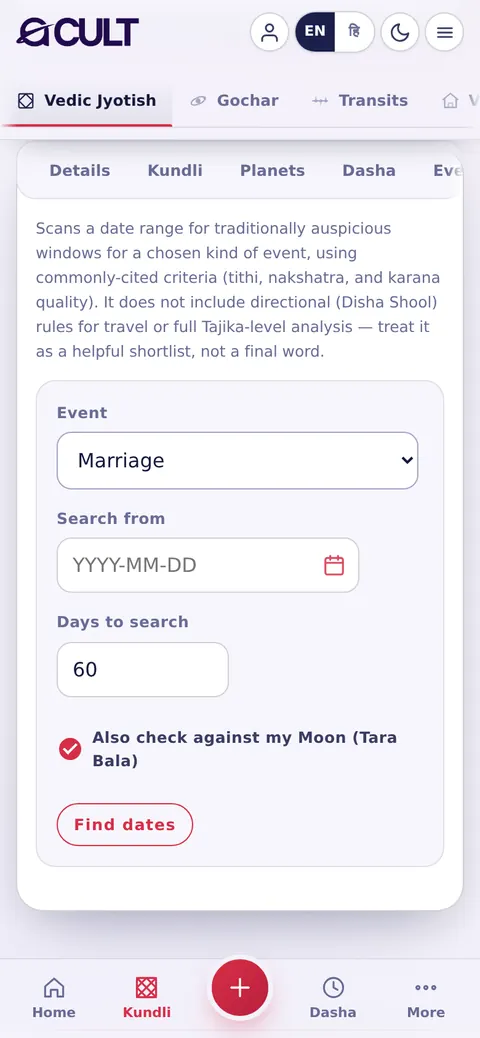
15 · Muhurta15 · मुहूर्त

  1. Choose the event: Marriage, Griha Pravesh, New venture, Travel or General auspicious day.
  2. Choose where to start and how many days to search.
  3. Tick Also check against my Moon (Tara Bala) for a personal check.
  4. Tap Find dates — a shortlist of good windows appears.
  1. कार्य चुनें: विवाह, गृह प्रवेश, नया व्यापार, यात्रा या सामान्य शुभ दिन।
  2. कहाँ से शुरू करना है और कितने दिन खोजने हैं, चुनें।
  3. व्यक्तिगत जाँच के लिए Also check against my Moon (Tara Bala) चुनें।
  4. Find dates पर टैप करें — शुभ समयों की सूची आ जाती है।
acult on a tablet
acult on a phone

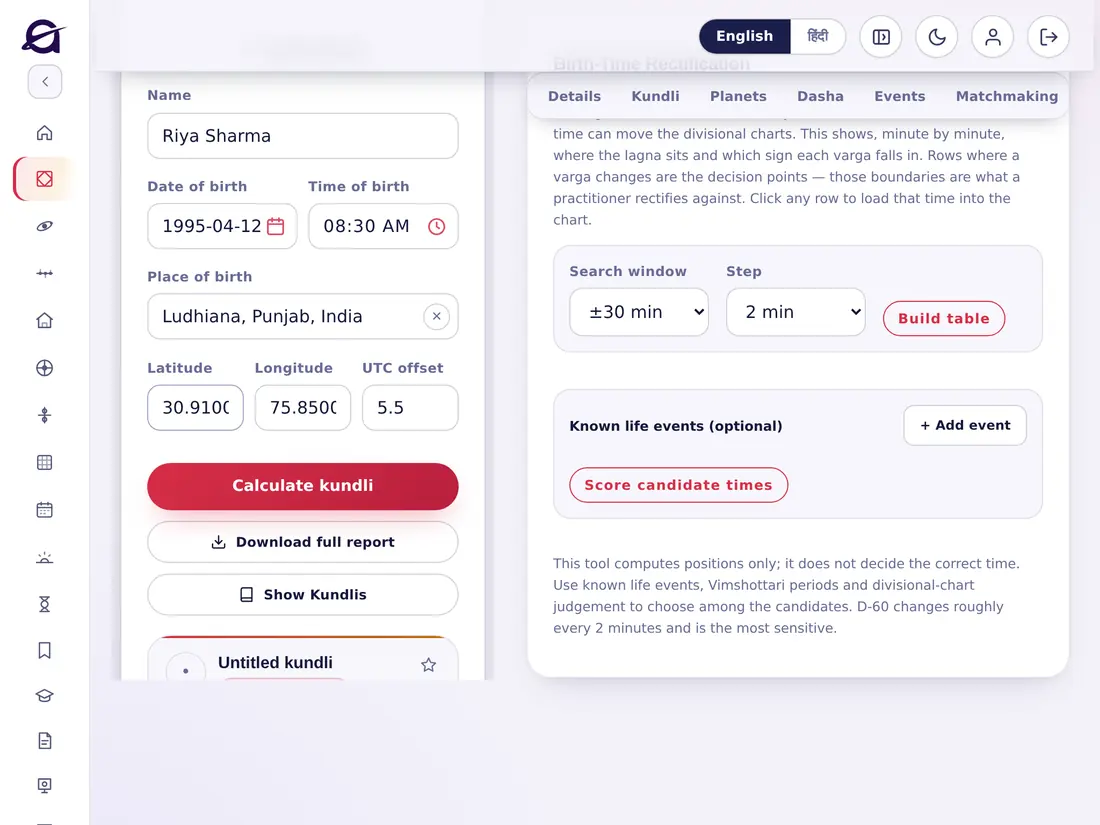
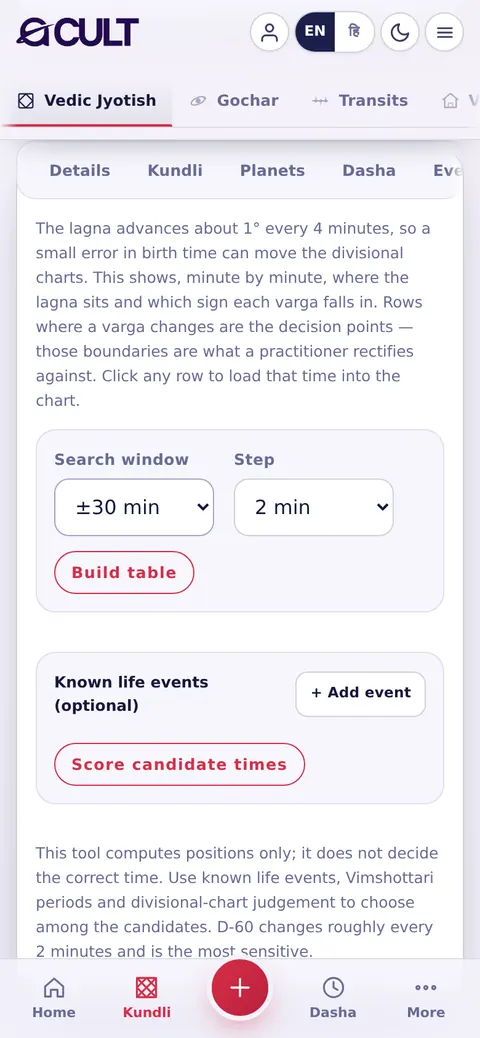
16 · Rectification16 · जन्म समय शोधन

  1. Choose the search window (±10 minutes to ±2 hours) and the step (1, 2 or 5 minutes).
  2. Tap Build table — minute by minute, it shows the lagna and the sign of every divisional chart.
  3. Rows where a varga changes are the decision points. Optionally add known life events.
  4. Tap any row to load that time into the chart.
  1. खोज की अवधि (±10 मिनट से ±2 घंटे) और अंतराल (1, 2 या 5 मिनट) चुनें।
  2. Build table पर टैप करें — हर मिनट का लग्न और हर वर्ग-कुण्डली की राशि दिखती है।
  3. जहाँ वर्ग बदलता है, वही निर्णय-बिंदु हैं। चाहें तो जीवन की ज्ञात घटनाएँ जोड़ें।
  4. उस समय को कुण्डली में लाने के लिए किसी भी पंक्ति पर टैप करें।
acult on a tablet
acult on a phone

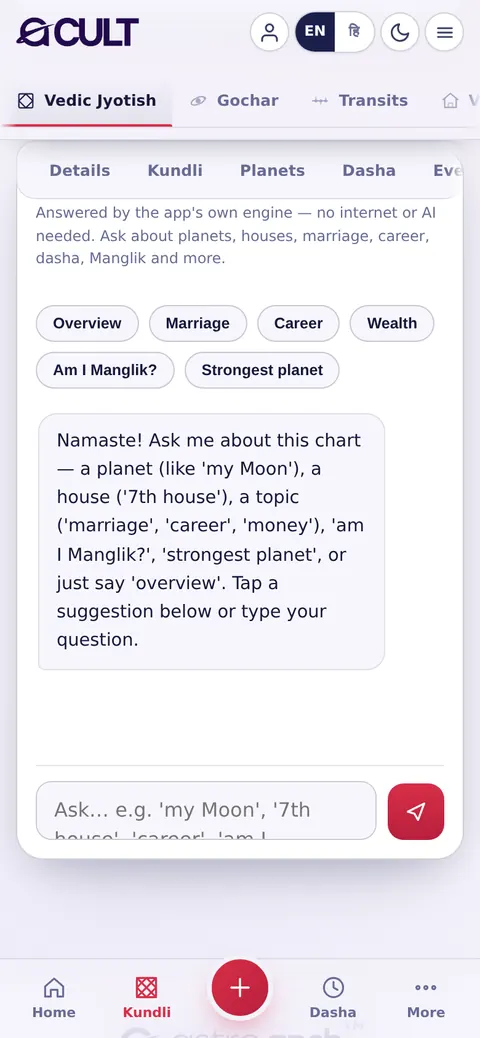
17 · Ask a Doubt17 · शंका पूछें

Ask questions about the chart in plain words — a planet (“my Moon”), a house (“7th house”), a topic (marriage, career, money), “Am I Manglik?”, “strongest planet” or “overview”. Tap a suggestion or type your own. It is answered by the app's own engine — no internet search or AI.कुण्डली के बारे में सरल शब्दों में प्रश्न पूछें — कोई ग्रह (“मेरा चन्द्र”), कोई भाव (“सातवाँ भाव”), कोई विषय (विवाह, करियर, धन), “क्या मैं मांगलिक हूँ?”, “सबसे बली ग्रह” या “overview”। सुझाव पर टैप करें या अपना प्रश्न लिखें। उत्तर ऐप का अपना इंजन देता है — कोई इंटरनेट खोज या AI नहीं।

acult on a tablet
acult on a phone
Chapter 9अध्याय 9

The other sectionsअन्य विभाग

9 topics9 विषय
09

These are under Sections in the side menu. Some use your current kundli; Panchang, Chogadiya and Hora are for any day and place.ये साइड मेनू में विभाग के नीचे हैं। कुछ आपकी वर्तमान कुण्डली का उपयोग करते हैं; पंचांग, चौघड़िया और होरा किसी भी दिन और स्थान के लिए हैं।

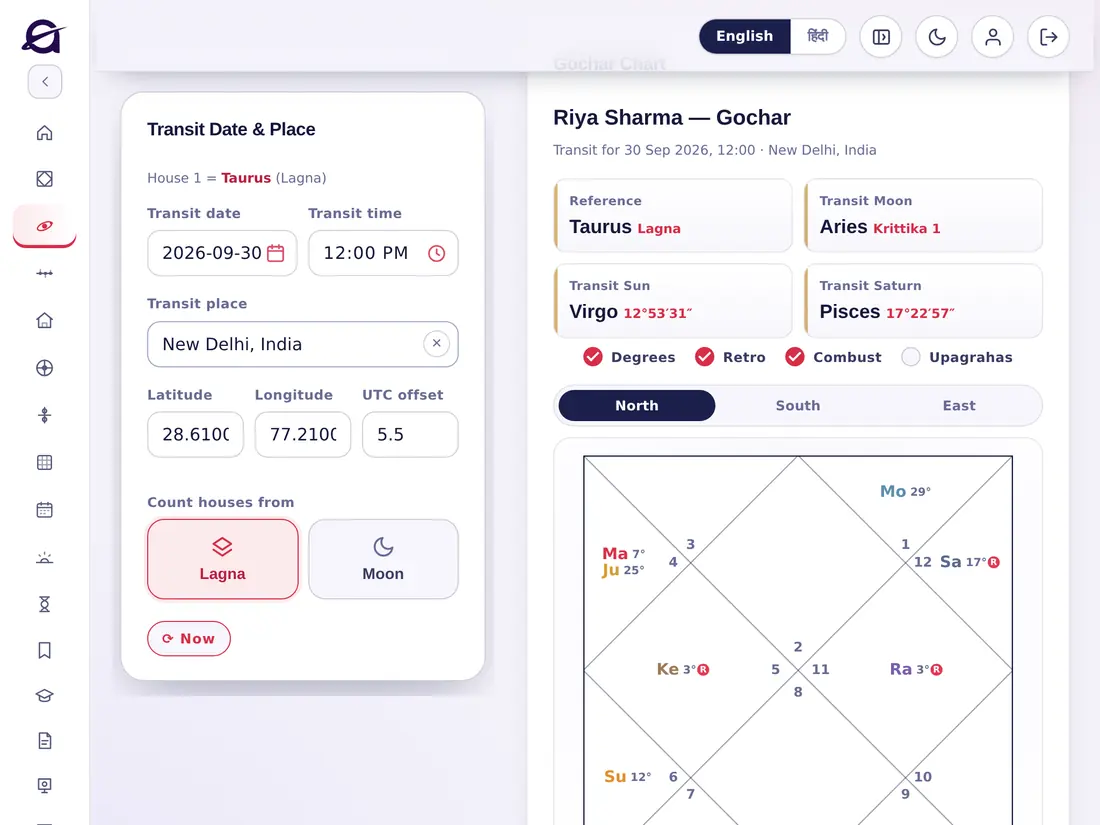
Gocharगोचर

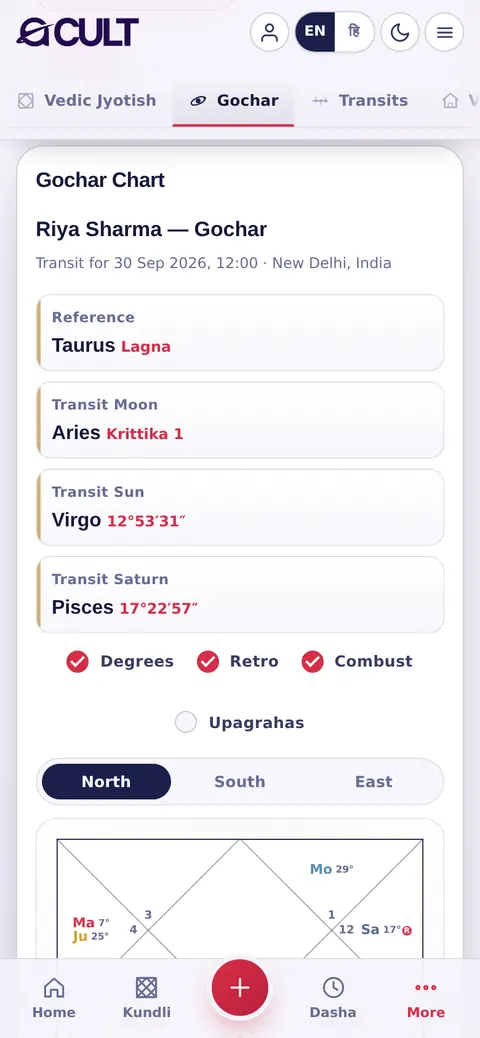
Today's transit chart against your Lagna: where the Moon, Sun, Saturn and every planet are now, with nakshatra and pada, in North, South or East style. Change the date and place to see any other moment.आपके लग्न के सापेक्ष आज की गोचर कुण्डली: अभी चन्द्र, सूर्य, शनि और हर ग्रह कहाँ हैं, नक्षत्र व चरण सहित, उत्तर, दक्षिण या पूर्व शैली में। कोई और समय देखने के लिए तिथि और स्थान बदलें।

acult on a tablet
acult on a phone

Transitsगोचर सूची

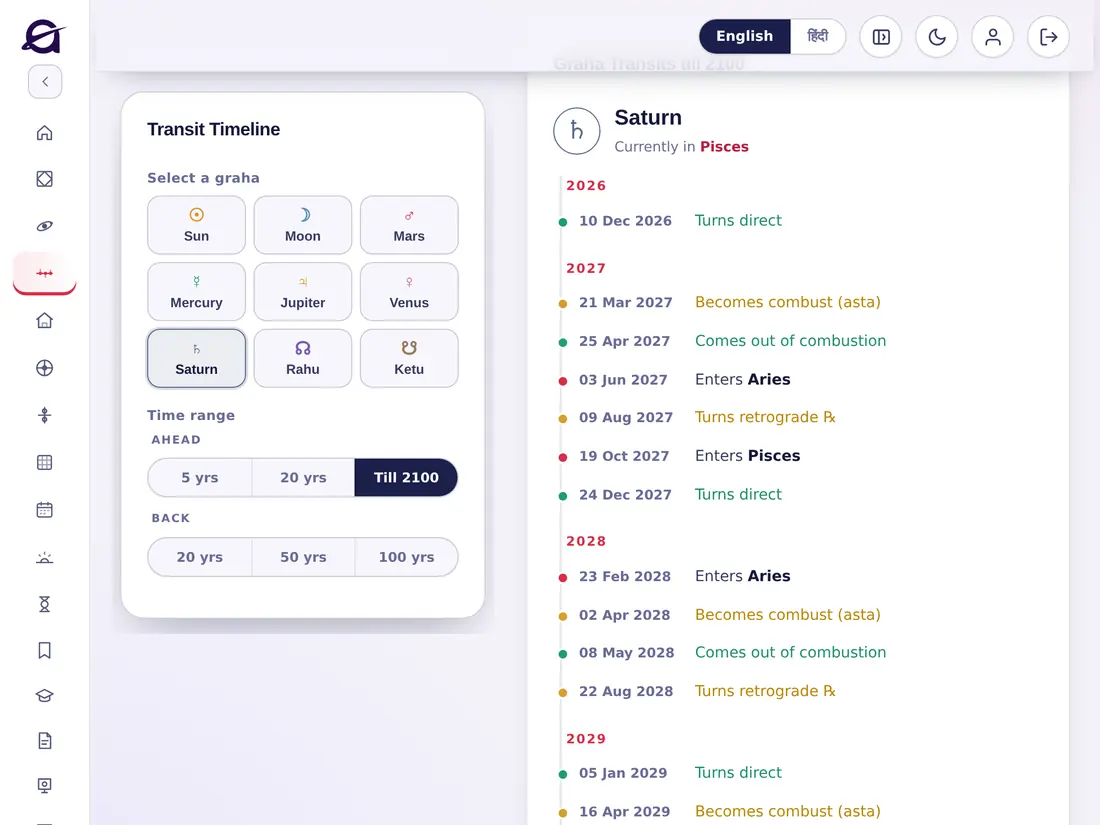
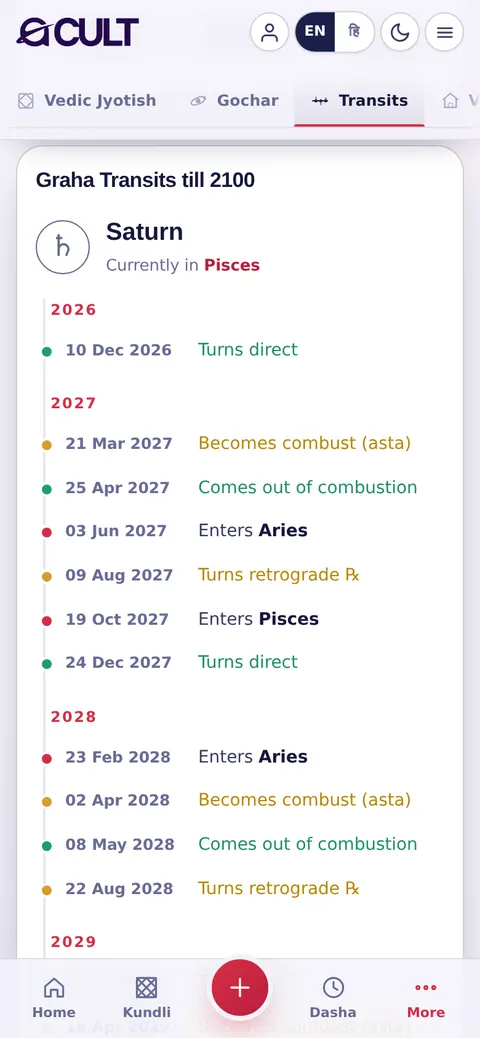
A dated list of every future sign change, retrograde and direct station, and combustion for each planet — up to the year 2100.हर ग्रह के भविष्य के हर राशि-परिवर्तन, वक्री और मार्गी होने, और अस्त होने की तारीख़ों वाली सूची — वर्ष 2100 तक।

acult on a tablet
acult on a phone

Vastu (beta)वास्तु (बीटा)

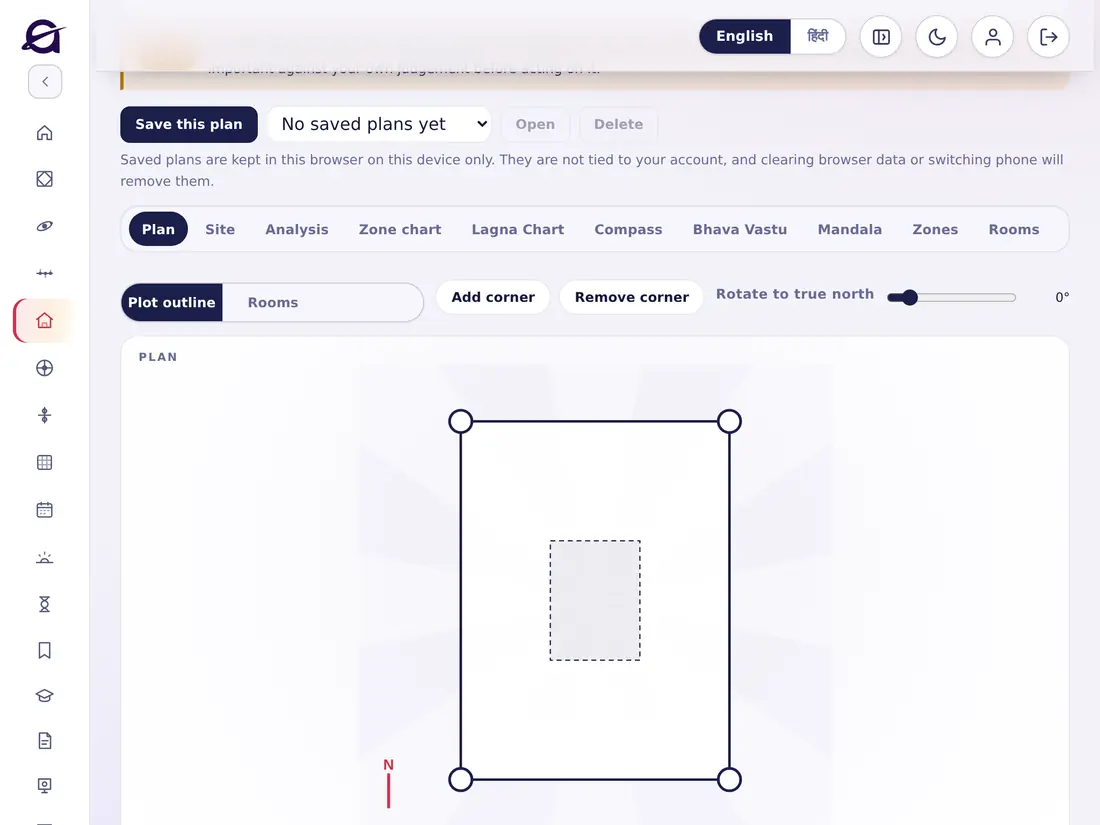
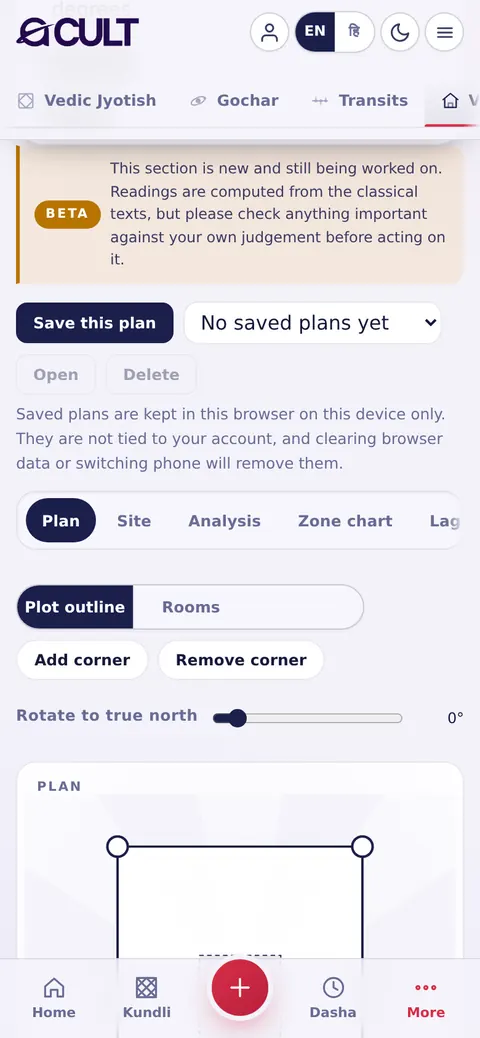
Astro-Vastu for a home or site: the plan, the site, analysis, the zone chart, the Lagna chart, compass, Bhava Vastu, mandala, zones and rooms, with the sources. This section is new — check anything important with your own judgement.घर या भूखंड के लिए ज्योतिष-वास्तु: नक्शा, भूखंड, विश्लेषण, ज़ोन चार्ट, लग्न कुण्डली, कम्पास, भाव वास्तु, मंडल, ज़ोन और कमरे, स्रोतों सहित। यह विभाग नया है — महत्वपूर्ण बातें अपने विवेक से भी जाँचें।

acult on a tablet
acult on a phone

KPके॰पी॰

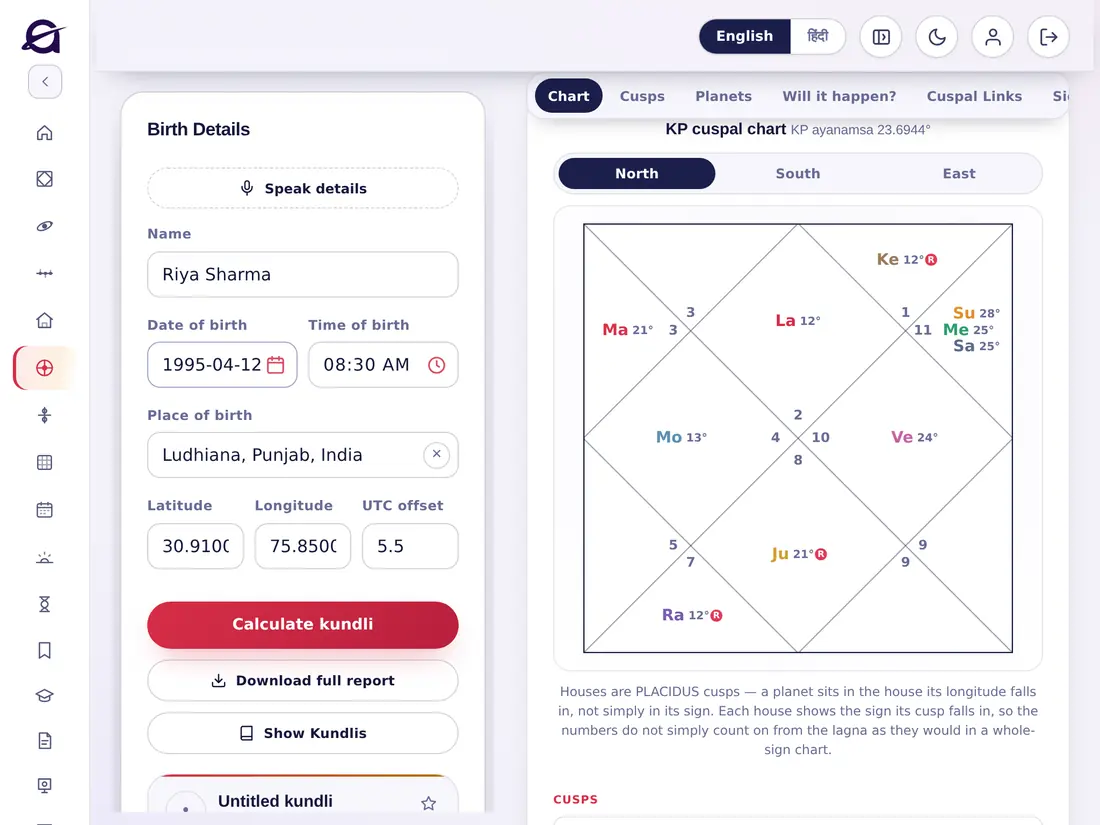
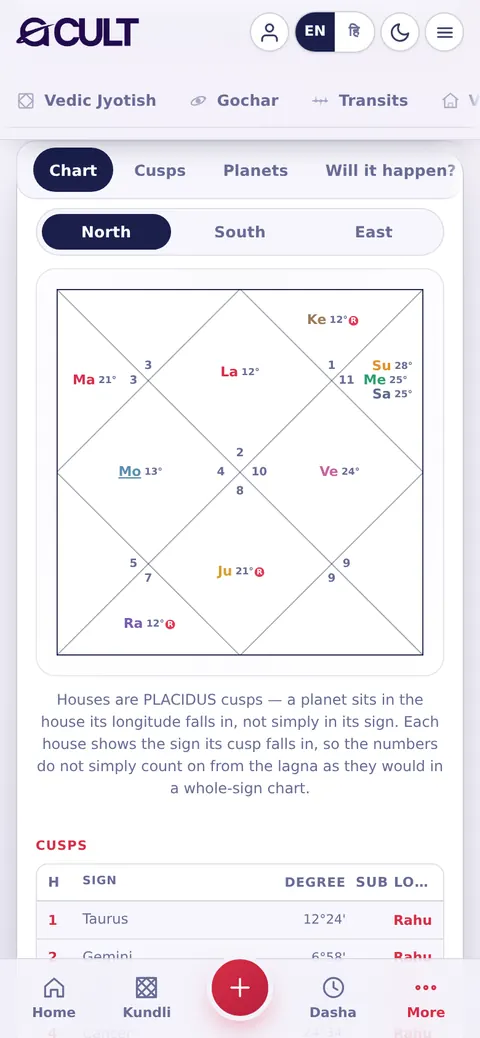
Krishnamurti Paddhati as its own system: the Placidus cuspal chart with the KP ayanamsa, the cusps with their sign, degree and sub-lord, the planets with star and sub lords, significators and Ruling Planets.कृष्णमूर्ति पद्धति अपनी अलग प्रणाली के रूप में: KP अयनांश के साथ प्लेसिडस भाव-कुण्डली, भाव-संधियाँ उनकी राशि, अंश और उप-स्वामी सहित, ग्रह नक्षत्र व उप-स्वामी सहित, कारक और शासक ग्रह।

acult on a tablet
acult on a phone

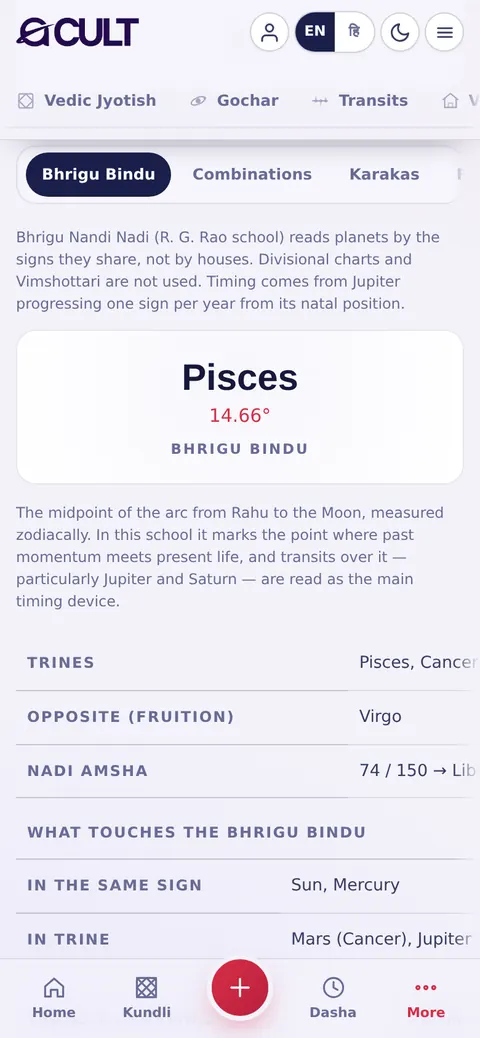
Bhrigu Nandi Nadiभृगु नंदी नाड़ी

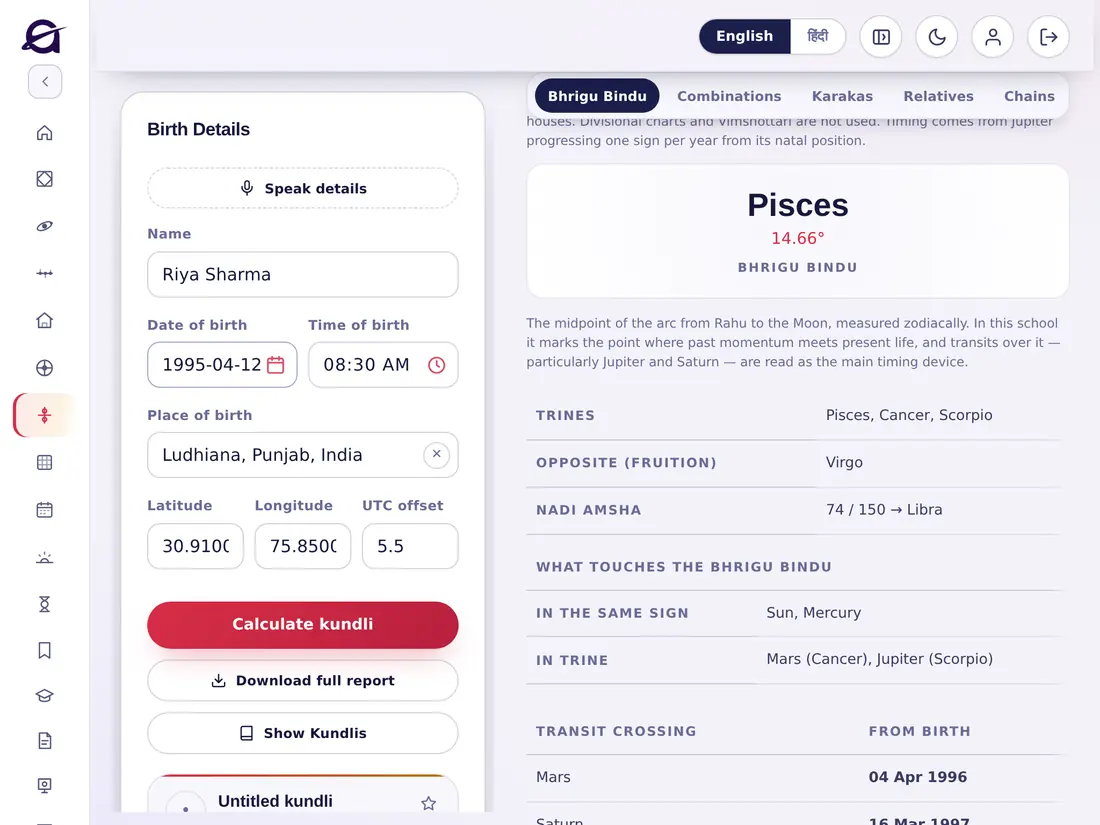
The R. G. Rao school: planets read by the signs they share (trines, opposition and more), the Bhrigu Bindu, and timing by Jupiter progressing one sign a year.आर॰ जी॰ राव पद्धति: ग्रहों को उनकी साझा राशियों (त्रिकोण, सप्तम आदि) से पढ़ना, भृगु बिंदु, और गुरु के हर वर्ष एक राशि आगे बढ़ने से समय-निर्धारण।

acult on a tablet
acult on a phone

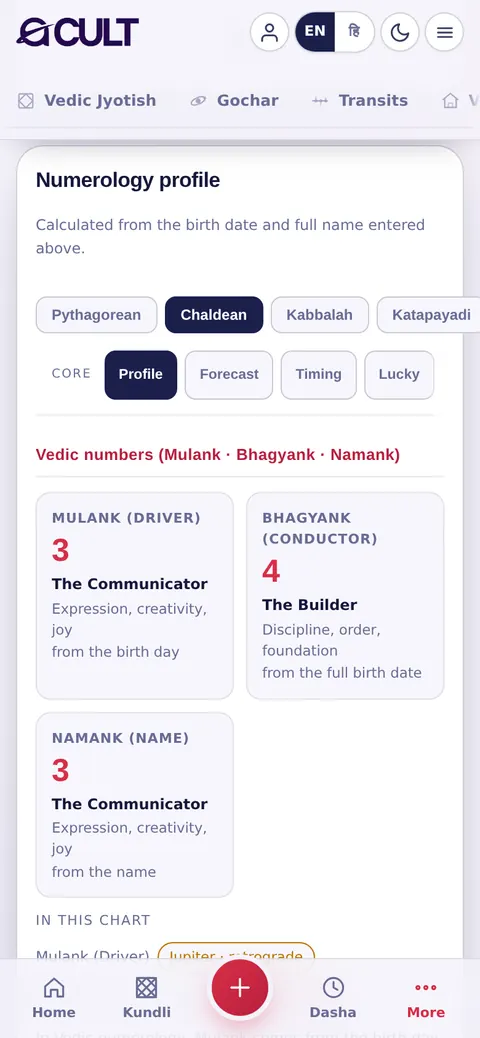
Numerologyअंक ज्योतिष

From the birth date and full name: Mulank (driver), Bhagyank (conductor) and Namank (name number), with their planets in this chart, in the Pythagorean, Chaldean, Kabbalah, Katapayadi and Vedic systems.जन्म तिथि और पूरे नाम से: मूलांक, भाग्यांक और नामांक, इस कुण्डली में उनके ग्रहों सहित — पाइथागोरियन, कैल्डियन, कब्बाला, कटपयादि और वैदिक पद्धतियों में।

acult on a tablet
acult on a phone

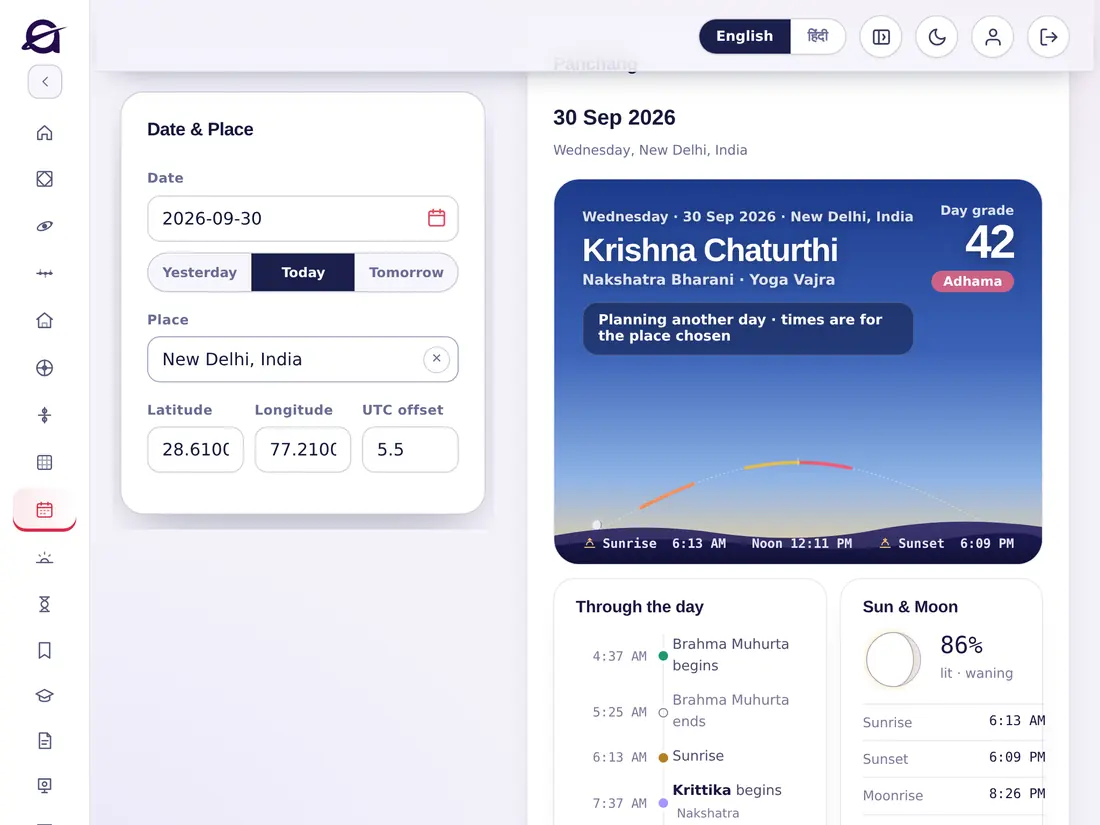
Panchangपंचांग

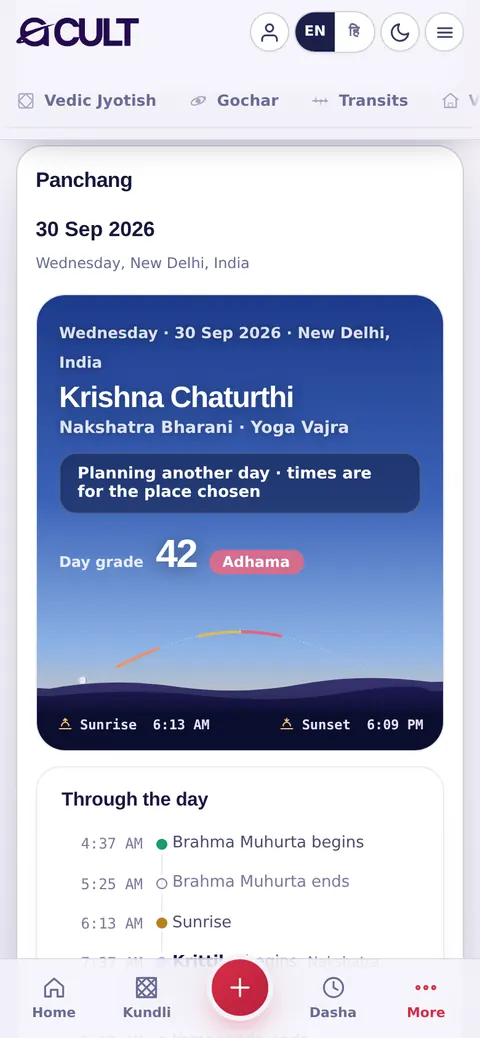
The Panchang for any day and place: tithi, nakshatra, yoga, sunrise, noon and sunset, a grade for the day, and a timeline — Brahma Muhurta, Rahu Kaal, Yamaganda, Gulika, Abhijit Muhurta and more. Change the date or place to plan another day.किसी भी दिन और स्थान का पंचांग: तिथि, नक्षत्र, योग, सूर्योदय, मध्याह्न और सूर्यास्त, दिन की श्रेणी, और समय-रेखा — ब्रह्म मुहूर्त, राहुकाल, यमगंड, गुलिक, अभिजित मुहूर्त और बहुत कुछ। दूसरे दिन की योजना के लिए तिथि या स्थान बदलें।

acult on a tablet
acult on a phone

Chogadiyaचौघड़िया

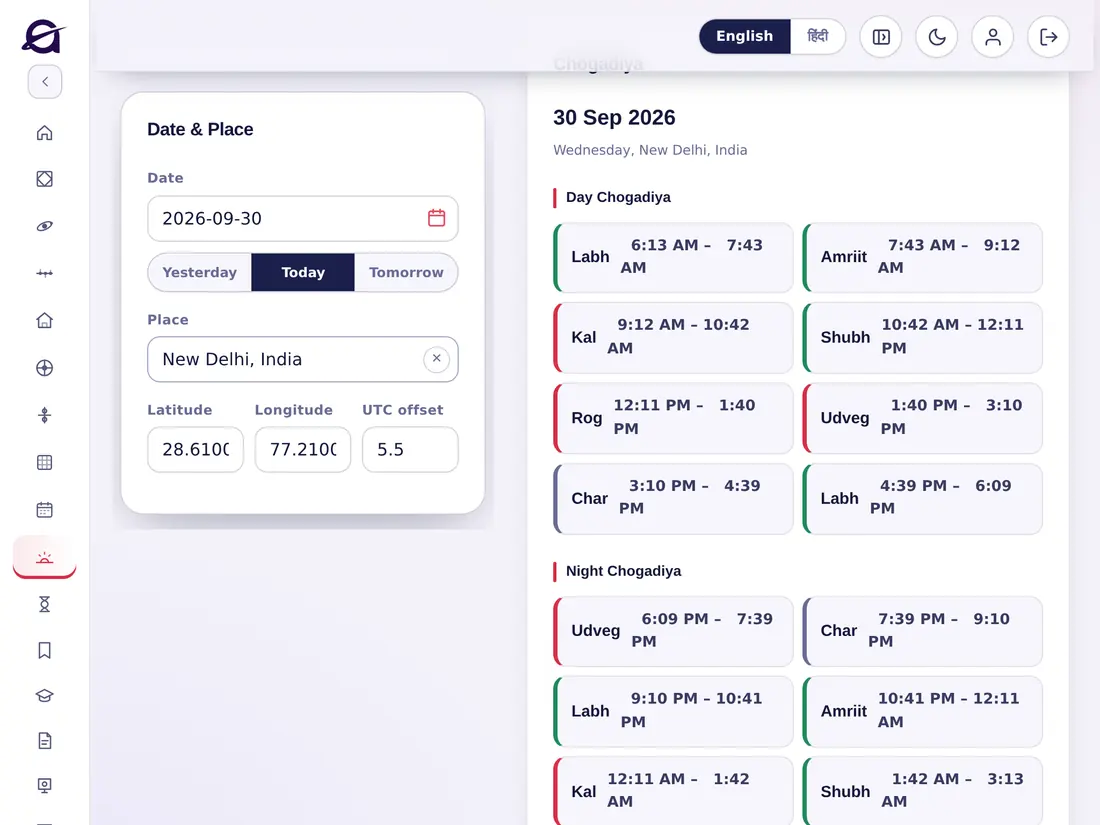
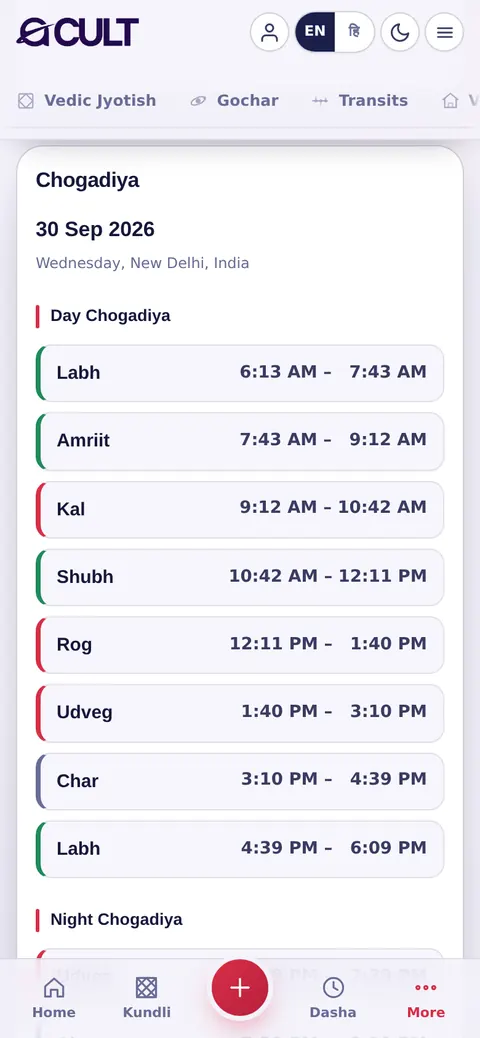
The day and night Chogadiya periods (Amrit, Shubh, Labh, Char, Rog, Kal, Udveg) with their times; auspicious ones are highlighted.दिन और रात के चौघड़िया (अमृत, शुभ, लाभ, चर, रोग, काल, उद्वेग) उनके समय सहित; शुभ चौघड़िया अलग रंग में दिखते हैं।

acult on a tablet
acult on a phone

Horaहोरा

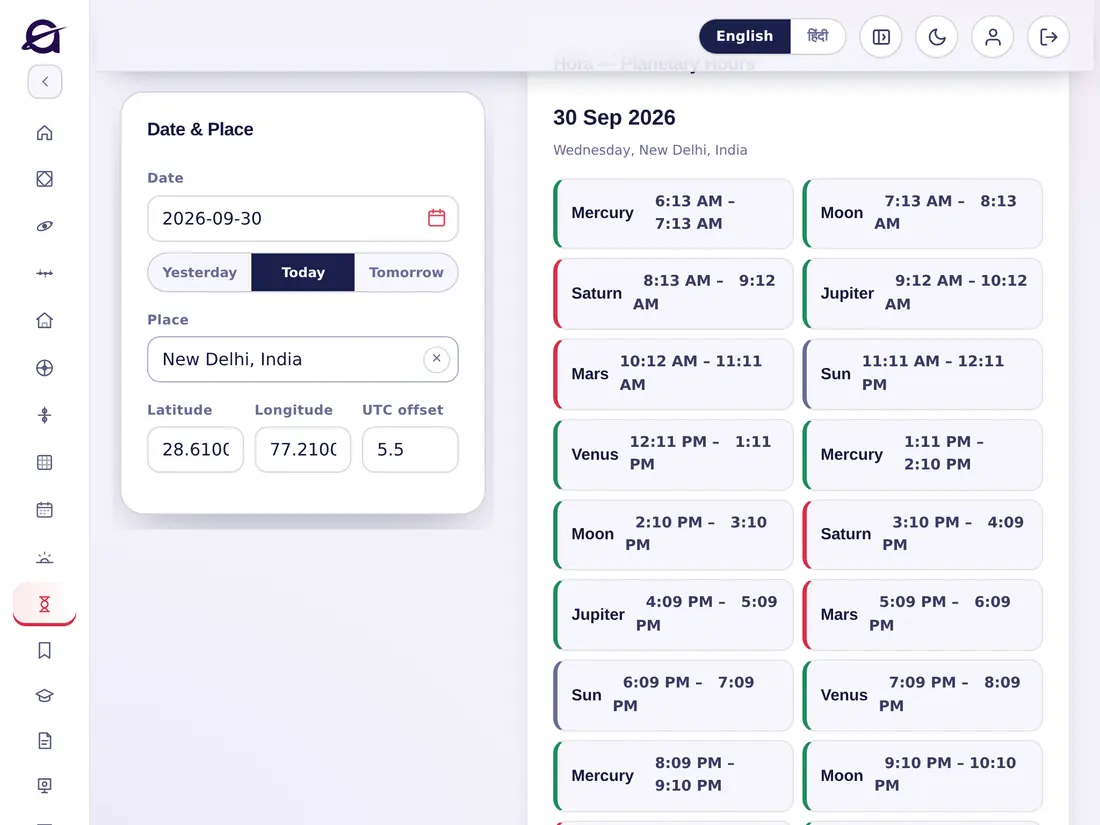
The planetary hours of the day and night, starting from sunrise, with the ruling planet of each hour.सूर्योदय से शुरू होकर दिन और रात के ग्रह-होरा, हर होरा के स्वामी ग्रह के साथ।

acult on a tablet
acult on a phone
Chapter 10अध्याय 10

Your account settingsआपकी खाता सेटिंग

1 topics1 विषय
10

The Account windowखाता विंडो

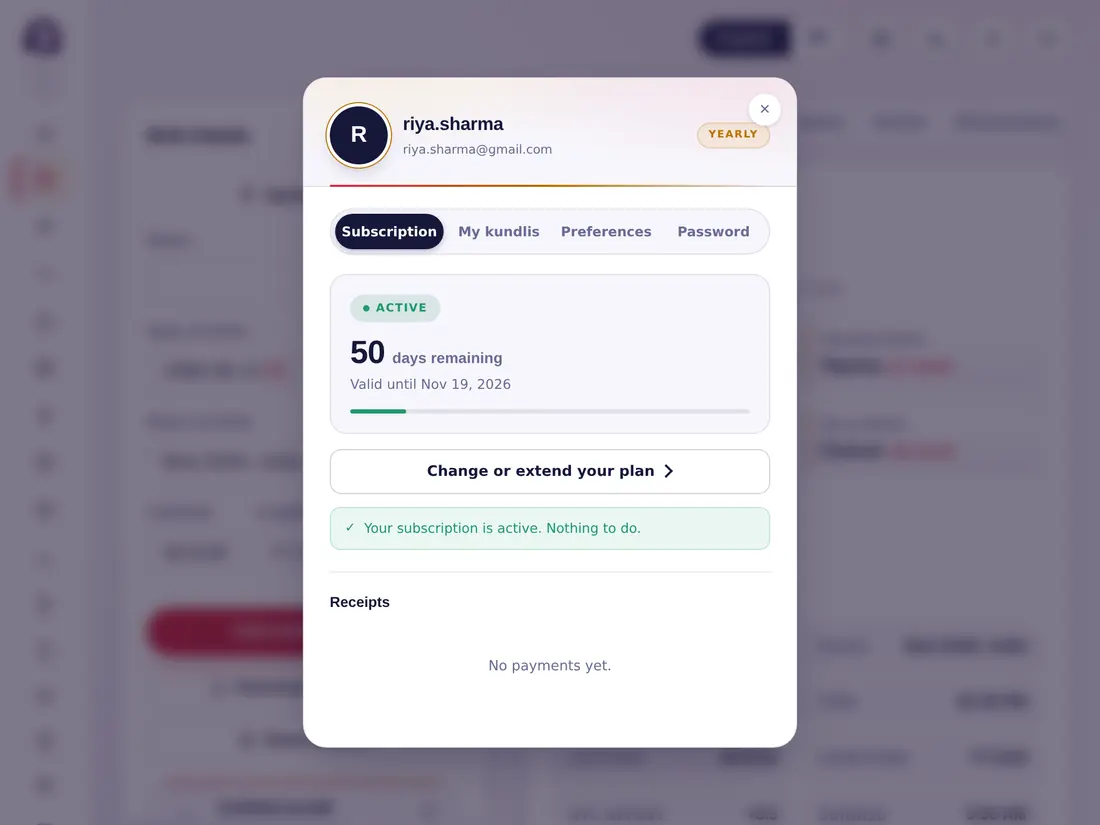
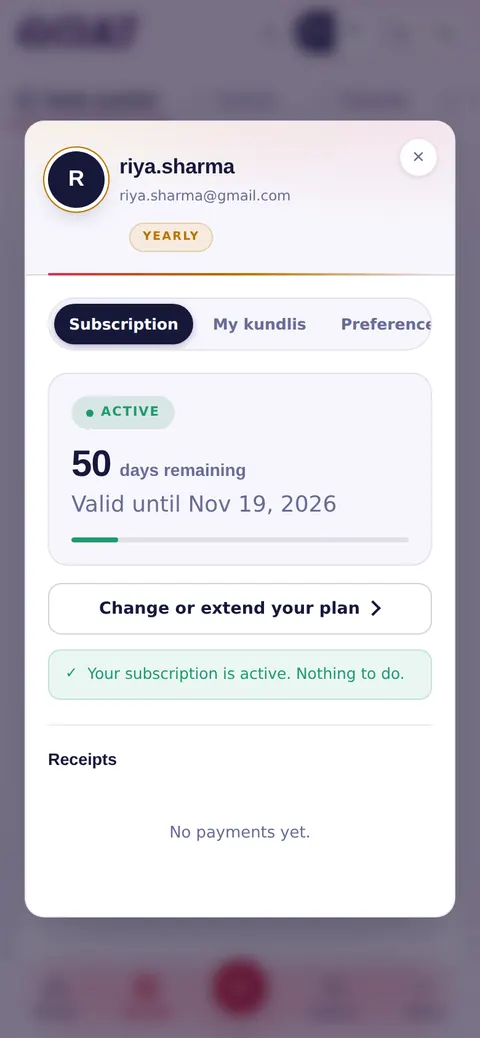
Tap Account in the side menu or the person icon at the top right. It has four tabs:साइड मेनू में खाता या ऊपर दाईं ओर व्यक्ति आइकन पर टैप करें। इसमें चार टैब हैं:

  • Subscription — your plan and its end date, plans to renew or extend, and your receipts.
  • My kundlis — search, filter, export and restore your saved kundlis (see Saving kundlis).
  • Preferences — defaults for every new chart: chart style (North, South or East), a default birth place, how far ahead Events look (5, 10, 20 or ∞ years) and the language. Tap Save preferences.
  • Password — change your password, change your email address, or delete the account (this erases every saved kundli and cannot be undone).
  • Subscription — आपका प्लान और उसकी समाप्ति तिथि, नवीनीकरण या बढ़ाने के प्लान, और आपकी रसीदें।
  • My kundlis — सहेजी कुण्डलियाँ खोजें, छाँटें, निर्यात करें और वापस लाएँ (देखें कुण्डलियाँ सहेजना)।
  • Preferences — हर नई कुण्डली के लिए डिफ़ॉल्ट: कुण्डली शैली (उत्तर, दक्षिण या पूर्व), डिफ़ॉल्ट जन्म स्थान, घटनाएँ कितनी आगे देखें (5, 10, 20 या ∞ वर्ष) और भाषा। Save preferences पर टैप करें।
  • Password — पासवर्ड बदलें, ईमेल पता बदलें, या खाता हटाएँ (इससे हर सहेजी कुण्डली मिट जाती है और यह वापस नहीं होता)।
acult on a tablet
acult on a phone
Account → Subscriptionखाता → Subscription
Chapter 11अध्याय 11

Learn — the Jyotish libraryसीखें — ज्योतिष पुस्तकालय

1 topics1 विषय
11

Reading and learningपढ़ना और सीखना

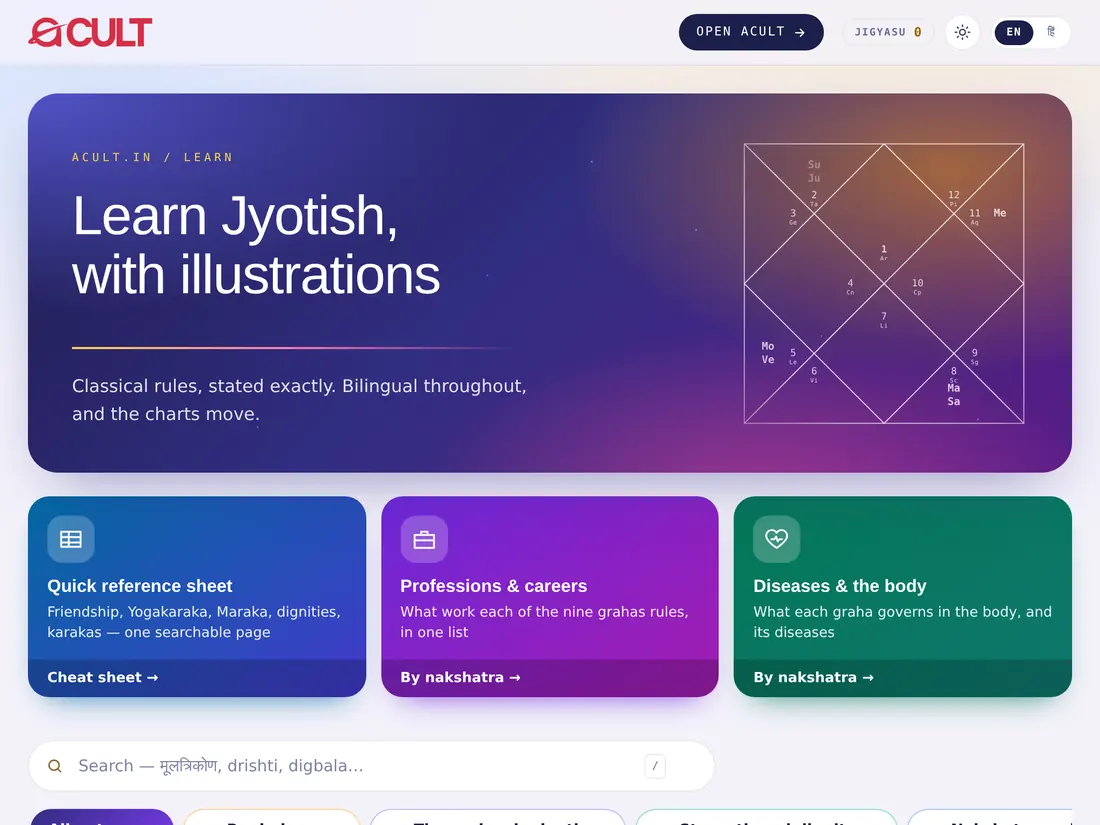
  1. Tap Learn in the top bar or the side menu.
  2. Follow a learning path in order — Begin here, The grahas in depth, Strength and dignity, Nakshatra and time — or use the path filters.
  3. Open a note. Notes are illustrated, bilingual, and divided into chapters; many include interactive labs and drills (for example the Dignity lab).
  4. Use the tools row for Reference images, the Quick reference, Professions and Diseases.
  5. Reading earns XP and badges; a Read mark shows what you have finished.
  1. ऊपर की पट्टी या साइड मेनू में सीखें पर टैप करें।
  2. किसी सीखने के मार्ग को क्रम से पढ़ें — Begin here, The grahas in depth, Strength and dignity, Nakshatra and time — या मार्ग फ़िल्टर का उपयोग करें।
  3. कोई नोट खोलें। नोट्स चित्रों सहित, द्विभाषी और अध्यायों में बँटे हैं; कई में इंटरैक्टिव लैब और अभ्यास हैं (जैसे Dignity lab)।
  4. टूल पंक्ति में Reference images, Quick reference, Professions और Diseases देखें।
  5. पढ़ने पर XP और बैज मिलते हैं; Read का निशान बताता है कि आपने क्या पूरा किया है।
Tipसुझाव

The Learn notes are included in plans of two months and more.Learn नोट्स दो महीने और उससे लंबे प्लान में शामिल हैं।

acult on a tablet
acult on a phone
Chapter 12अध्याय 12

Testsपरीक्षा

1 topics1 विषय
12

Taking a testपरीक्षा देना

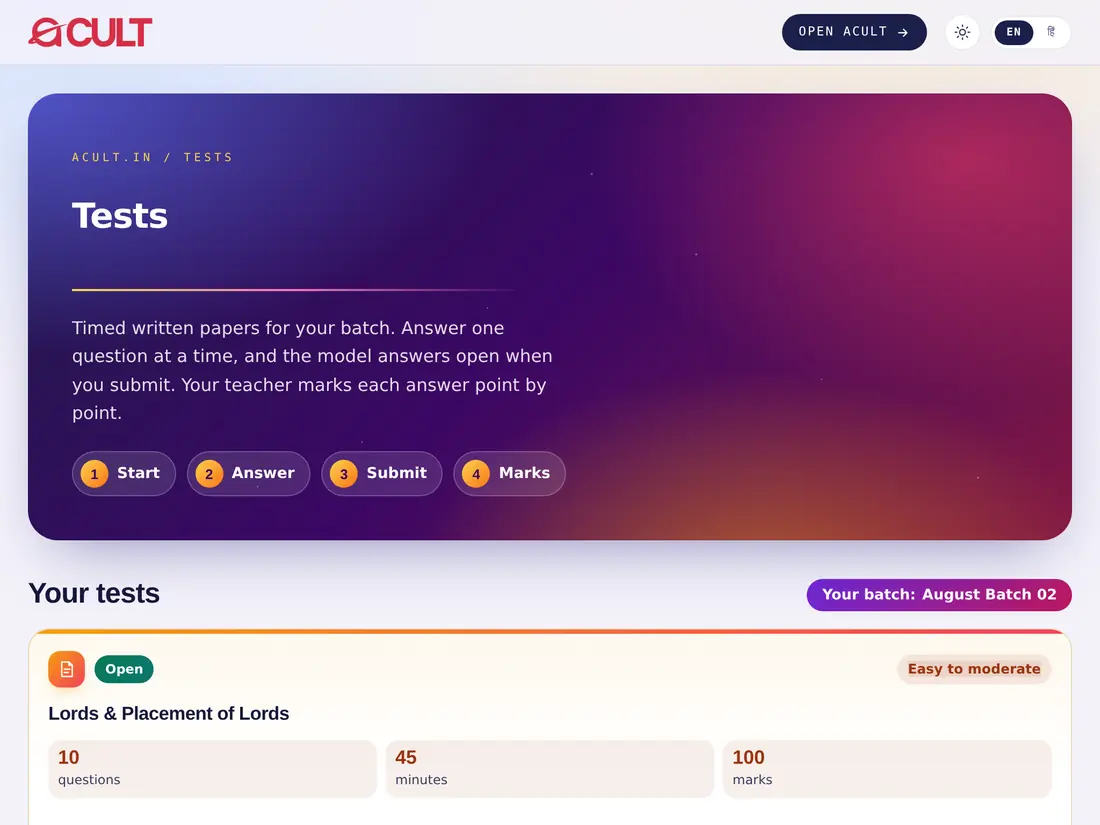
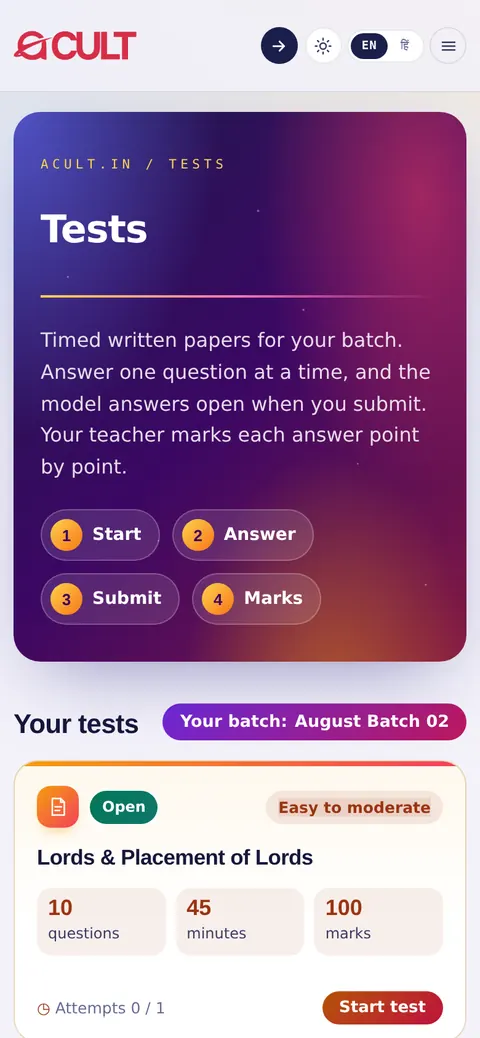
  1. Tap Tests. You see the tests for your batch, with whether each is open and how long it lasts.
  2. Start — the timer begins when you open the paper.
  3. Answer one question at a time; your answers are kept as you go.
  4. Submit before the time runs out. The model answers open after you submit.
  5. Marks — your teacher marks each answer point by point; your marks, level and badges appear under your progress.
  1. परीक्षा पर टैप करें। आपको अपने बैच की परीक्षाएँ दिखती हैं — कौन-सी खुली है और कितनी देर की है।
  2. शुरू करें — पेपर खोलते ही टाइमर चालू हो जाता है।
  3. एक-एक करके प्रश्नों का उत्तर दें; आपके उत्तर साथ-साथ सहेजे जाते हैं।
  4. समय ख़त्म होने से पहले जमा करें। जमा करने के बाद आदर्श उत्तर खुल जाते हैं।
  5. अंक — आपके शिक्षक हर उत्तर को बिंदुवार जाँचते हैं; अंक, स्तर और बैज आपकी प्रगति में दिखते हैं।
acult on a tablet
acult on a phone
Chapter 13अध्याय 13

Booking a consultationपरामर्श बुक करना

1 topics1 विषय
13

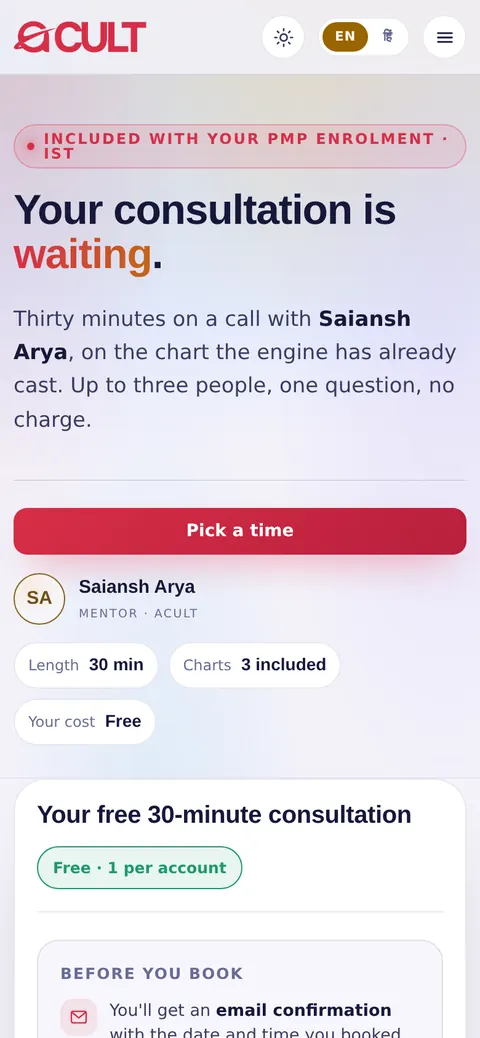
Book a call with Saiansh Aryaसाईंश आर्य के साथ कॉल बुक करें

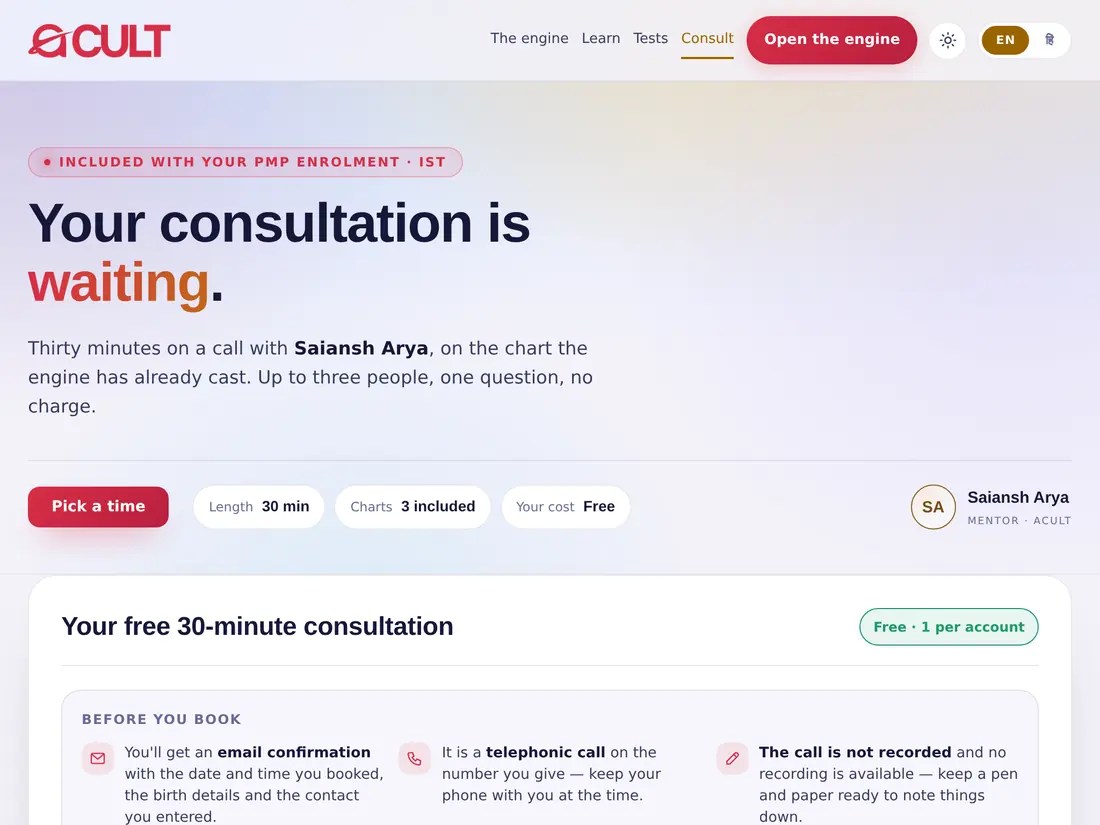
  1. Tap Consult (or open acult.in/consult).
  2. Read Before you book: you get an email confirmation with the date, time, birth details and contact; it is a telephonic call; the call is not recorded, so keep pen and paper ready.
  3. Choose the length (10, 20 or 30 minutes — one kundli per 10 minutes). PMP students see their free 30-minute consultation instead.
  4. Pick a day and a time.
  5. Fill in each person's name, date, time and place of birth (add more people if needed — each extra kundli adds 10 minutes), your question, name, phone and email.
  6. Tap Confirm booking (or Pay and book). The confirmation arrives by email.
  1. परामर्श पर टैप करें (या acult.in/consult खोलें)।
  2. बुक करने से पहले पढ़ें: तिथि, समय, जन्म विवरण और संपर्क के साथ ईमेल पुष्टि मिलेगी; यह फ़ोन कॉल है; कॉल रिकॉर्ड नहीं होती, इसलिए पेन और कागज़ तैयार रखें।
  3. अवधि चुनें (10, 20 या 30 मिनट — हर 10 मिनट में एक कुण्डली)। PMP विद्यार्थियों को इसके बजाय उनका निःशुल्क 30 मिनट का परामर्श दिखता है।
  4. एक दिन और समय चुनें।
  5. हर व्यक्ति का नाम, जन्म तिथि, समय और स्थान भरें (ज़रूरत हो तो और लोग जोड़ें — हर अतिरिक्त कुण्डली से 10 मिनट बढ़ते हैं), अपना प्रश्न, नाम, फ़ोन और ईमेल।
  6. Confirm booking (या Pay and book) पर टैप करें। पुष्टि ईमेल पर आती है।
Tipसुझाव

Don't want to use the app? Open acult.in/consult/book, enter the email of your acult account and the 6-digit code we email you, and book the same way.ऐप इस्तेमाल नहीं करना चाहते? acult.in/consult/book खोलें, अपने acult खाते का ईमेल और ईमेल पर आया 6 अंकों का कोड डालें, और इसी तरह बुक करें।

acult on a tablet
acult on a phone
Chapter 14अध्याय 14

Communityसमुदाय

1 topics1 विषय
14

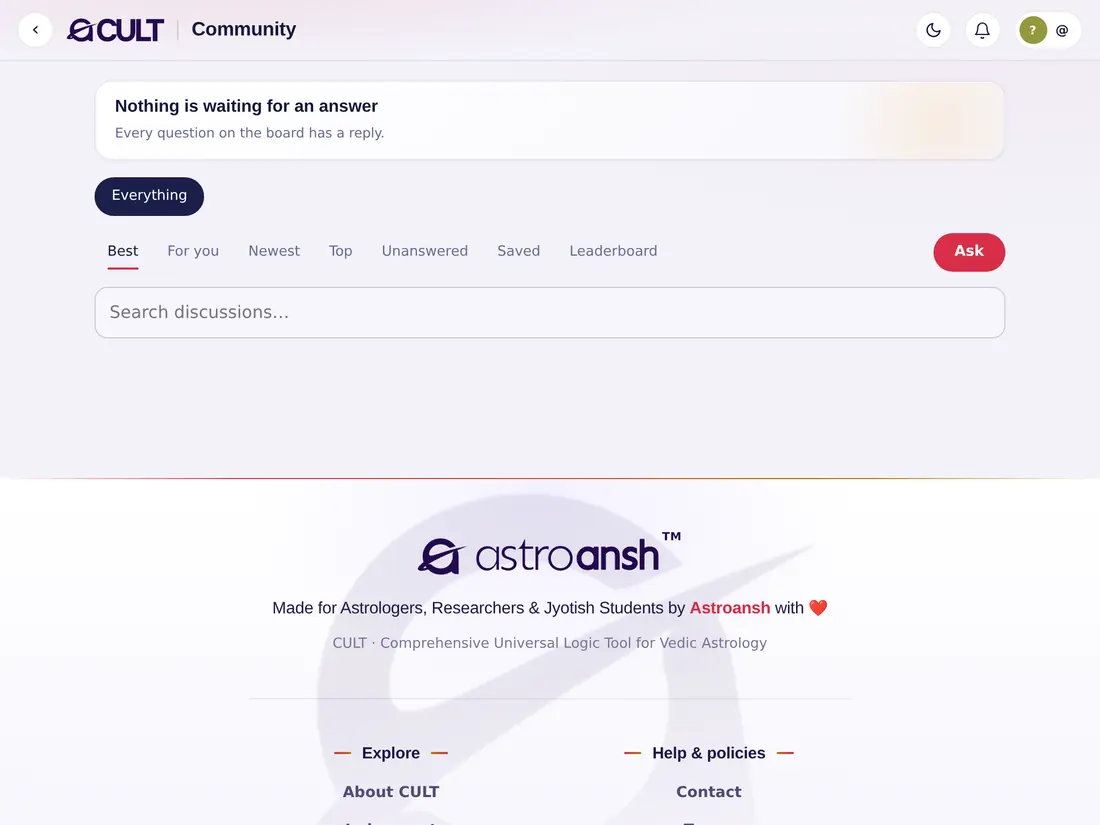
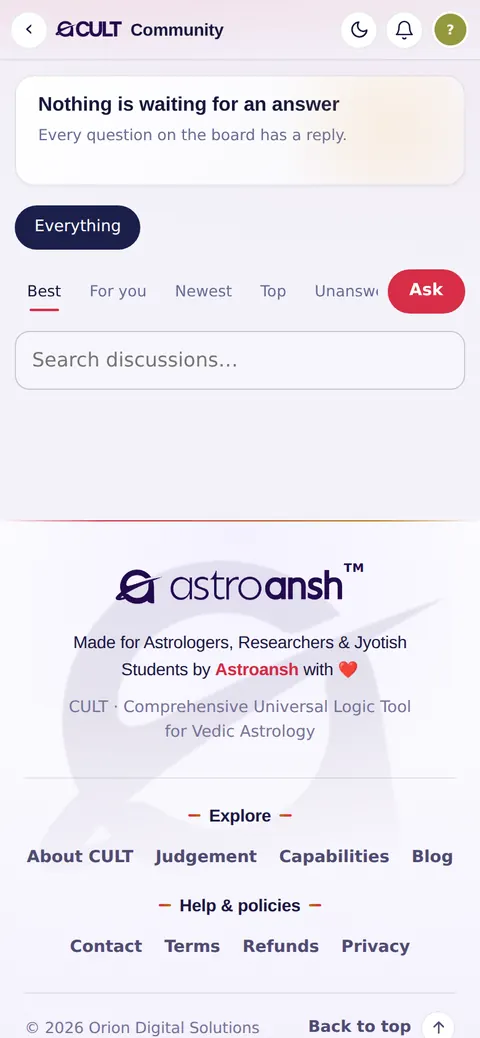
Ask and answerपूछें और उत्तर दें

  1. Tap Community.
  2. Tap Ask to post a doubt; you can attach the chart it is about.
  3. Browse Everything, Best, For you, Newest, Top, Unanswered or your Saved posts.
  4. Answer others, upvote helpful answers and bookmark posts. Mentors answer and moderate; the best answer is marked as accepted.
  5. See the Leaderboard of the most helpful members.
  1. समुदाय पर टैप करें।
  2. कोई शंका पोस्ट करने के लिए Ask पर टैप करें; जिस कुण्डली के बारे में है, उसे जोड़ सकते हैं।
  3. Everything, Best, For you, Newest, Top, Unanswered या अपनी Saved पोस्ट देखें।
  4. दूसरों को उत्तर दें, उपयोगी उत्तरों को अपवोट करें और पोस्ट बुकमार्क करें। मेंटर उत्तर देते और निगरानी करते हैं; सबसे अच्छा उत्तर स्वीकृत के रूप में चिह्नित होता है।
  5. सबसे मददगार सदस्यों का Leaderboard देखें।
acult on a tablet
acult on a phone
Chapter 15अध्याय 15

For PMP studentsPMP विद्यार्थियों के लिए

3 topics3 विषय
15

Your batch pageआपका बैच पेज

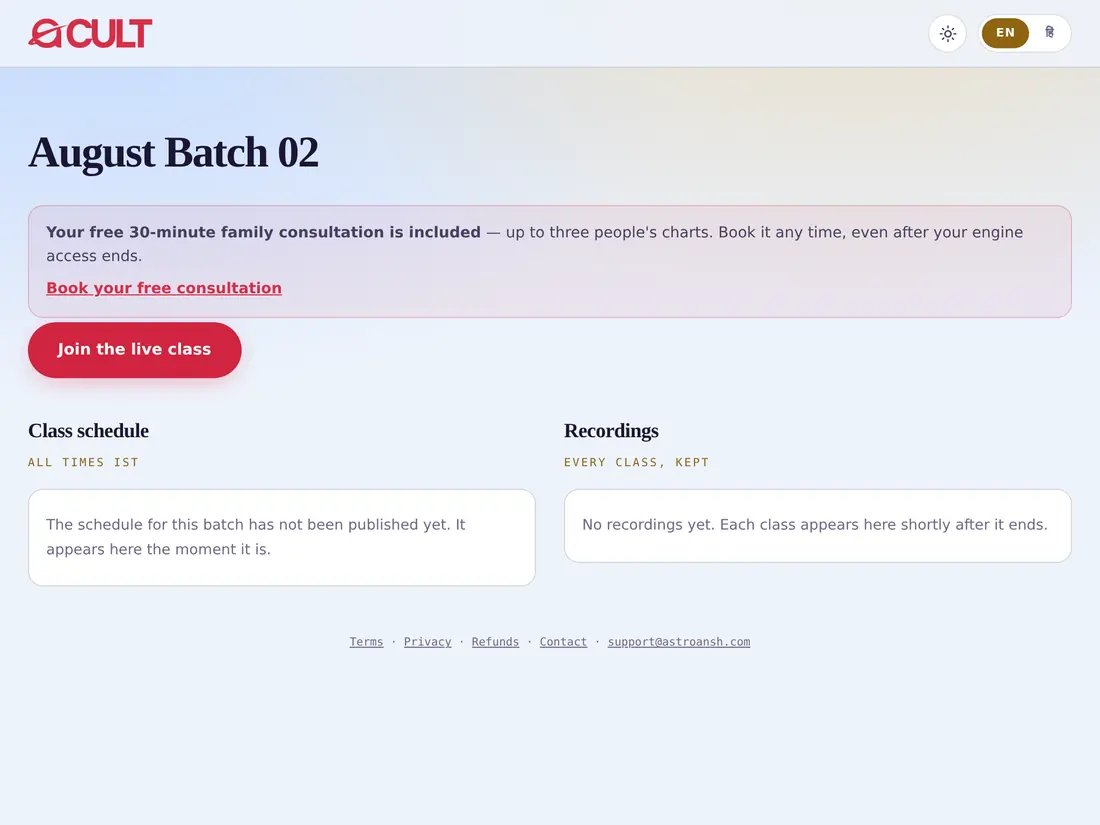
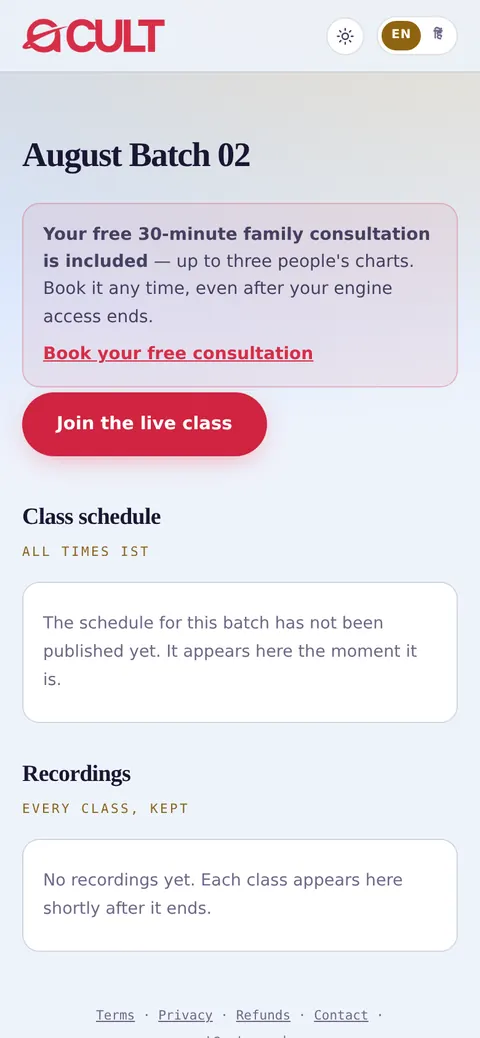
Students of the AstroAnsh Personal Mentorship Program have their own page at acult.in/pmp-batch: the class schedule, recordings, your attendance, and your free family consultation.AstroAnsh पर्सनल मेंटरशिप प्रोग्राम के विद्यार्थियों का अपना पेज acult.in/pmp-batch है: कक्षा का कार्यक्रम, रिकॉर्डिंग, आपकी उपस्थिति, और आपका निःशुल्क पारिवारिक परामर्श।

acult on a tablet
acult on a phone

Joining the live classलाइव कक्षा में जुड़ना

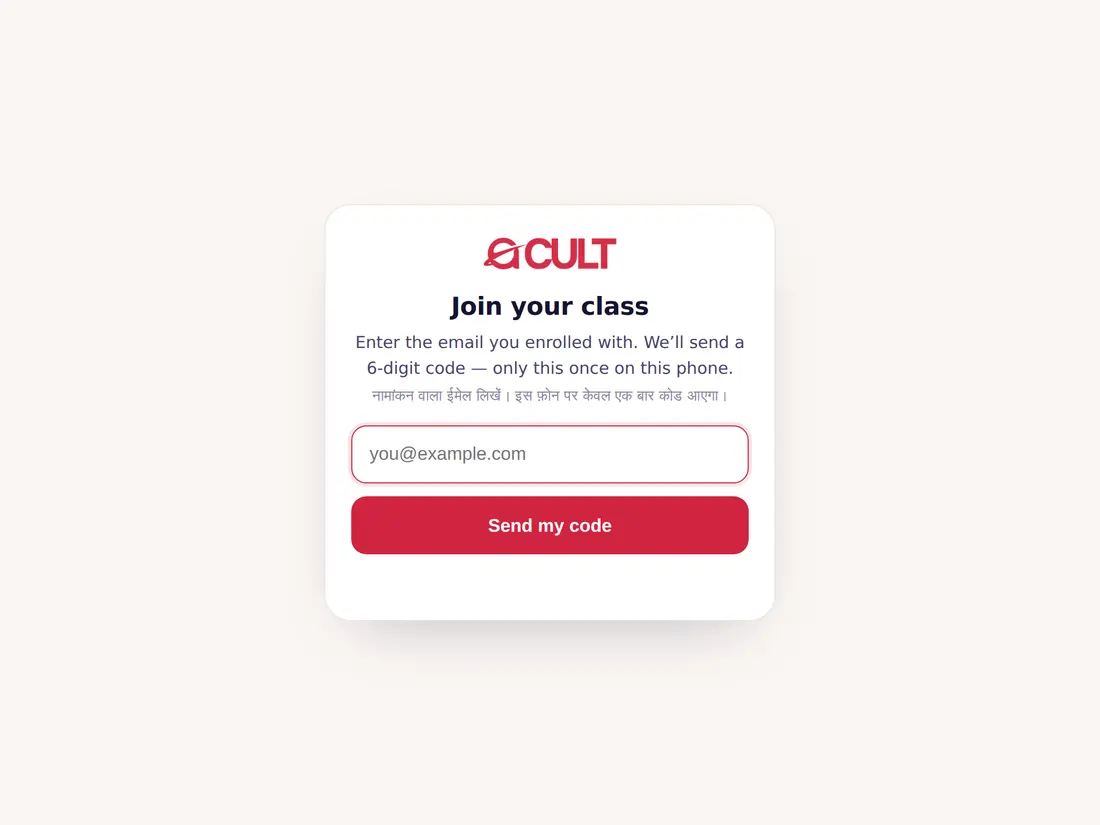
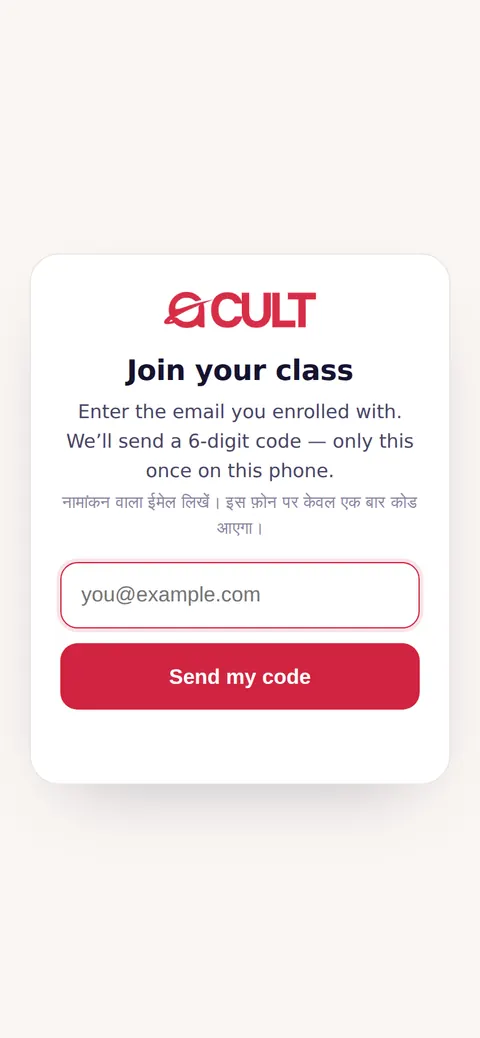
  1. Tap the one class link: acult.in/class (pinned in your batch's WhatsApp group). It is the same link for every class.
  2. The first time on a phone: enter the email you enrolled with, then the 6-digit code we email you. After that, the phone remembers you for four months.
  3. You are taken straight into the Zoom class through your own link, so your attendance counts under your name — whichever phone or Zoom name you use.
  4. Stay for the class: attendance counts when you stay at least the set time (usually 30 minutes).
  1. एक ही कक्षा लिंक पर टैप करें: acult.in/class (आपके बैच के WhatsApp समूह में पिन किया हुआ)। हर कक्षा के लिए यही लिंक है।
  2. किसी फ़ोन पर पहली बार: नामांकन वाला ईमेल लिखें, फिर ईमेल पर आया 6 अंकों का कोड। इसके बाद फ़ोन आपको चार महीने तक याद रखता है।
  3. आप सीधे अपने लिंक से Zoom कक्षा में पहुँच जाते हैं, इसलिए उपस्थिति आपके नाम से दर्ज होती है — चाहे कोई भी फ़ोन या Zoom नाम हो।
  4. कक्षा में बने रहें: निर्धारित समय (आमतौर पर 30 मिनट) तक रहने पर उपस्थिति गिनी जाती है।
Tipसुझाव

Please don't join from a Zoom link someone forwards — join only through acult.in/class, or your attendance may not be counted.कृपया किसी के भेजे Zoom लिंक से न जुड़ें — केवल acult.in/class से जुड़ें, वरना आपकी उपस्थिति शायद न गिनी जाए।
acult on a tablet
acult on a phone
acult.in/class — the first time on a phoneacult.in/class — किसी फ़ोन पर पहली बार

Attendance, consultation and certificateउपस्थिति, परामर्श और प्रमाणपत्र

  • Your attendance — on your batch page: “You have attended X of Y classes”, with a class-by-class list. If your teacher shows a class code, enter it there and tap Mark me present.
  • Free family consultation — 30 minutes, up to three people's charts, bookable from the batch page even after your engine access ends. After it is used, PMP rates apply to later bookings.
  • Certificate — at the end of the course your certificate arrives by email as a PDF, with a link to download a print-quality copy at any time. Anyone can check it is genuine at acult.in/certificate using the number printed at its foot.
  • आपकी उपस्थिति — आपके बैच पेज पर: “आपने Y में से X कक्षाओं में भाग लिया”, कक्षा-वार सूची के साथ। यदि शिक्षक कक्षा कोड दिखाएँ, तो उसे वहाँ लिखें और Mark me present पर टैप करें।
  • निःशुल्क पारिवारिक परामर्श — 30 मिनट, तीन लोगों तक की कुण्डलियाँ, बैच पेज से बुक करें — इंजन एक्सेस समाप्त होने के बाद भी। इसके उपयोग के बाद आगे की बुकिंग पर PMP दरें लागू होती हैं।
  • प्रमाणपत्र — कोर्स के अंत में आपका प्रमाणपत्र ईमेल पर PDF के रूप में आता है, साथ में कभी भी प्रिंट-गुणवत्ता प्रति डाउनलोड करने का लिंक। कोई भी acult.in/certificate पर उसके नीचे छपे नंबर से उसकी प्रामाणिकता जाँच सकता है।
Chapter 16अध्याय 16

Help and common questionsसहायता और सामान्य प्रश्न

2 topics2 विषय
16

Common questionsसामान्य प्रश्न

I didn't get the code or email.मुझे कोड या ईमेल नहीं मिला।

Wait a minute, check the Spam/Promotions folder, then tap Send the code again. Make sure the email address is spelt correctly.एक मिनट रुकें, Spam/Promotions फ़ोल्डर देखें, फिर Send the code again पर टैप करें। ईमेल पते की वर्तनी सही हो, यह देखें।

The chart looks wrong.कुण्डली गलत लगती है।

Check the date (year–month–day), the time (AM/PM) and that the place was chosen from the list. Look at the latitude, longitude and UTC offset.तिथि (वर्ष–महीना–दिन), समय (AM/PM) और यह जाँचें कि स्थान सूची से चुना गया था। अक्षांश, देशांतर और UTC ऑफ़सेट देखें।

It keeps asking me to pay.यह बार-बार भुगतान माँगता है।

Open Account → Subscription to see your plan's status and end date. If you have paid and it still shows “Not active”, log out and in again, then contact us.अपने प्लान की स्थिति और समाप्ति तिथि देखने के लिए खाता → Subscription खोलें। भुगतान के बाद भी “Not active” दिखे तो लॉग आउट करके फिर लॉग इन करें, फिर हमसे संपर्क करें।

Can I use acult on more than one device?क्या मैं एक से अधिक डिवाइस पर acult चला सकता हूँ?

Yes — sign in with the same email on each device. Saved kundlis belong to your account.हाँ — हर डिवाइस पर एक ही ईमेल से साइन इन करें। सहेजी कुण्डलियाँ आपके खाते से जुड़ी होती हैं।

How do I switch to Hindi?हिंदी में कैसे बदलूँ?

Tap हिंदी in the top bar. Tap English to switch back.ऊपर की पट्टी में हिंदी पर टैप करें। वापस आने के लिए English पर टैप करें।

Contactसंपर्क

For any help, open acult.in/contact, or write to us from the email you use for acult. PMP students can also ask in their batch's WhatsApp group.किसी भी सहायता के लिए acult.in/contact खोलें, या acult वाले ईमेल से हमें लिखें। PMP विद्यार्थी अपने बैच के WhatsApp समूह में भी पूछ सकते हैं।

Still need help?अब भी सहायता चाहिए?

Write to us — or, if you are a PMP student, ask in your batch’s WhatsApp group.हमें लिखें — या PMP विद्यार्थी हैं तो अपने बैच के WhatsApp समूह में पूछें।

Contact usसंपर्क करें Ask the communityसमुदाय से पूछें